Posted in Uncategorized

Death of the Desktop and Gaming as We Know It

deathofthedesktopIn the past week, I’ve made two observations about how technology is going through an advancement surge. What I mean by that is that there are big changes happening, and it seems like it’s happening incredibly quickly–at least in my eyes.

The first occurrence was last week. My dad called  us because he knew my husband and I had something he didn’t have–more computer knowledge than him. I found it a little ironic, my dad was my first computer teacher in the early 80s when Apple II first came out. My dad, being an educator, was progressive enough to know that these were going to be the wave of the future, and in some respects, he was an e-teacher–an early computer teacher. But here was my first computer teacher asking for help. He admitted that he had let his skills lag, and he was now “a dinosaur”, and didn’t have a clue what he was doing anymore. His desktop had died, but he wanted to retain a lot of information that was still on his old hard drive. My husband declared the desktop was indeed dead,  and suggested that if my dad bought a new desktop, we could probably install the old hard drive as a secondary hard drive in the new computer, and that way he could still access the information.

I took my dad to the local Best Buy and Staples to do some comparison shopping. What struck us both is that there were next to no choices at either store for desktop models. Almost everything was either a laptop, a tablet, or one of those sleek all-in-one units. Considering that my dad wanted and needed one of those BIG desktops–not one of the compact ones, the choices were even more limited.

The irony was that once we brought the desktop back to my house to see if we could install the old hard drive into it, we discovered that it didn’t have a bay inside the casing to accomodate it, but it also essentially only had a motherboard, a power source, a fan, a Blu-ray disk drive, and the hard drive inside. That was it. It was a LOT of wasted space for something that was fairly powerful. The machine also came with the “blessed” Windows 8. I’ve had my hesitations about upgrading to it myself, but my dad had no choice, and the poor chap has been using only Windows XP and Windows 2000 up until now, so he was REALLY behind. Our solution to the hard drive issue was that my husband bought a contraption that you can enclose the old hard drive in a special case, and it turns it into a USB-connected external hard drive. So, that part of the problem is solved.

The Windows 8 solution is not. Dad is struggling to figure it all out, and is perplexed at how Windows 8 works in general. He’s not up to speed with the idea of using cloud-based apps for anything, or even using cloud-based storage.  Since my husband and I are still using Windows 7 (and we’re safe for now), we can’t advise him on how to use it, even though we can give him some advice on apps and cloud-based apps in general. What’s frustrating for my dad is that my mother is even less computer literate than him (she’s been condeming computers for thirty years now), so she’s REALLY thrown by how to use Windows 8. I sent Dad some online resources including an e-book on how to use Windows 8, and he bought another book, so hopefully he’ll be the expert soon enough.

The second indicator to me that things were changing technologically was the closing of our local GameStop store. Now, to be fair, I live in a very small town–one that’s small enough that I questioned why we even had a GameStop in our town to begin with. We liked that store better than the one at the local mall because we got more personalized service, and we liked the staff there. I was only surprised to see that it had disappeared almost overnight the other day when I passed by the shopping center where it was located. I’m sure the store didn’t get enough traffic to warrant it to stay open, so that wasn’t a surprise. I was just surprised that it was done without a lot of fanfare. Related to that, since the store wasn’t there, my son was itching to get a new game for his Nintendo 3DS, and we ended up looking online for choices. Granted, my son is fussy about what games he likes and doesn’t like, so choices seemed slim. But even from my own tastes, it seemed like there weren’t a lot of choices. Here was a portable gaming system that didn’t have many games, even though it’s the most current Nintendo portable gaming system on the market. That didn’t make sense to me. As I later found out, Nintendo is working more and more on putting out games that can be accessed through the 3DS’s wi-fi connection–in other words, accessed through cloud services, and saved on the device’s flash drive or on the SD card that you can install. THAT’S where all the new games were!

As I thought about my dad’s predicament in catching up to the 21st century and my son’s need for more games, it occured to me that more and more access to media of any kind is becoming dependent on mobile services and cloud services.  Really–think about it. As I was finding out from my dad, he could only install or update his Microsoft Office if he subscribed to Office 365–the cloud service. Microsoft has adopted cloud services to deliver its services, as has Adobe. Subscription services are pretty much the main way–and soon the only way–one can get access to this software and applications. It’s rare that anyone gets DVDs to install software anymore–it’s downloaded off the Web now. The same thing was happening with my son. He had better access to games for his device through Nintendo’s cloud services than if he paid for a micro-disk.

These are only two of several observations I’ve made lately that we’re going through a technology surge of sorts that are making what we’ve known and loved for years are quickly becoming obsolete.  Tablets, smartphones, and laptops are pretty much the standard now, pushing mobile to the forefront even more. Touch technology is becoming more prolific, even for the all-in-one desktop computers that are out there, putting it on the same level as its mobile counterparts.  Even the gaming world is getting the clue, with more games downloaded to smartphones and other mobile devices rather than buying the software.  Who buys DVDs or Blu-ray disks anymore when we can download movies and other videos from Netflix or iTunes?

Cloud-based and flash-memory based technology seem to be taking over! Soon enough, DVDs, CDs, and SD cards are going to obsolete like the 5 1/2 inch floppy disks, VHS tapes, tape reels or punch cards! Seriously–think about it–in a year or two (okay, maybe a little more than that), all those things might be GONE.

It’s great that technology is advancing in leaps and bounds like it is. No one is more excited about these advances than I am, in most cases. But I wish I could keep up sometimes! It makes me feel bad for my dear dad, who is getting left in the dust by these advances.  I’m sure he’s not the only one.

Posted in Uncategorized

It’s Time to Mobilize Learning–Just Ask RJ Jacquez

Anyone who knows me and has been with this blog for the long haul knows that I really like what m-learning is all about. Even though I haven’t been able to steer my career in that direction as much as I’d like (or at least, not yet), I’ve always been a big advocate for m-learning and what it can accomplish.  For a while now, I’ve been a great follower of RJ Jacquez, and while he and I don’t talk as much as we used to online anymore, I still consider him my number one mentor on m-learning.  He’s always been a very early supporter of the TechCommGeekMom cause!

RJ recently gave a keynote speech for the 2013 ASTD Houston Conference.  While I would have loved to have attended this event, especially for RJ’s keynote address, I wasn’t able to go. (I do have to work, and I went to the 2013 STC Summit, after all!)  For that reason, I’m so glad that RJ shared his SlideShare file for the keynote address online.

His talk was called, “The Time to Mobilize Learning is Now!” Here is his SlideShare slideshow:

RJ has been a prominent leader in promoting mobile, not just m-learning, for a while now, and even without his accompanying talk to go along with the slides, you can get a fairly clear idea of where he’s going with this. Mobile is change, and in so many ways, we have already started to embrace the changes. We need to adapt in order to move forward. His demonstration of the evolution of how we have come to the point of using mobile as prolifically as we do now, and of all the many benefits of using mobile seem fairly clear from this slideshow.

I’m still a big believer in mobile, and this slideshow reminded me of this. It helped to reinforce again my belief that mobile is an important part of our integrated technology going forward. If we don’t adapt, we fall behind, not just with m-learning–which seems to be leading the way, but also with mobile content itself.

Nice job as always, RJ!

Posted in Uncategorized

Recap of the Adobe Day “Coachella” – Tech Comm Rock Stars abound!

KSM ROTHBURY packing up 5Adobe Day at the 2013 STC Summit was really great. It took me a while to digest all my own notes and relive the moments promoting the rock stars of tech comm. But like all good music festivals, the “Coachella” of tech comm had to end, but with great memories of fantastic information that will stay with me for a long time. Hopefully you enjoyed this “magical mystery tour” as well!

There were several people from Adobe that were truly instrumental in making this event a success, but I have to “give it up” for the two Masters of Ceremony of the event, Saibal Bhatacharjee and Maxwell Hoffmann.

Saibal
Saibal Bhattacharjee

MaxwellHoffmann
Maxwell Hoffmann

So many people know them from the Adobe TCS webinars, blogs, and other social media outlets. I know they’ve been two of my greatest supporters, so I want to thank them for inviting me to the event, and as always, making me feel welcome both during Adobe Day, as well as during the STC Summit.

If you missed my series for this Adobe Day event, here’s a recap, so you can relive the day yourself:

 macca

Maybe I’m Amazed I met this Tech Comm legend…

 Jagged+Little+Pill

How does that jagged little pill of content strategy go down?

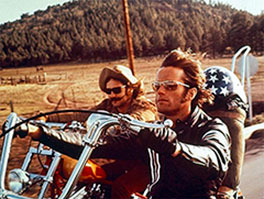
 Peter-Fonda-and-Dennis-Hopper-in-Easy-Rider

Get your motor runnin’…Head out on the [mobile] highway…

 Coldplay2

XML Metrics are the Coldplay of the Tech Comm World

 coachella

If Tech Comm had its own Coachella, how would it be done?

I hope you’ve enjoyed all the articles. If you have any questions or comments, please feel free to comment below!

The next time there is an Adobe Day near you, or if you have the opportunity to go to one, I strongly encourage you to go! I’ve now been to two of them, and both were different.  It’s amazing to see how perspectives change on the “hot” issues of tech comm in a mere few months! I was glad to hear from leading experts on the pressing topics of the day. And I have to say, I’ve learned so much from both visits. I can honestly say, as well, that both provided information that were applicable to my job, even as a new technical communicator.  Keeping up with current trends in technical communication is important, because technology is changing fast, and technical communicators need to keep up with not only the technology itself, but the needs that new technology presents. Adobe does a nice job of bringing the best thought leadership from around the globe to talk about these issues  for free. How can you pass that up?

Thanks again, Adobe, for an amazing opportunity to attend this free event!

Posted in Uncategorized

Maybe I’m Amazed I met this Tech Comm legend…

macca“Excuse me, Dr. Corfield, I’m tweeting this event for Adobe today. Would you happen to have a Twitter handle?”

With the apology that he hadn’t one, but that he did have a Facebook page, I had started a too-short yet lovely pre-event chat with Dr. Charles Corfield, the keynote speaker for the 2013 STC Summit’s Adobe Day. In my mind, being the inventor of Adobe Framemaker would easily qualify the tech comm pioneer for the Tech Comm Hall of Fame (if there was such a thing). For me, talking to Dr. Corfield was like talking to the Paul McCartney of tech comm (and that’s super high praise coming from a Macca fan like me!). Just as McCartney is unequivocally deemed as one of the early pioneers who revolutionized how we listen to rock music today, Corfield helped to revolutionize tech comm with his creation of Framemaker, and in the process, created what we know as a software standard for technical communication that still holds up today. I loved listening to Dr. Corfield’s soft-spoken, British accent as he chatted with me briefly about social media and about some of the things he was going to be talking about in his presentation. I was truly having a fangirl moment, and hopefully I kept my cool during the conversation. Awesome!

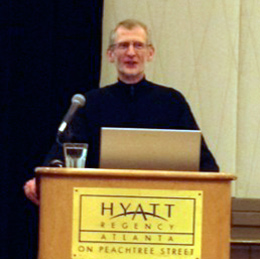
CharlesCorfield
Dr. Charles Corfield
The “Father” of Framemaker

Dr. Corfield started his talk by presenting us with a history of how Framemaker came about. He explained that before Framemaker, computing was still fairly archaic, but workstation computers were starting to become more powerful. As a graduate student at Columbia, he was looking to create software that could take things a step beyond word processing, namely make software that could also create unified pagination and page layouts. Framemaker allowed page layouts and paginatable text to work in a symmetrical flow. The software targeted long documents and other paper output done by humans.

Dr. Corfield pointed out that the first content management problems started to occur as a result, and those issues included the need for internal references, such as footnotes, indexes, cross references,  and markers. The power of Framemaker’s ability to create indices to update long documentation was–and still is–more powerful than Microsoft Word even today. He also added the ability to refer to external factors like external references and hypertext.

Framemaker created the ability to manage variants of a single document, leading to what we now think of as single source publishing. Variants would be such objects as variables, conditional text, frozen pagination and change-pages. This yielded a new dilemma. As Corfield posed it, do you send out fully changed documentation or only the pages that were changed, especially with super large documents? The problem would be that with big documents, people would say, “Well, what changed?” Corfield pointed out the Boeing 777 project in 1990s needed IMMENSE documentation, so they needed to use retrievable databases. The Boeing 777 project solution was to use SGML (the predecessor of HTML and XML). This project made it the first “web” delivery of documentation. The Boeing 777 project used Framemaker with SGML, using HTML, XML, DITA as well as “structure.” Framemaker provided a server-based generation of documentation.

Shifting his talk a bit, Dr. Corfield started to talk about Framemaker’s impact today.  He pointed out that the original retina display was actually paper! Sophisticated layouts had to be used to maximize the user-experience. The computer came along later to expand on that concept. Displays started out with 72 dpi (dots per inch) displays, which led to crude layouts. Now, retina display is available at 300 dpi, but we need to re-learn what we did on paper yet also include dynamic content from high resolution video and images.  Corfield pointed out that there has been a proliferation of platforms. We have desktop, laptops, smartphones, and tablets that use different platforms such as Unix, DOS, and MacOS (for PC and Mac products respectively) that need different outputs. Technical writing, therefore, is directly impacted by all the different displays and platforms in relation to  document authoring. It is a requirement to produce structure and rich layouts for the output. Documentation needs to be able to support dynamic content (video, animation, etc.) and it needs to manage content for consumption on multiple platforms. The good news is that Framemaker can do all that! While there are other tools out there that can also deliver different kinds of output, many still struggle to manage and deliver to these needs the same way that Framemaker can now. Dr. Corfield is not part of Adobe anymore, nor is he part of today’s Framemaker product, but he seems happy with where the product has gone since he left it in Adobe’s hands.

(I should note, that while this was a talk sponsored by Adobe, this really wasn’t intended to be a big info-mercial for Framemaker, but rather something that puts the concept of tech comm software into perspective, and it happens to be the product of the sponsor.)

So, where does this tech comm legend think technology is going next? Corfield thinks that going forward, voice is going to have the biggest impact. He felt that screen real estate is full, and that much of the visual is about adding a new widget, then removing a widget. Voice, he continued, eliminates how keyboard shortcuts are remembered. How many keyboard shortcuts does the average user know? Touch screens are a slow way to perform data entry. The impact of voice will be the ability to use visual tips, and have voice act as a virtual keyboard. Voice will be impacting product documentation, allowing it to understand how existing workflows can be modified. Corfield’s prediction is that Framemaker, along with other software out on the market, will “assimilate” voice, just like everything else.

Since leaving Framemaker, Corfield has been working with a product called SayIt, using voice as part of workflow optimization, and emphasized that voice truly is the next big thing (you heard it here, folks!). When asked about the use of voice technology in practical office use, Corfield responded that push-to-talk technology helps prevent cross-talk in an office environment. He also pointed out that with voice, there are no ergonomic issues as there are with carpel tunnel syndrome using a mouse and keyboard. If anything, voice will be more helpful!

On that note, the presentation was over. The long and winding road had ended, but has lead to new doors to be opened. 😉

I really enjoyed listening to the history and the thought process behind Framemaker that Dr. Corfield presented. Everything he mentioned made total sense, and it’s to his credit that he had the foresight to think about the next steps in word processing to create a useful tool like Framemaker to help technical writers meet the needs of documentation in the digital age.

There is a certain aura around creative, imaginative and smart people who make huge differences in our lives, whether it’s in music like McCartney, or tech comm software like Corfield. You can’t help but be awed in their presence, and yet understand that they are generally humble people.  When you have a chance to meet an individual like that, you want the opportunity to capture the moment–like have a picture of yourself and that person to prove that it happened. I was much too shy to ask Dr. Corfield for a photo with me to be honest. I felt awkward asking, so I didn’t. Heck, I felt awkward asking about his potential Twitter name! Even so, I’m glad I had the opportunity to meet him and hear him speak.  He’s got my vote as a candidate for the Tech Comm Hall of Fame someday.

(And, Dr. Corfield, if you do ever read this, please feel free to correct anything written here or add any clarification or other commentary below!)