
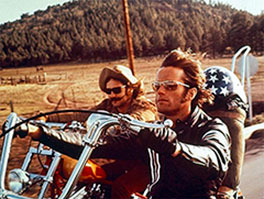
 When I first read the title of John Daigle’s Adobe Day presentation, “Enjoying a Smooth Ride on the Mobile Documentation Highway,” guitar riffs by Steppenwolf echoed in my mind thinking of the song, “Born to Be Wild” and scenes of Peter Fonda and Dennis Hopper riding down the information highway. OK, maybe not the information highway, but with mobile, it’s an open road right now that is waiting to be explored.
While I hadn’t heard John speak before, I was familiar with his “rock star” status due to social media–mostly through Twitter (you can find him as @hypertexas)–in my e-learning and m-learning forums. It turns out that John is a big RoboHelp and Captivate expert, so being tied into the mobile highway scene makes sense!
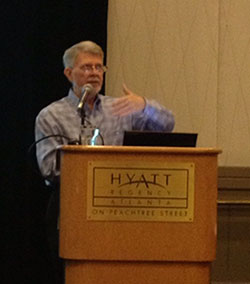
The premise of John’s talk was that there are shifts and trends in mobile, and we need to look at organizations as early adopters, figure out the mobile landscape, and look at how user assistance is used on mobile as compared to how reference documentation is used generally. He pointed out that writing and designing for a mobile audience is very different from traditional methods (I agree!), and that he would be offering some hints on how to approach technical communications for mobile.
John pointed out that fellow speaker, panelist Joe Welinske, created the “bible” for Windows Help, and now has created the “bible” for mobile apps, referring to Joe’s book, Developing User Assistance for Mobile Apps, which talks about the “screen wars” between the smartphones and tablets of various size. These various sizes produce a challenge for technical communicators. John went on to point out that e-readers, such as Kindle and Nook, are still alive and well and doing well as compared to other tablets such as iPads and Samsung Galaxy Tabs. The initial conversion of print text to Kindle ePubs was a big change in electronic documentation. He also stated that at this stage of the game, Windows Surface and Windows Phone are a little late in the game, but they are catching up rapidly.
Following some of the comments of keynote speaker, Charles Corfield (the post on that talk is forthcoming!), John explained that other products including voice-activated devices, such as those found in some cars these days, are becoming more prolific. Google Glass, which is getting a lot of press right now, is a new game changer in mobile devices, and time will tell what kind of impact it will have.
John told us that as of February 2013, there were one billion smartphones and 150 million tablets worldwide–proof that mobile is becoming more widespread! Corporations are even getting more involved in mobile by buying mobile devices for employees, but many companies are also allowing BYOD (Bring Your Own Device). Companies are starting to embrace the idea of BYOD a little more lately.
Finance and healthcare industries are quickly adopting mobile delivery of information because of the portability of the devices. Mobile devices are being used more in industry and shop floors because they allow users access anytime, anywhere. John informed us that many of the same technical communications skills and experiences needed to write standard information apply to mobile. QR codes are gaining popularity as a part of the movement of accessing documentation through mobile. John quoted Jakob Nielsen saying, “Killing time is the killer app of mobile.” With that in mind, John advised that technical communicators should learn to use more economic words for mobile, such as “extra” instead of “additional.”
John also quoted John Caroll, who said, “Minimize the extent to which the systems and the information get in the way of what the user’s really interested in.” Progressive disclosure is key in writing for mobile. It allows one to gain information by revealing what’s needed when it’s needed. Ways to show this in mobile interfaces could be drop-down navigation or overlays. This allows a user to not leave the page, but he or she can still get to information quickly. In this sense, mobile can go right to the source or the heart of information needed.
So the question is, are huge documents (such as what’s in those big company binders) going mobile too? The answer is that technical writers can’t just dump desktop layouts and information onto mobile. This is where technical communicators need to work with developers to do what they do best–help “champion the end users.”
Going mobile is about flattening navigation–but not going button crazy, and getting back to context sensitive help. Technical communicators need to tap into social media to keep content current and accurate, thus becoming curators of user generated content.
It helps to prototype mobile layouts with rapid wire-framing tools, like Balsamic Mock-ups as a popular example. There are many specific tools on the market that are available to assist the developer in facilitate context-sensitive help.
However, there are several design controversies involving the need to upgrade browsers, progressive enhancement, adaptive design and responsive design. Some argue that responsive design is not the best because it makes a device’s CPU works harder, thus it becomes a virtual memory hog when resizing images as needed. Yet, responsive web design can adapt layouts to the appropriate viewing environment with fluid, proportion-based grids.
John suggested using the site, http://HTML5test.com , to help test how compatible your site is with mobile interfaces. He also pointed out that help-authoring tools can do much of the work with single source layout concepts, as different settings in authoring tools can help determine how to make user outputs work properly. Another such tool he recommended was Adobe Edge, as it helps writers to preview and inspect web designs on mobile devices directly ON the devices. For additional tools and information, John pointed us to his website, http://www.showmethedemo.com .
I particularly enjoyed John’s talk, as I’ve been following many of his posts on Twitter for more than a year now. He’s very good at explaining the power of mobile in technical communication, and I think John put this perspective well into view for the Adobe Day attendees. As many know, I’m a big believer in the power of mobile, and the mind-set for writing for mobile isn’t that difficult if you understand the basics. So, it’s good that Adobe continues to include information about technical communications in the mobile world, as that’s where a lot of change is coming in the future. Adobe made a good choice when asking John Daigle to present information about mobile documentation.
John, if you are reading this, please feel free to add any comments or corrections in the comments! 🙂


 TechCommGeekMom
You must be logged in to post a comment.