Posted in Uncategorized

Adobe Day Presentations: Part III – Joe Welinske and Multi-Screen Help Authoring

Joe Welinske
President of Writers UA

Joe Welinske of Writers UA followed Sarah O’Keefe’s presentation on Adobe Day. I was especially interested in hearing what he had to say, because the topic of his presentation was  about “Multi-screen Help Authoring–How to Deal With the Explosion in Device Sizes.” Anyone who’s read this blog before knows that I’m very much into the mobile revolution, and while I’m usually talking about m-learning more specifically, mobile goes beyond learning, and using mobile in technical communications is connected to m-learning in many ways.

Joe explained that the device population keeps growing! Smartphones and desktops are changing; the sizes between smartphone and tablet devices, whether they be iOS, Windows or Android devices truly vary. The same content needs to be displayed on everything from large monitors to laptops to tablets to GPS to small phones–there are dozens of choices! How do you design a UI (user interface) for all these variations?

Joe explained that different devices have different dimensions, different operating systems, different user interfaces elements…lots of variations to contend with when creating content. He suggested that a “graceful, efficient adjustment is needed,” namely matching the amount of content and the type of content with a device without crafting solutions for each.  He contended that responsive design the key as it allowed for adaptive content. Responsive design would allow flexibility for different environments.

Joe mentioned that Scott Abel has touched upon this during his presentation, but Scott later clarified for me on Twitter, by saying, “That’s one way, although I question whether it is the best way…Lesson: Adapt content first, design second. Wrong content, right design = #fail.”

Joe continued by pointing out that one way to accomplish this objective included using HTML5/CSS3, tagging all objects in source code, create device-type style sheets, and including media queries in source. The end result would be a single-source content file that looks and works well on different devices. To prove his point,  Joe demonstrated how same source content looked on different devices, specifically the iPad versus iPhone in this example. Joe also showed an example of how he divides the devices by “buckets” when creating his style sheets into categories such as 10″ tablets, desktops, phones, etc. He recommended using a “parent” style sheet, then fine tuning with a device style sheet for each device type. This would help create a graceful adaptation using HTML/CSS and query to allow your content to flow automatically and intelligently. From that point going forward, a technical communicator can consider making mobile the starting point and expanding from there. Joe’s last point was that a small percentage of people from traditional technical communications are involved in mobile projects but the user experience and design skills are actually similar.

I agree with Joe that designing for mobile really does use many of the same skills as traditional design methods, but it does take a little extra time to lay out the thought process and structure needed to make the content be delivered from a single-source to multiple types of mobile devices. It’s a little tricky, but with some careful thought, it’s not really as complicated as it could be. By using single-sourcing and customizing style sheets, multiple output of content can easily be attained.  I strongly agree as well that this is the mentality that people need to adopt, whether involved in technical communications or e-learning/m-learning now.  I think this opened the eyes of many attendees in the room. Mobile really is an important consideration now in content output!

Next: Adobe Day Presentations – Part IV: Val Swisher asks, “Are You Global Ready?”

Posted in Uncategorized

Digital Tablets for Kids–Child’s Play, or should we take it seriously?

Just within the last month or so, I’ve been made aware of two tablet computers made for especially kids–and ones that weren’t something like a glorified LeapFrog or VTech toy. There is a place for LeapFrog and VTech-type tablets for the preschool/early elementary school set, but the ones I list below were recent ones that I became aware of targeting the grammar school demographic.

The first one I saw was the Tabeo tablet. I read about it in the following CNET article:

Toys ‘R’ Us unwraps $150 Tabeo tablet for Kids

The Tabeo, according to the article, is an Android-based tablet that includes drop-safe bumpers, wi-fi, and parental controls, and will only be available through this toy selling-enterprise.

The other kids’ tablet that I came across (and I don’t remember how–perhaps watching TV with TechCommGeekSon?) is called the Meep Tablet, which is being released by Oregon Scientific.

You can find the product website here:

Meep Tablet

It, too, is a tablet that runs on an Android OS, has drop-safe bumpers, wi-fi, and parental controls, and it appears that it is sold only through Oregon Scientific.

What would be appealing about these tablets, which are targeted for the ages 6 and up crowd? Part of the appeal would be the price– about $150 for either tablet. Yes, the parental controls and such are nice features–no denying that, but what else? Neither item has much memory, and if kids are going to use these tablets for games, then they need a lot more memory than what a first generation iPhone had. While memory cards can be added, why go to those lengths? Why not just put decent memory chips in the devices in the first place?

Being that I’m an m-learning TechCommGeekMom, I also tried to think about how such devices would be good at a school setting. Could they be used in a school setting? I suppose they could be on some level, and it’d be a decent investment for a school at just $150 a pop. Schools could control the content, using the parental controls. The bumpers used to protect the devices would allow for some longevity for the devices as well. The devices still have video and web cameras, and are still wi-fi enabled. Since they run on a version of Android, they could download Android apps.

But is buying either of these devices worthwhile? Since only the Meep in available now, and the Tabeo is coming out in a few weeks, we’ll have to see what the big reviews say. I wouldn’t mind reviewing them myself if I could get a hold of each of these, so in the meantime, I can only go by what each manufacturer has promoted.

But in thinking about the age group of “6 and up”, and thinking about my own son and how I would want to invest money in a tablet for him (if he wasn’t usually borrowing my iPad), why would I bother to get a kiddie version that’s barely expandable or that could be updated with later software, and had more memory?

My first thoughts turn to the idea of the rumored iPad mini. Oh, if that was out there (and I had the cash), I’d buy that in an instant for my son. Why? Well, first of all, it’s no secret that I LOVE my iPad. I love the variety of apps available–both educational and for games for him. Since he has to use my iTunes account to download apps (and I don’t give him my password), I can supervise what  goes on the device and what doesn’t. That seems like parental control to me. I would be able to use the “Find iPhone” app to track him as well, as needed. It also would much more internal memory, I should think, than what the Meep or Tabeo is offering. Even if it only had a 8GB or 16 GB memory, that’s better than the base memory offering of Meep or Tabeo. Additionally, there are already school programs out there using iPads, so adapting to iPad minis would be an easy transition for many schools, and be easy for kids to use due to its smaller size for smaller hands.

This leads my thought stream into thinking about Nexus 7 tablets, Nook HD tablets, Samsung Galaxy or Kindle Fire HD tablets. Why not get those for a child? They are smaller Android-based tablets as well, right?  Well, the prices tags are a little higher, that’s for sure. In most situations, however, several of these tablets are not THAT much more money, and yet there would be more flexibility in these devices.  I was just even reading a rumor that Microsoft’s Surface tablet may come in a variety that’s in the $200 range. Talk about flexibility compared to some other tablets, even if it’s still more of a PC than a tablet! Why wouldn’t a parent invest in that type of tablet instead, knowing that there are more apps, more downloadable programs, and more memory with these machines?

Business Insider recently posted this article comparing tablets, and it’s worth a read:

The Only 7 Tablets Worth Buying Right Now

Of course, my money is on the hopefully impending iPad mini. But even if that never comes to fruition, these other tablets provide some good bang for your bucks.  I think cheap childproofing bumpers and kid-friendly can be found on eBay and other retailers, if that’s a concern. But I see these other mainstream tablets being a better investment, as they can grow and upgrade with your child better than one “made for children”.

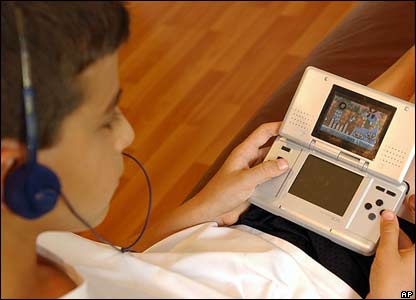
My child is part of the demographic that the child tablets are targeting. He’s now 11, and is a very different child than when he was 7, 8 or 9 years old. His tastes and needs have changed in just a few short years. Heck, he’s even upgraded his Nintendo DS two times in the last three years, because he wanted better memory and flexibility with the DS apps offered, as well as more powerful hardware. He might not put it in those terms, but even he knows the game. (No pun intended there!)  Looking at tablets for growing kids should be looked at the same way–a tablet, for the investment, should be able to grow with the child, and a regular tablet would better suit those needs. With a regular tablet, not only would there be personal flexibility with games and apps, but more opportunities to use it for educational purposes–for homework, classwork, etc.

And that’s TechCommGeekMom’s take on that. If some manufacturer wants to send me one to be put through the TechCommGeekSon wringer, or if someone has had a different experience with a made-for-kids tablet, let me know. I’d be glad to share your experiences in a post here.

Posted in Uncategorized

Remote and Mobile are not the same thing…but could or should be.

TechCommGeekMom is back! I’m sure you didn’t notice that much, but I was away for a week at the beach (or as we Jersey gals say, at the shore) in South Carolina, and while I wasn’t totally away from technology the whole week, I didn’t stay in touch with it as much as I usually do either. Hopefully, I can make up for some of that this week!

Just because I was away, it didn’t mean that I wasn’t thinking about tech comm, e-learning or m-learning while sitting on the beach. Quite the contrary. I had things going on related to all those topics that I still needed to keep up. And sitting by the ocean, listening to the waves, as well as traveling in lots of places far from home and working somewhat remotely got me thinking about the topic of working remotely and mobility, or rather mobile working.

I was actually put to the test in some respects during the trip. There was some important business correspondence that was going on during the week, and I had only my iPhone and trusty iPad, and spotty wifi to enable me to communicate with the “outside” world. I didn’t have the comforts of working from home with my laptop and reliable wifi connectivity that I have at home. (I do live in “Einstein Alley”, after all, so reliable wifi is almost a requirement where I live!) If I went to one of the Starbucks near where I was staying, then there was good wifi, and I could catch up with some of that correspondence. But if I was in my hotel room, it depended on the time of day and which room I was in, which was not exactly convenient.

As we travelled down some country roads before hitting the main highways on our way home, I started to think about mobile learning in these areas. How, in many respects, is this area that I was traveling through any different from any other remote area of the world, where education isn’t always cutting edge, and computers are difficult to access? The mom in me thought deeply about the educational part of this. If I lived in an area that was distant from a lot of technological access, but wanted the best education possible for my child, how would that be achieved?

My imagination first made me think about remote education. What is that? It could be online learning, or even just something static, like the equivalent of a correspondence course. How would that work in a classroom or standard educational system that is not near any major towns? Connectivity is the key for that. Having that connectivity would be greatly needed for the students to learn. Learning about what is happening in the “outside world” will open the minds of students not only to new ideas, but also how to bring those new ideas to their community. For example, would learning a new technology help with growing crops or improving productivity in some sort of service or manufacturing process prevalent in that community? I’m sure it would.

In my opinion, the Internet has always been an educational wonderland, much like how television and radio opened up possibilities and expanded our knowledge of the world. To deny that to the students of today would be a disservice, especially since so much more information is available through the Internet than radio or television alone. How does something work? A student can watch a YouTube video about it.  Who was Salvador Dali? A student can find Wikipedia and other sites that talk about the artist and see photos or video of his works.  Confusion about how to do algebra? Students can watch a video on Khan Academy. Newspapers from all over the world are online, and students can learn difference perspectives on world events as a result. There are so many possibilities!

But is mobile the solution to having a remote education? Yes and no. I think with the examples I showed above, a standard desktop or laptop can help achieve those activities quite easily. In many remote districts, I imagine that there isn’t the money in the school budget to provide that many desktops or laptops, but gaining that exposure would be worth the expense if it could be done.

To add mobile functionality to the mix would definitely enhance this process. Having a tablet computer such as an iPad or Kindle, or even using a smartphone would increase the learning capabilities. It would allow for more interactive learning. It would allow students to take their own video and photos to share with others. Learning could be done in the classroom, or even on a field trip or outside the confines of a classroom–including at home. All the benefits of mobile versus desktop would come to the forefront of reasons to use mobile for learning. Additionally, as smartphones are often more readily available and purchased, even in remote areas, mobile is possible and accessible in those hard-to-reach locales.

So, one has to understand that remote learning is not the same as mobile learning. Simply because one is out of reach from centers of society doesn’t mean that education about the outside world can’t be accessed, but with Internet connectivity, that experience is enhanced greatly. Correspondence courses of yesteryear (and modern day as well) show that you can be away from a learning source, and still gain knowledge needed. Online courses have been proving that in the last two or three decades as well. However, mobile enhances the e-learning experience greatly, providing greater flexibility for how a student can learn and when he or she can access information to learn. With the proliferation of smartphones and tablets exponentially growing every year, even in remote areas, mobile will enhance and promote changes in that the remote learning process, and in turn, the m-learning industry will change and grow.

So, my question to you, dear reader, as a tech comm or e-learning/m-learning professional, how are YOU going to help those learners who are far away from conventional resources? It’s something to think about when writing or creating courses or documentation that will help the end-user.  Mobile documentation is different because it can reach even more remote areas than ever before, but how it’s created and used is key in how successful it can be in helping those end-users, whether they be students or various professionals. Look at the photo that is at the top of this blog posting. How will you provide information to the inhabitants of that small island? Think about it….

Posted in Uncategorized

Why Mobile, Gamification and Special Needs Are Made for Each Other

As the school year has started for some and will start during the following few weeks ahead, my thoughts start thinking about conventional learning and how educational technology has changed so rapidly, especially in the last few years.

Now, before I continue, I just want to preface this by saying that much of what I will be writing below isn’t based on any scientific study, but rather it’s based on my own experiences and knowledge.

I recently saw this article, and even retweeted it:

Autistic Student Feels Reinspired by Online Learning

I was so glad to see an article like this. We are constantly shown articles or videos about students who are much lower functioning than this kid, who are breaking through the communication wall through various apps on iPad. But I find that higher functioning autistic kids have a much harder time as the gap is much narrower, so it’s hard to define where the fine line between effective communication and ineffective communication is.  As a result, these kids fall through the cracks of the system. Seeing that the young man in this article found a solution through online studies is fantastic, and I can relate to it a lot.

I am sure that I’ve mentioned many times before that my son is autistic, but much like the young man in this article, he is very high functioning autistic. My son is so high functioning that the actual autism diagnosis eluded us until he was 9 years old, and that was after already going through several other diagnoses and still feeling that something wasn’t quite fitting right.  Through my son, while I have not gotten an official diagnosis, I’m pretty convinced that I am an Asperger’s Syndrome person myself; I have displayed so many of the same symptoms as my son, but I did not have the speech problems he had when he was younger (he’s fully language fluent now, due to early intervention and persistence). Even as a mother, I marvel at the various apps that are out there that could have helped my son when he was small, and I wish that we had access to it back when he was small.

My son is a smart boy. However, if something doesn’t interest him or doesn’t serve any meaningful purpose to him, then he’s unwilling to do the necessary schoolwork. As he’s gotten older, this has been problematic. He’s also a kid, and when it comes to mathematics, he doesn’t get the rote information down right away (like understanding his multiplication tables). But, show him how to do a mathematical function, and he can pick it up fairly quickly. He’s not always interested in reading, but he was reading when he was about 3, and when he reads something that interests him, he practically has the resource information memorized. He takes in videos like nobody’s business. Ask him anything about Super Sentai (the original Japanese Power Rangers), Kamen Rider, Power Rangers, Beyblades, Bakugan or Pokemon, and he can tell you everything about them.  He also has a fascination with the sciences, especially physics, so when the Higgs Boson was recently proven, I asked him if he had heard about it, and he said, “Yeah, what about it?” and he explained what it was, and didn’t know that it had actually be proven.  Keep in mind, the kid is only 11.

Yet, he struggles with school. It’s hard for him to focus, and sometimes he’s still processing things in his head when he’s paying attention in class. He can’t take notes to save his life, but he can learn from them.  School is a difficult chore for him, and it takes some creativity to engage him to learn. He’s definitely capable of learning, but he can’t always learn by conventional means. He has a very difficult time with writing skills as well, which has been a struggle since he was small.

I can relate to my son on so many levels academically. I think this is why I end up being the one to do homework with him most of the time–I know how to “translate” things in a way that he can understand. I also had that same combination of hyper-focus on some topics, and total distraction on other topics, and had a hard time with school as well, even though I did well for the most part. If I had half the tools and support he has now when I was a kid, I would’ve been valedictorian of my class, I bet, but instead, I had to fight my way through much of school to get decent grades.

So, when I read the article above, I could relate to it so much because of my son, but also because of my own online experiences getting my Master’s degree from NJIT. My degree was 100% online, and despite what anyone would think, it was a very social event, yet I could pace myself the way I wanted (well, within reason–I still had deadlines for assignments and such).  I want to say that the success in earning my degree and getting a straight “A” average was due to hard work and the quality of the program–which it was, but it was more. It was the delivery system. I’m very convinced that if I had done this coursework solely in a classroom environment, while I might have done well, I don’t think I would have done THIS well.  Being able to set up my own schoolwork routine, read at my own pace, respond to forum threads and work on assignments at my own pace were a huge part of it. I’ve found for years that social media and just being connected to the Internet is not only addictive for me, but essential for me. It’s how I’m able to socialize more effectively and learn more effectively as well.  For all those naysayers that say there’s no such thing as “learning styles,” I say, “Poppycock!” I am a living example of someone who needs to be taught more on a visual level than an audiological level; I have sensory issues but am simultaneously a sensory learner.  My son is the same way.

So what does this have to do with mobile learning and gamification? EVERYTHING! There seem to be more and more studies that “typical” learners learn as much or more with mobile options and gamification methods. Imagine what it can do for special needs learning! My son is a big of a gamer, and I know at his age I love the earliest electronic and digital games myself.  Even now, I’d much rather play an online game to learn than read my dry textbook. The trick for high-functioning special needs people like my son and I is that we–as I mentioned before–fall between the cracks; we don’t need things dumbed down for us, but we do need a different method to get the same information into our skulls, and everything is either over simplified and babyish (like some of the math games that he can play to get those multiplication facts into his head), or there isn’t something that is sophisticated enough that can achieve the same thing.

I envy my son, because e-learning is SO much more than it was when I was growing up. Heck, just having Internet access and email and social media is much more than what I had  when I went to school. Getting my Master’s degree was the first time I could use such resources, and given the right tools as these digital ones, I could fly (metaphorically speaking). I want to see my son fly as well, as I know he’s capable of it. I try to find lots of physics game apps for him on my iPad, which he zooms through with ease. I need to find some age appropriate math apps, writing apps, and other apps that can help him learn without him realizing he’s learning, or at least make it more enjoyable. I want him to feel successful in whatever he ends up doing, and I want him to feel that learning is a lifelong endeavor, and that he is capable of finding the resources he needs to accomplish what he wants. We are still figuring this out, but like I said, the world is his oyster, and he needs to learn how to access it all, and I think he’s already on his way since he found the Super Sentai on his own (and yes, he watches these Japanese Power Rangers episodes on YouTube, in Japanese, sometimes subtitled, sometimes not, but he doesn’t care–he picks up what all of it’s about anyway).

Being that my son is a big gamer, he enjoys and adapts to games well.  He was fortunate, this summer, that his summer school math teacher picked up on the idea of gamification, as every day my son and the other kids in his class would play a card/board game that would teach math skills. He enjoyed it very much, and there was a social skills aspect to it as well, which helped. Granted, it was not a video game or digital online game, but the principle is still the same–it was a game, and he was learning the skills he needed to learn.  So many online games can teach without one realizing it, and making learning so much more accessible.  Even the popular Angry Birds game–one of my son’s favorites–is actually a fantastic game that teaches physics and problem solving skills. I don’t say no to him playing Angry Birds on my iPad or iPhone.  He’s learning, at least, and developing skills that may help in the future as some sort of engineer.  Even as an adult, I can say that I would enjoy something more interactive online than something static or something that’s essentially a page-turner.

This is where mobile comes in. We all know the benefits of m-learning functionality, such as providing just essential information, having web capabilities to interact not only with others, but use tools like social media and researching on the web, and sharing resources is a big deal. Even the nature of m-learning is beneficial, because good m-learning design breaks things up in to small pieces than if it was done as a regular desktop course or classroom lesson. With m-learning, a child can record the class while attempting to take notes, and listen to it later while doing homework, rewinding parts of the lecture while rewriting or filling in missing information in notes.

I know for me, it was a big deal to be able to manipulate my studies to make them mobile. I would use the Microsoft OneNote app on my iPad to do initial drafts of homework assignments during my lunch hour, and then sync up my notes so that I could pull them onto my laptop later to clean them up more on my laptop at home. I could watch video or listen to a podcast on my iPad or iPhone, stop it and restart a section if I didn’t quite catch it–or even just stop so I could catch up writing notes first, then continue. You can’t do that so easily in a classroom. I could pace myself much better, and as a result, my retention was better because I could review details as needed.

This is really important for Aspies as they want to take in everything, and very often it hard to keep up because we are still deciphering and translating information given in our heads while the information keeps feeding. Sometimes our brains can’t process quite as quickly, so by the time we have a piece of information processed and we are ready for the next bit, instead of one new piece of information, then next five have happened. Keeping up and forcing oneself to keep up with the pace can be mentally grueling and exhausting. It’s not that we don’t have the mental capacity to understand the information, but rather that our internal processors are different. It’s like having last year’s processing chip in your computer instead of the latest and greatest. It’s not that the chip can’t handle it at all, but rather at a different pace. If you can gamify the information, then the information is learned on a subconscious level, and just like any video game, new skills are attained little by little as you proceed higher and higher in a game. It’s really THAT simple.

So, for you instructional designers, educational technologists and technical communicators that don’t think that gamification or m-learning makes that much of a difference–IT DOES. Believe me! Keep m-learning and gamification in mind. It not only lends itself well to typical learners, but can go miles farther for those with special needs.

Posted in Uncategorized

Upgrade Time! PREVIEW of the NEW Adobe Technical Communications Suite 4!

I’m very excited as this is my 100th post here on techcommgeekmom.com, and with this 100th post, I am able to present all of my readers with a special preview.

Adobe’s Technical Communications Suite 4.0 (TCS4) is now out!

Woo hoo! It’s great to see that along with upgrades to the Adobe Creative Suite and e-Learning Suite, now the Technical Communications Suite is getting a major update as well.

Now, you may be wondering, like most technical communicators, what changes have been made between the 3.5 version and the 4.0 version. Good question! There have been several upgrades to the software package, thank you very much. How do I know? Adobe was kind enough to invite me to a preview a little while ago, and even as a newbie to this software package, I can say that I could see that the company is trying very hard to keep up with the needs of technical communicators, and they are taking the necessary steps to embrace mobile technology, which is highly evident in this upgrade.

Now, I took as many notes as I could, considering the presentation went by faster than I could take the notes, but I know that there are a few major highlights that are important to cover.

As the speakers from Adobe started the presentation, they concentrated on identifying key trends they felt were happening in technical communications, namely a movement to structured authoring, rapid mobile growth in smartphones and tablets, the need to make content more interactive, the concern of technical communicators having to do more with less resources, and the need to provide searchable, personalized and socially enabled content. It sounded to me like they were on the right track, especially if the improvements they were about to present fulfilled these needs.

One of the main anchors of Technical Communications Suite is Framemaker, and here in the TCS 4 Suite, Framemaker has been upgraded to Framemaker 11. From what I’ve been able to gather from my observations, Framemaker had its heyday, then it lost favor, and now it’s starting to regain steam again. Framemaker (FM) 11 seems to be taking the improvements make from FM 10 another step forward. Structured authoring was the main focus of the improvements with this product, including multi-view editing environments providing WYSIWYG (What You See Is What You Get) of XML and author sources as well as getting WYSIWYG output as well. Content creators can edit XML documents in any view, and the changes are reflected in all views without manual changes. This bodes well for working towards single-source creation! DITA and XML support has been enhanced as well, and performance using these has been enhanced as well.

A big addition to FM 11 is ability to include rich media objects like vector images with hotspots, video, and 3D modeling. One of the features I liked that was demonstrated was one where play, pause, and jump buttons were created around a video/animation presentation within the content. Nice! The 3D model imaging that can now be used will be great for how-to manuals, so there is better context at looking or training on physical objects, like looking at a machinery part from all angles. From a productivity standpoint, SmartPaste and SmartInsert features have been added to help auto-format pasted or inserted text or content into a new document, but one can still retain the old formatting as well. Another appealing feature is the ability to create your own Framemaker set-up. Adobe’s goal was to enable content creators to be able to author content faster by allowing the creators to customize navigation and workspaces. That sounds great! Of course, what got me most excited was to hear that FM 11 has been oriented to now enable mobile output, including multi-screen HTML5 content as well as ePub 3.0 and Kindle formats. That’s definitely a step in the right direction!

The second main anchor of Adobe’s Technical Communications Suite is RoboHelp (RH), now available in version 10. RH 10 works seamlessly with Framemaker, as it always has, but again Adobe has focused on streamlining the workflow process as well as improving the product’s output. That output includes new outputs for mobile devices. RH 10 can deliver content to iPad as well as other tablets, smartphones, and desktops now—there are 17 output formats now! It is set up so that authors can work in a multi-author, multi-reviewer environment, where it’s easier to personalize and optimize content relevance. Content can be rich media—again, like FM11, and includes various HTML5 outputs that include mobile apps, ePub 3.0 and Kindle now.

The HTML5 output has also been made to be modern looking, frameless and SEO-friendly. The output is responsive design that works well with fluid layouts like CSS 3 and media queries. Like FM 11, RH 10 can customize and optimize the appearance of the content on each screen as needed. Socially enable documentation can be produced using RH 10, which means that creative native and web mobile apps can now be produced from RoboHelp. This is a big boost for making apps for iOS and Android mobile apps. The workflow view is easier as multi-layout options are available, and there is a preview tool that allows the author to see how the output will look on different devices and subsequently, there is the ability to assign different styles to different devices, including the output publishing settings for each device. One of the other features that caught my attention was that now there is also out of the box integration with MS Sharepoint, so it provides end-to-end workflow. Being someone who’s used SharePoint at my last job extensively, that would make things flow really well for output, and I’m sure that would provide a better product for the end user as well!

TCS 4 has several new features about it. While it includes Framemaker 11 and RoboHelp 10 as mentioned, it will also include the updated Captivate 6, Acrobat X Pro, and now Illustrator has been added (most likely to accommodate vector images better) and Adobe Presenter. I think I’m most excited that not only the newly updated Captivate has been included, but that Presenter has been included as well. I think this is a really smart move on the part of Adobe, because between Captivate and Presenter, more interactive content can be created and put out for mobile. And yes, as I mentioned before, the big push for TCS 4 is being able to provide technical communicators with tools to produce output for mobile devices. To use their words, they are “embracing the mobile revolution” with the multi-screen outputs that are in HTML5 and other mobile formats like ePub 3.0, but also providing tools to make the content context sensitive, providing socially enabled apps, and support for optimizing indexes, glossaries, custom metadata and other content features.

Adobe even made sure that it was understood how TCS 4 would work very well for those in the e-Learning world, saying that TCS 4 provides “new workflows to bridge technical communication with e-Learning” by providing tools that can create m-Learning opportunities and rapid step-by-step authoring. Keeping up with other major trends, cloud-based computing is integrated into the product, as review workflows can now be done using the cloud with TCS 4.

One of the new pricing features also includes using the same cloud pricing model. There will be monthly rates as well as a reduced rate that monthly is cheaper than a month-to-month rate. Due to a lot of these new features–especially the ones that help enable publishing content for HTML5 and other mobile content, I would especially upgrade if I had an older version of TCS or older version of Framemaker and Robohelp. The fact that both FM 11 and RB 10 have customizable views is a big bonus, as well as having the capabilities to produce mobile-friendly content is a big boost. Having more efficient single-source authoring, and cloud capabilities—there are a lot of good things that are added to this.
Now granted, like I said, I’m still a newbie to using the product and using it, but from this reviewer’s standpoint based on the preview, it’s good to see significant upgrades to a product making a strong comeback in the technical communications field. I do hope that as time goes on, Adobe continues to keep up with updates to the product, especially considering the “Creative Cloud”-like option with obtaining the product.

It’s an exciting product, from what I can see, if you are just starting out, or need to revamp your technical communications software.

I hope this review has proven to be helpful. Have you downloaded your copy yet? If so, do you think these changes are big improvements or is there still something missing? Please leave a comment below on what you think about TCS 4 so far.

Adobe notified me just as I was writing this post (before I posted it) that I will have a chance to test-drive the product itself very shortly, and once I have it installed, I’m hoping that I can give my techcommgeekmom readers more information about this product–from my newbie perspective, and see if the preview information holds up to the real deal. Stay tuned!