Posted in Uncategorized

Happy Thanksgiving 2012!

Today, in the United States, it’s a holiday. Thanksgiving is a day that we Americans celebrate to remember the sacrifices that the first English pilgrims made after their first year of survival in the New World. The celebratory tradition started with those pilgrims sharing the bounty of the harvest they reaped with the Native Americans who lived in the area and taught them some of the survival skills, and gave thanks for everything that came their way. Many generations later, we Americans, use this day to remember and give thanks for what we have as Americans. We celebrate with family, friends, and a huge feast.

OK, so that’s the general idea of the holiday–or at least that’s what it’s supposed to be. The legend or fairytale has been marred over the years with the realities of those who were cast out due to religious oppression in their own country coming to this one and taking horrible advantage of the native people, eventually driving them out over time and making the Native American nation into a minority that is still, to this day, trying to culturally and literally survive. America, for all the pretty stories of pioneering, didn’t always get there in a nice and clean way with hard work. There are some ugly stories too. I just wanted to put that out there, just in case anyone thought that I was unaware of any atrocities in our nation’s history and had notions of any overly lofty American ideals.

But for a moment, let’s just run with those lofty ideals for a moment, and get back to the core idea of how Americans celebrate it now–Americans of all races, religions, cultures, ethnicities and creeds celebrate. Thanksgiving is a nice concept of a holiday, no matter how one celebrates it. I’m sure there are other holidays in other cultures that have something like it, where it’s just a day to celebrate family, friends and whatever good fortune has come by in the past year. There’s been a lot of bad things that have happened over the centuries, and even more recently. Heightened wars in the Middle East, poverty and starvation in different parts of the world, and even closer to home, the devastation of what Hurricane Sandy did to my home state and area. This is a day that I’m thankful that the worst thing that happened during Hurricane Sandy was that a tree fell on our house and ruined part of the roof, and that I didn’t lose my home or more importantly, my family.

It’s a time to realize that while no life is perfect, and all people have their own issues, that some good things can come out of life, and to be grateful for those good things, whether they are big or small.

For me, it’s been a very interesting year. While I’m sure I’ll say more as the year draws to a close, I’ll just summarize the good things I’m thankful for this year, as much of it does deal with my entry into the technical communications world. I’m thankful that there was a program at NJIT in technical communications, and that I could graduate with my Master’s degree in the topic this year. I’m thankful for the professors and students in my program who helped me get out more into the social media world to make my voice heard, and continue to support my endeavors post-graduation. I’m thankful to have met so many people through social media–Twitter, this blog, Facebook, etc.–who are professionals in the technical communications world who have mentored me as well as become my friends. I’m thankful for the opportunities I’ve had through these associations, such as the chance to go to Adobe Day, have my webinar, do the NJIT promotional video, get my teaching job or meet other professionals in person. I have learned so much, and continue to learn so much from all of them. But most of all, I’m grateful for my husband and son, for without them, none of this would be possible. Allowing me to be me, allowing me to continue to learn and grow, and supporting me every step of the way is so important to me. Without those two wacky guys of mine, I would not be in the technical communications field, and would not be continuing to pursue a technical communications career.

So, whether you are in the United States partaking in a big holiday, or it’s just another Thursday or Friday (other places, it’s Friday already from the time I’m writing this!), take a moment and remember what it is that you are thankful for, even if it’s just being glad the be able to pursue a technical communications career that is growing and expanding each day, and that you are part of the great changes that are happening in this world–one little bit at a time.


Posted in Uncategorized

My response to RJ Jacquez’s question: Will Tablets replace PCs?

Recently, due to the upcoming release of Microsoft’s Surface machine, RJ Jacquez released two blog posts promoting the idea that tablets, in time, will indeed replace the PC as we know it, and that Microsoft is going in the wrong direction with this Surface device. Between his post titled, “For the sake of ‘Mobile’ I hope Microsoft Windows 8 and the Surface Tablet fall short” and Tablets Will Replace PCs, But Not In The Way You Think, he says that he feels that Surface is not taking us forward because it embraces the idea of adapting our devices to old software, instead of moving forward with mobile devices and rethinking how to create new productivity software for these new tablets that can make users more productive.  After paraphrasing several articles that have been out in the press that claim that productivity apps such as Microsoft Office, Photoshop, and Final Cut Pro (to name a few) are items that need to be addressed by the tablet industry, he counter argues,

Personally I think that most of these articles miss the bigger point, namely the fact that most people think that Tablets replacing our PCs will require a 1:1 task-replacement approach. I don’t buy this argument….In other words, we are currently shaping our mobile tools and soon these amazing devices, along with the incredibly creative apps that accompany them, will shape us and redefine every single task we do from here on out, including learning design, image editing, web design and yes every productivity task as well.”

I understand what he’s saying. If I’m interpreting him correctly, his argument is that devices like Surface should not be adapted to run bloated “power” software that needs the extra storage and peripherals to work, thus making the devices less mobile, but rather software should be streamlined to become more efficient so it can run in a tablet like an iPad which doesn’t need extra storage because it relies on the Cloud nor does it need any other peripherals to function. Some of the other “power” apps that RJ mentioned that critics think would need PC power include Photoshop, Microsoft OneNote and Avid Studio.

Well, I do have to agree with RJ insofar as I think that mobile is the future, and it is forcing us to really look at software and its limitations, and it’s making us think about how to streamline processes and our needs. mLearning is in the midst of a huge revolution due to that mindset right now. And actually, there are tablet versions of Photoshop, MS OneNote, and Avid Studio available for tablets that cover most of what users need. So it’s not like these kinds of software can’t be adapted for most people’s uses.  The average user does not use Word or Excel or Photoshop or other apps the same way as a power user, so streamlined apps are fine.

However, I think there may be a need–at least for a little while longer–for PCs to still exist for other kinds of “power” uses. The first thing that comes to mind are apps that are not as mainstream as the ones mentioned so far. Tech comm apps like Framemaker, RoboHelp and Flare are the first ones that come to mind. Now I know that Adobe is working to put just about all of their major software products on the cloud, so that’s a move in the right direction. I have no idea if Flare or the other leading tech comm productivity software packages are moving that way as well. The same thing with e-learning software…again, Captivate is part of Adobe’s cloud-based Technical Communications Suite 4 right now, but what about Lectora or Articulate or other instructional design software packages?  These are all software programs that aren’t quite ready for tablet use yet, but for the sake of mobile productivity, it might not be a bad idea to move in that direction. But for now, staying as desktop apps is probably fine.

There’s an app called Cloud On that has the right idea. It’s an app that’s available for both iOS and Android use, and essentially it provides a means of accessing full versions of Microsoft Office on tablet devices, and then saving documents in a Dropbox, Box or Google Drive account. No short cuts here! Full functionality of the software, on the go!

So, why aren’t the all the big software companies jumping onto the bandwagon with this? Apple already has by creating tablet versions of their iWork and iLife apps, but what others? Some companies have taken baby steps, or are working on it, and others…well, I think they are not keeping up, or are in denial that having a lean version of their software is needed.

I can say, as I mentioned, that I’ve used Cloud On, but I’ve also used my iPad’s Notes app. I used the Microsoft OneNote app on my iPad heavily last year during grad school, as I would start my homework assignment on my iPad during my lunch hour, and then sync it in my SkyDrive account so I could access it from my laptop at home to finish an assignment. I recently used Photoshop Touch on my iPad when I was too lazy to power up my laptop one night to fix a photo for a friend.  When I’ve made movies or did any digital photography projects, they’ve been done more on my iPad than on my laptop due to more affordable choices that meet my basic needs for editing.

So, my answer to RJ’s question is that I feel there will still be some apps that will need a PC to do much bigger jobs. Desktops and laptops are our workhorses right now, and you wouldn’t ask a pony to do the work of a Clydesdale horse. The PC isn’t going away anytime soon, and it will remain the hub of business and other work for some time to come. But, I agree with what RJ said, that in looking forward to the future, we need to continue to think mobile and how we can make it work so that much of these workhorse products can be made more lithe and flexible to our needs.

One last thought to put the mobile/tablet point in perspective–if you are a Star Trek fan like I am, you will have noticed that everyone carries portable devices–the size of a tablet, e-book or smartphone– to access huge databases and information, and to do much of the “heavy” information lifting for anyone aboard a starship. This was depicted on the shows well as much as 25 years ago, before the advent of tablet devices and smartphones. Think about how the various characters on the show used their devices. They would tap into a main computer device on the ship–much like we would access a network or the Cloud–to obtain information and make various calculations as needed.

It would seem to me that we are getting closer to that kind of scenario in reality, but we’re not quite there yet. We’re getting close, though!

Posted in Uncategorized

What Does Knitting Have To Do With TechComm and m-Learning?

I’m so glad that this is now my 200th post on this blog! TechCommGeekMom has come a long way since it started out as a class project in grad school, now hasn’t it? For this particular post, I’d like to share my thoughts on something that I’ve been thinking about for the past two weeks or so.  It reveals one of my hobbies to you, but hopefully you’ll like the analogy.

As you’ve seen in the subject line of this post, I’m going to be talking about knitting and how it relates to tech comm and m-learning. Now, I know what you are going to say. Knitting is for grandmothers who make ugly stuff for everyone, and you are obligated to wear it when she comes over and visits. You couldn’t be wrong. Knitting has had a huge upsurge in the last ten or so years, and more and more people are adopting it as a hobby. It goes back to the 9-11 attacks, when people were trying to get back to a sense of security and home. I think with economic times, it’s also a relatively easy and inexpensive hobby to have (unless you are a true diehard like some of us).

Knitters these days make more than clothing items, accessories and toys, but it’s become an artform unto itself. (Ever hear of yarn bombing?)  I can’t remember when I started knitting exactly…but I’m guessing it was around 2004 or 2005. I know I was knitting in 2006 when I went to California for a convention for the now defunct Body Shop At Home businesses, and met Anita Roddick, as there’s photographic evidence of knitting in my hands during the event. In any case, it gave me a chance to learn something new that spoke a whole other language of its own, had a different vocabulary, and I got to work with all sorts of colors and textures in the process. For someone with sensory integration issues, it’s a great outlet for sight and touch. Even the rhythm of knitting up something has a calming effect, and following patterns forces my brain to focus.

So what does all this have to do with tech comm and m-learning? Well, as I thought about it,  there’s definitely an analogy that could be made about the benefits of knitting and how they lend themselves to these topics.  All this first came to me after I had spent the day at Adobe Day, and later took a small soujourn into the city of Portland with four fabulous technical communicators who also happen to be knitters. They had invited me to go on a yarn crawl with them (similar to a pub crawl, but in search of high quality yarn instead of libations), and I readily accepted. We only made it to one store, but we had a great time checking out all the high-end yarns and knitting notions available.

Pardon us drooling over the yarn!
Five technical communicators who
are also knitters! We know!
At KnitPurl, Portland, OR, during LavaCon
L to R: Sharon Burton, me, Sarah O’Keefe,
Marcia R. Johnston, and Val Swisher

As I reflected on Adobe Day, one of the big themes of the morning was the idea of using structured content. Without structured content, all of one’s content could fall apart and lose strength. An architecture needs to be created to make it work. Well, knitting is like that. If one doesn’t follow a pattern, and just knits in a freestyle, haphazard manner, instead of a nice jumper/sweater, one could end up with a garment with no neck hole and three sleeves. Without the structure of a pattern, and even reusing good content (or stitches, or groupings of stitches describing appropriate methods for structure), the whole thing falls apart. The beauty, too, of reusable content in content management, just as in a knitting pattern, content that is produced well, is solid, and the reader can understand clearly and concisely will produce good results, and can be recombined effectively in different instances without losing its meaning.  Take a look at a sweater or knit scarf you might have. You’ll find that each stitch makes sense, even when you look at different pattern of how the cuffs and collar differ from the sleeves and the body. But it all fits together.  In my mind, this is how reusable content can be used.  Very tight, well written content can be reused in different combinations without losing its context and form if done correctly.

The other way I thought of the analogy of knitting again had to do with how one learns how to knit, and how it relates to m-learning. Knitting fair-isle sweaters, Aran sweaters or lace shawls doesn’t come on the first day of learning how to knit. Heck, I’m even still learning how to do all these techniques! It comes with learning a foundation–namely the knit stitch and the purl stitch–and building upon that foundation. Any piece of knitting you see is all a matter of thousands of knit and purl combinations to make the item. But first, one has to master the simple knit and purl stitches by learning how to understand how to gauge the tension between the needles, the yarn and your fingers. Once that is mastered, then learning how to read the “codes” or the knitting language of K2, P2, S1 (that’s knit two, purl two, slip one), for example, then the real fun begins. Knitters have to pay attention to details in the directions, because knitting can be a long task. Except for tiny baby sweaters or sweaters for dolls or stuffed animals, I don’t know any sweater that could be hand knit in a single day, even if it was done from the time the knitter woke up until the time the knitter went to bed. It just couldn’t happen, even for a fairly experienced knitter.  So, each part of the knitted pattern must be learned or read in chunks so the knitter can understand where he or she left off.  Talk to me about lace patterns especially, and it’ll make more sense. But each technique takes time to master, and most knitters learn these techniques a little bit at a time. Whether a knitter is self-taught or taught in a conventional learning environment, nobody learns all there is to know about the most advanced knitting techniques on the first day. Just getting knitting and purling down takes a while. It’s an arduous task to learn to knit and knit well, and to be patient enough to see a pattern all the way through.

Just like in m-learning, things need to be learned in small chunks for comprehension. Information has to be short and to the point so that the reader, just like the knitting pattern reader, can take that information, mentally digest it, and then work out how to use the information. There is definitely trial and error in both m-learning and knitting; if one doesn’t succeed, then it’s possible to go back and try to re-learn the information and correct it, and in doing so, retains the information better.

Now, if one happens to be BOTH a technical communicator AND a knitter, then these are easy concepts. Reusing content, breaking down information into smaller portions for better learning retention, structuring the content appropriately and consistency comes both with our words and our stitches.

A variety of tools can be used in either case to create the content. For technical communicators, it’s the use of different software tools that help us achieve our goal. For knitters, different sized needles, different kinds of yarns and other tools can be used in the process. Is there only one way of doing things? Of course not. Is there any single tool that will do the job? Generally, no. This is the beauty of both technical communication and knitting. In the end, the most important tool is the mind, because without the individual mind, creativity and intellect cannot be expressed. When all of these tools and factors work together, it is possible to create a fantastic piece of work. When this combination of factors aren’t followed, it can look pretty disastrous.

So, next time you see someone with a pair of knitting needles in their hands, look carefully at the workflow that person is following. You might learn something from it.

Posted in Uncategorized

Adobe Day at LavaCon 2012 Roundup!

This post is just a quick summary of the Adobe Day at LavaCon 2012 series from this past week. As you see, there was so much information that it took six posts to try to summarize the event!

Being in Portland, Oregon was great. It was my first trip there, and being a native Easterner, my thoughts pushed me to that pioneer spirit of moving westward in this country. Once there, I saw a hip, young, modern city, continuing to look towards the future.  The information I gathered at Adobe Day was general information that was endorsement-free, and practical information that I can use going forward as a technical communicator, and that by sharing it, I hope that others in the field will equally take on that pioneering spirit to advance what technical communications is all about, and bring the field to the next level.

To roundup the series, please go to these posts to get the full story of this great event. I hope to go to more events like this in the future!

As I said, I really enjoyed the event, and learned so much, and enjoyed not only listening to all the speakers, but also enjoyed so many people who are renowned enthusiasts and specialists in the technical communications field and talking “shop”. I rarely get to do that at home (although it does help to have an e-learning developer in the house who understands me), so this was a chance for me to learn from those who have been doing this for a while and not only have seen the changes, but are part of the movement to make changes going forward.

I hope you’ve enjoyed this series of blog posts. I still have many more to come–at least one more that is inspired by my trip out to Portland, and I look forward to bringing more curated content and commentary to you!

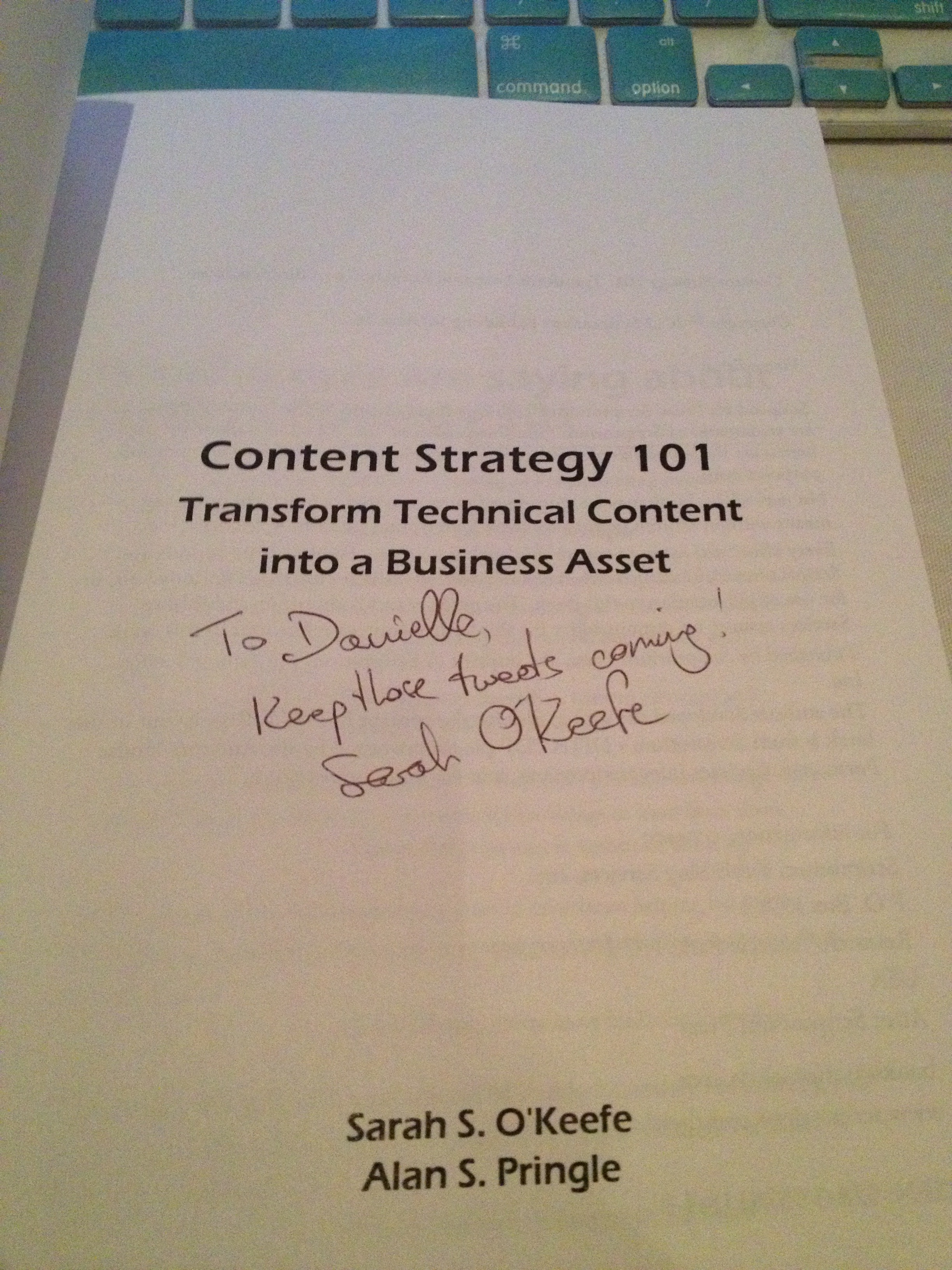
The autograph from my copy of
Sarah O’Keefe’s book,
Content Strategy 101.
Awesome!