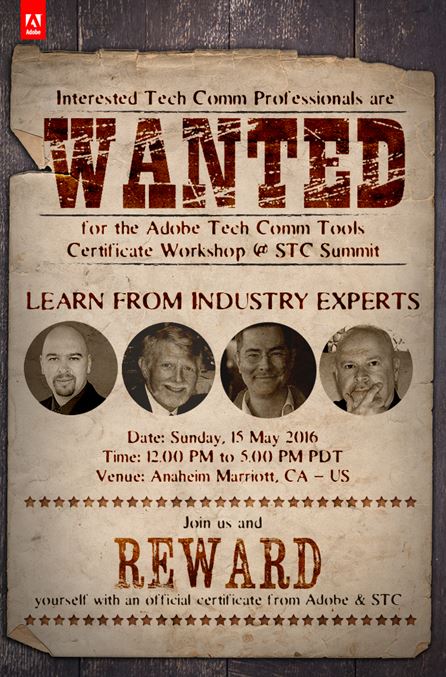
What? You say this Adobe Workshop is free? Then I reckon I oughta sign up now….
While I was unable to go to the STC Summit last year, I am looking forward to going to Anaheim this year to not only being a presenter at the STC Summit, but also to learn and connect with other technical communicators again!
I realized that one of the events I’ve always liked attending is the Adobe pre-conference event. They always have great information to share. However–what’s this? No Adobe Day this year? Nope. But wait…there’s something better.
(Click on the wanted poster for more information)
That’s right! Saddle up, and gain some skills through this FREE Adobe Tech Comm Tools Workshop! This looks like a great event, cowboys and cowgirls! There are industry leaders leading the workshop, you earn a certificate for participating (which you can include on your resume, it’s that good), and lunch and snacks are included in the afternoon. And did I mention it’s free? Who says you can’t get a free lunch AND a free certificate? Evidently not Adobe!
Oh, did I also mention that even if you can’t attend to earn the certificate, you can still follow along on my Twitter feed found at @techcommgeekmom that day, as I’ll be tweeting highlights of the event for all who come to the Twitter corral!
If you don’t comply, you can’t register. But these are easy terms to deal with, Sheriff.
Now, there are some caveats in registering, namely that you have to bring your laptop, and download the Adobe Tech Comm Suite Release 2015 Trial Version (if you don’t already have the full version). Other than that, it should be like riding into the sunset.
This is a great opportunity for those who would like to either get to know the Tech Comm Suite better, or brush up on some skills. Space is limited so you should register as soon as possible to get your seat on this great event!
(My apologies to those who are more sci-fi savvy for mixing my space westerns together. Firefly and Cowboys and Aliens were the first things I thought of!)
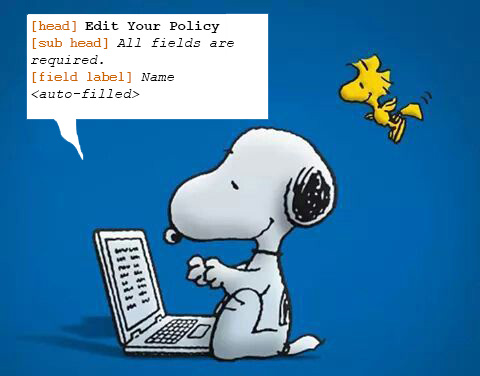
Snoopy and Woodstock are writing the copy deck. It’s a lot of work, but they are learning a lot!
While I’ve spent years blogging and talking about being a technical writer, I haven’t actually been a technical writer except for doing projects in grad school–until now.
In the last two months, I’ve started a position as a content/technical writer for the UX/UI Design team of a large company, working on their global self-service portal. The position was available shortly after my last contract gig ended prematurely. While I’m not enjoying the extra long commute, and I took a pay cut to remain employed, I have to say that I am learning a lot while applying a lot of the “theory” that I know.
Up until now, I’ve been more caught up in content strategy, creating the UX of websites, and making suggestions about how to utilize content rather than actually writing it. This new position has taken me in a completely new direction that I’m sure most of my readers are already familiar with, but it’s new territory for me–at least in applying what I know about it. There’s an outside vendor who creates the business requirements, who passes those along to the UX and graphic designers to create wireframes and the UI designs, and then another writer and I create the copy decks based on those. The project we’re all working on is the Company’s global self-service product (the image above is a hint of where I’m working), so there are a lot of details to consider.
My time as a knowledge management specialist in my last position was not as pleasant as I would have liked simply because I wasn’t doing that much actually related to knowledge management at all. I was brought in to do one thing, and ended up doing something completely different and something that didn’t play up to my strengths.
This is the complete opposite of that. While I will contend that I’m still very much in the learning curve of understanding my responsibilities and their expectations, the environment is much more in line with what I need to be around. Our manager has been talking about the idea of creating consistency throughout the product’s content. I’ve suggested looking into single-sourcing tools that might help us with that, but they don’t know how to wrap their heads around that idea yet. Even so, the other writer of the team and I have had some lively discussions about it. I appreciate having a voice when asking questions of why a UX designer went in a certain direction, and I get a vote when the team discusses how customers think and how they should direct the customers on the site. While I’m still learning by doing when creating new copy and editing old copy, I feel like I’ve been well-trained for this at grad school as well as from various presentations I’ve attended over the years at conferences. I’ve even had the chance to share my localization/globalization insights to the company in the hopes that we can be sensitive to better copy when the product is ready for translation.
So, this is certainly a new adventure. It’s not the direction that I thought I’d be going into, but I’ve definitely been learning a lot over the last couple of weeks, and things are just getting started. We’ll see how this progresses in the coming weeks. I finished my first copy deck last week, and I was told that I did a pretty good job for a first-timer. However the second, much bigger and more complicated deck I just completed with little guidance was ripped to shreds after spending a month writing it, with only a day and a half to fix everything. Needless to say, I was unhappy about that (spent the afternoon in tears), and it made me put all my education and self-confidence as a technical writer into question. As I said above, I know they need better processes that probably involve a way to write single-sourcing information, but the problem is that it’s not the kind of information that would eventually be published as a website, ePub or other documentation. It’s complicated to explain, but it’s a bad process. All the copy is done in Word. Need I say more?
My husband has said that there’s one thing that’s been for sure during this last year or so–I can’t say that as a contractor that I haven’t had an opportunity to learn new things, and to have very different experiences in the process. He’s certainly right about that! This latest position is one that I think will provide me with better insights into writing and developing content, and how it integrates best for a good user experience for the customer. I’m used to receiving content written by others, so it’s a great chance for me to be on the “other side” of the equation. It’ll also provide me with insight as to whether this is the kind of job for me. (I’m thinking right now that I like content strategy and management better.)
Where will this take me next? Good question–I don’t know. But there’s still a lot to learn, and it definitely contributes to my skills as a technical communicator.
What was your first writing gig like? Share your experience in the comments below!
My friend, Parth Mukherjee of Jifflenow, created an excellent SlideShare presentation that he shared at the STC India conference while still at Adobe, but shared recently on LinkedIn. While I didn’t attend the conference, he created a great conversation about the role of content in marketing that still applies now, and is highly relatable for technical communicators and digital marketers alike.
You might have heard by now that there have been some updates to the Adobe Technical Communications Suite (TCS) that were released today! Both Framemaker and Robohelp have been updated significantly, while the other programs (Captivate, Acrobat, and Presenter), have had some ongoing updates as well.
Adobe held two virtual press conferences in early May 2015 to let insiders learn about these latest and greatest releases for updating Framemaker and Robohelp. I’ll start with Framemaker in this post, and post about Robohelp in a post coming soon.
The biggest take-away that I took from the Framemaker press conference was that Adobe has worked to make the application more user-friendly so little or no coding is needed, even though access to code is still available, and that efforts are continuing to push forward to make more global and mobile outputs available.
The latest version of Framemaker will be titled Framemaker (FM) 2015. The reason for this is that way, all the versions within TCS will be in synch based on the year that the version was released. So, Robohelp (RH) and the other applications will also be known by the 2015 label for this release. It makes sense, and easier to track than version 10, 11, etc. for different products.
The presentation was given by Kapil Verma, who is the Group Marketing and Product Manager for the Adobe Tech Comm line of products.
Kapil reminded us that in the last four years, there have been a lot of advances in FM, including DITA support, multichannel publishing, mobile publishing, CMS connector API, multiview XML authoring, AEM connector, native multi-channel device publishing, FM XML author, MathML, Enhanced collaboration w/mobile and cloud based tech, and other productivity boosters. So, while a lot of upgrades and enhancements have happened in that short amount of time, further enhancements found in this update are sure to make technical writers rather happy.
What’s new in FM 2015? There are six main points that were given, and while Kapil did a “deep-dive” into each of these highlights, I’m going to be giving you the highlights of those points.
Framemaker 2015 will allow you to work faster and smarter with several core feature enhancements.
Working with tables is much easier and faster now. You can conditionalize columns and rows (formerly only on rows) now, and there are usability improvements to allow arrow keys to navigate cells, tab to insert rows, and drag-drop rows and columns. There are several new table styles available out of the box. When demonstrated it, looked REALLY easy, very clear, and highly flexible.
FM writers can now more easily work with conditional text–including applying it at the book level–due to visual indications of conditions applied on tables and graphic objects. Again, when Kapil demonstrated it, it was very clear where color coding was applied so the writer could more clearly see the associations of what conditional text applied in different areas, making it much easier to make appropriate changes and see the changes.
You can now generated a “mini” Table of Contents (TOC) in the middle of a document, simply by placing the TOC where you want, then easily modifying it and styling it the way you want!
Enhanced Word import provides more options and control, with the ability to map styles for paragraphs, characters and tables while retaining Word formatting for matched styles or inline Word formatting overrides.
Serve a global audience with new right to left language support.
Arabic and Hebrew are now included and supported in FM 2015! There is also leveraged support for Right-to-Left (RTL) languages and the ability to create bi-directional documents. This support for bi-directional content means that you can have both RTL and LTR (Left-to-Right) in the same document–you don’t have to choose one or the other. You can have just about any combination of languages in a document now!
New object direction properties for document and object such as paragraphs, tables, text flows etc. can be inherited from the direction imported from Word, whether it’s LTR, RTL, or both. You can leverage the direction inheritance model to enable 1-click flip of all objects.
You can publish your RTL content into multiple formats including Acrobat, HTML5, HTML, ePub, Kindle, iOS, Android, and Webhelp.
Publish for mobile devices–including mobile apps–natively.
FM 2015 has a brand new HTML5 layout with several enhancements, including topic descriptions and breadcrumbs, with the ability to show search results on the left panel for easier navigation. HTML5 layout comes with host of customization abilities including the easy “off/on” functions in which you can choose the component to customize, then view and customize the component properties in a visual/tabular format, allowing writers to achieve frameless outputs.
Writers will now be able to publish natively mobile apps using Framemaker that are iOS and Android supported, using PhoneGap:Build, which is an Adobe product. PhoneGap is available for a single app generation for free, while creating multiple apps requires a PhoneGap/CS subscription. The way it works is that once the app is created, it creates a QR code so that a user can scan and download the app, or save the info to your local drive. The content itself can be published to Google Store or iTunes.
Personalized content can be delivered dynamically to your end users.
Dynamic content filters are provided in the navigation for the end users to allow them what to see what they want to see. The creation of how to do this reminded me of how taxonomy tags are used in Adobe’s AEM to filter content for readers. This can be done by enabling the dynamic filter in the output, then creating and customizing with the conditional tags used in the content for the end user filter. The Dynamic Content Filter applies to all content, meaning the main content as well as TOC, topics, and search results. Existing tags can be re-used, based on existing conditional tags/expressions functionality.
Generate high fidelity ePub outputs by embedding your custom fonts.
XML authoring is easier now for SMEs/Contributors.
There was the realization that the current XML authoring workflow in FM 12 has been too complex for SMEs and other “casual contributors”, so a simplified XML authoring environment was created. This new XML Authoring environment is ideal for SMEs, Casual contributors, and even technical writers who are new to XML/DITA, as it was created for those who have not been exposed to XML, allowing them to work with common objects rather than elements that will always produce valid XML. The input for these users looks like a form, which is easier for most anyone to figure out. You can create a free form authoring form, or a guided authoring form where you ask for specific info. (This looked really good, because I could see some benefits for this for a project that I’ve been working on.) This simplified form-like environment allows the end user to enter various types of content quite easily, with a simplified menu and tool bar, an enhanced quick element toolbar which mimics many of the same features as an MS Word text editing toolbar. A DITA toolbar is also provided out of the box, as well as a BYOT (build your own toolbar) feature for your custom application.
MathML has been enhanced so you can easily do in-line MathML equations through MathFlow Editor, pick up paragraphs properties so that the equation merges well with the surrounding text, and high quality, searchable vector (EPS) output as opposed to raster (PNG) in FM12.
A new connector with DITA Exchange by Content Technologies will be shared natively with FM 2015. An enhanced FM-SharePoint connector with claim-based authentication support and support for SharePoint 2013 is also available.
Enjoy a rock solid product with improved usability and performance.
To improve usability and performance, Adobe addressed many bugs from its prior release of FM. In fact, more than 90 bugs were corrected in this release!
UI enhancements include the ability to resize dialogs (both TOC, Add/edit and show/hide conditions, x-ref, conref, link-ref), conditional text checkbox behavior mentioned above, and no grey areas when you reduce pod width.
Performance enhancements include EDD update performance improvements (same operation has been reduced from hours to minutes!), a smart pod refresh, the FM-Adobe Experience Manager connector has improved performance with multi-threading support), and contextual in-product tips as needed are now included.
As mentioned earlier, this will be part of TCS 2015, which will include the 2015 versions of Framemaker, RoboHelp, Captivate, Acrobat, and Presenter. Buying it as the Tech Comm Suite is a 57% discount from buying buying each of these separately, and you can use these in an end-to-end workflow, so it’s worth getting the entire package!
Pricing & Availability on June 2 (in USD):
Product
Full Price
Upgrade from last release
Upgrade from 2 releases
Subscription Price
Languages Supported
FrameMaker 2015
$999
FM 12 :$399
FM 11: $599
$29.99/mo
English, French, German, and Japanese
FrameMaker 2015 XML Author
$399
(no upgrade)
$19.99/mo
English, French, German, Japanese
FrameMaker 2015 Publishing Server
$14,999
FMPS 12: $5999
FMPS 11: $8999
$499/mo
English only
RoboHelp 2015
$999
RH 11: $399
RH 10: $599
$29.99/mo
English, French, German, Japanese
Technical Communications Suite 2015
$1699
TCS5: $699
TCS 4, 3, 2 or 1: $1199
$49.99/mo
English, French, German, Japanese
Overall, as the main foundation product of Technical Communications Suite, Framemaker 2015 looks to be a significant update that will help provide technical writers with the user-friendly, flexible tools needed to truly create the best content possible for their end-users that serve their ever-growing global and mobile needs.
Oh, and there’s a FREE webinar on June 16th, 2015 to launch the product. If you would like to attend that, register on the Adobe Online Event site. The event runs from 11:00 AM-1:00 PM Eastern Time.
That’s right, SEO. I know you put that sign there. (I wish I looked this good from behind, but that’s not me! I’m much wider. :-S) You win.
The second module of my online course in digital marketing is about Search Marketing and how SEO (Search Engine Optimization) and SEM (Search Engine Marketing) works. The module is taught by Mike Moran, who crams a lot of information in 3-4 hours of video.
My initial reaction is similar to when I heard Mark Lewis talk about using XML and DITA to determine ROI metrics on tech content, namely that I understand it on a broad level, but ouch, it hurts my brain! Mark is awesome*, don’t get me wrong, and what he figured out with his XML analytics is genius to me, but about 95% of it is over my head. That’s how I feel about Mr. Moran’s talk on SEO Marketing. I understand the concepts without any problem, but I supposed that since I have little practical marketing experience, much like my XML/DITA experience (which is even narrower), it’s hard for me to make the full connection to the information without feeling overwhelmed.
I just took my quiz, and got a 70% on it. Ugh. Not good. I can take the quiz over again many times until I get a better score, but that’s not a good starting point.
I think much of it feels overwhelming not only because it’s taken from a marketing perspective which I don’t originally come from, but also because I’m listening to the information, and the content strategist/writer in me is trying to think, “Okay, now with the content I write, it has to be clear and concise, and written in as much plain English as possible, using consistent terminology and word choices to be able to be reused and translated easily, as well as written in a way that can be globally understood in context, AND now I have to start thinking about keywords in relation to organic and paid searches to my website so that I can have as high a ranking in web searches as possible.” (And I’m sure I’m forgetting a few other things, too.)
AAAGGGGH!
I think my brain just exploded. Hopefully there’s something left, because it feels like a mess inside my cranium. In the end, what’s happened to the actual content? Is there anything left worth looking at after that? How creative can I be to make ALL of that happen?
To put it in context, I’m trying to think about how to apply this information I’m learning about search towards either this blog or towards websites I’m thinking of building for my potential tech comm consulting business I might start this summer. Part of me wants to give up before I even start! How can I compete when it all boils down to keywords in my content, figuring out differentiators (which I can’t figure out in the first place), and other factors that would help drive my listings towards the top of a search? For example, how do I even start to promote myself as a tech comm consultant? I have to figure out what makes me a great choice. Part of that is on me, because I have to figure out what my strengths are, and I still don’t feel as strong as other technical communicators who have been doing this much longer than me. Sure, I understand content strategy, but I’m no Scott Abel, or Rahel Bailie, or Ann Rockley, or Val Swisher, or Noz Urbina, or Sarah O’Keefe…(and the list goes on and on…) But once I figure that out, what’s the one thing that will help draw me to the top of the list, or at least the first page of a search, other than geography?
(Ow, ow, ow…hurting brain….)
I think I need to review the slides again for this module, and start re-analyzing the terminology and conditions of all the topics. From a high level, I understand this. From a more granular level–not even that far down–I get lost. I’m feeling a bit defeated already. Mr. Moran said at the end of the lecture that a lot of this information is overwhelming, and that we should focus on what we can do rather than what we can’t do, and work on one aspect, and hopefully you can grow as you learn and practice. He even wrote a compelling article that digital marketing is a matter of bravery, not necessarily matter of knowledge. While I take this to heart, and will keep pursuing this, it will be difficult since I have no or little practical application for this right now. Fear is my primary motivator in all of this. I’m not a content marketer…yet. I don’t even know if I’ll be any good at content marketing until I have a chance to actually try. All I know is that this is the direction I have to go to better my chances in finding work. I really need to master this better, because I don’t have practical experience to use.
I didn’t go to business school for a reason–I’m not good at it, or at least I know others who are a lot better at it than I am. If I can survive this digital marketing course, it’ll be a miracle, at this rate. 😦
One more review of module 2, then it’s on to Module 3– social media marketing. Okay, that might not be too bad. After all, I have a little bit of practical experience with that topic from promoting this blog and other stuff I’ve produced on other blogs…**fingers crossed**
* Since I wrote the two articles about Mark Lewis linked above, I did meet him a year ago, and that’s why I know he’s awesome beyond just watching his presentations. 😀






 TechCommGeekMom
You must be logged in to post a comment.