Posted in Uncategorized

Missed Adobe Day at LavaCon2012? Here’s the scoop…

One of the “Three Sisters” mountains
outside Portland
(don’t know which one–took this from
my airplane seat coming home!)

As I write this, I am still recovering from quite the whirlwind of a weekend! I flew out to the West Coast on Friday night, and returned to the East Coast on Sunday.  I met SO many people who are not only leaders in the technical communications field in one capacity or another, but they are also nice and SMART people in the field. You couldn’t help but be inspired or feel smarter once you walked out!

Now granted, this was the first time I ever attended a conference-type event within the tech comm field, so I was excited to be there and soak everything in as much as I could. This is not to say that I’ve never been to a professional conference or travelled to this type of event; I just never have done it with the tech comm crowd.

Like I said, for me, at least, as the “new kid on the block”, I didn’t know exactly what to expect of the event, the topics, or the people I would encounter, and I’m glad to say that everyone was very welcoming to me, and I felt included as a fellow technical communicator very quickly. It was a little surreal in some instances, because many of the people I met were those whom I had only met online through Twitter or Facebook–Twitter mostly, so to be among such a collection of established tech comm thought leaders could have been a lot more intimidating, but it was not that way at all.

There was so much great information that came out from the morning that I will be splitting up my report over the next few days. Each day going forward will have my summary about each speaker at the event. And I have some photos as well!

So, let me get started into the Adobe Day event itself –with some photos!

Saibal Bhattacharjee (@saibalb79) from Adobe setting up.

The Adobe Day event started with an introduction from LavaCon organizer Jack Molisani welcoming everyone to the event. Jack, thanks for organizing and running LavaCon! Although I’m missing the main conference, I’m hearing awesome stuff about the speakers on Twitter, so I think you deserve some kudos for helping to assemble all of it!

Jack Molisani

Jack was followed by a short introduction and welcome by Maxwell Hoffmann, who is one of the key players of Adobe’s Technical Communications marketing team. If you’ve ever attended any Adobe Tech Comm webinars, more than likely you’ve heard Maxwell moderating the webinars. He is also one of the bloggers for Adobe’s Tech Comm blog. Having worked with him while creating my own webinar for Adobe, I can say that he does a fantastic job at what he does.

Maxwell Hoffmann of Adobe

One thing I’d like to mention, before continuing, is that the nice thing about Adobe Day was that is wasn’t actually about Adobe or promoting Adobe products. I don’t recall during the entire duration that any speaker promoted any Adobe product or the brand other than possibly to thank the company for the opportunity to speak. All the speakers spoke broadly about technical communications as a whole, so whether one supported Adobe products or not, everyone could benefit from the information being provided.  This really was a collective presentation of the best and brightest in thought leadership, and an opportunity to network and learn from those who are considered top in the technical communications field.

Now, for this post, I’m actually going to start this Adobe Day series going backwards in the day’s event, starting with the panel discussion that was at the end of the morning.

The panel topic at the end of the Adobe Day event was titled, “The Decade Ahead: Opportunities and Challenges for Technical Communications Professionals.” Scott Abel, who is also known as “The Content Wrangler,” moderated the panel.  The panel included several of the leading thought leaders in the tech comm industry. The panel consisted of Joe Gollner, Beth GerberBernard Aschwanden, Joe Welinske, Val Swisher,  Sharon Burton and Joe Ganci.

Adobe Day Panel.
L to R: Joe Gollner, Beth Gerber, Bernard Aschwanden, Joe Welinske,
Val Swisher, Sharon Burton, and Joe Ganci

As far as the opportunities in tech comm right now, Sharon Burton said it best when she exclaimed, “We are in the Wild West!” meaning that the field is still so very wide open that anything done right now would be in the pioneering spirit. Another point that Sharon summarized was that 99% of the content consumers are not happy with the tech comm content they are receiving, and so a revolution is brewing. It was agreed by all that so many new ways to deliver content are out, such as using audio, video, shared content, personalized content and mobile content. The choices are limitless and there is so much to explore that there is room so that we can all contribute! Interactivity and structured content will be key to communicating information as well.

That said, the group presented the challenges ahead, which included providing technical communicators with an education on understanding all the available possibilities, combating management’s misperception of cost, the general resistance to progressive change, business models still tied to old metrics, and too many tech comm specialists instead of tech comm generalists. An additional challenge mentioned dealt with the relationship that technical communicators have among themselves as well as to the rest of the world. It was suggested that technical communicators are not creating appropriate relationships with other business departments, and need to be proactive in business affairs to prove the value of tech comm as a whole and how it integrates with other business needs, thus providing a good ROI (return on investment). When the panelists were asked what skills were needed to go forward, they replied that the need to create communities to support each other and learn from each other was key, which could be done through such activities like participation in branding and discussion on the Twitter website with other technical communicators.  Bernard Aschwanden did comment, “People are not lazy enough!” which elicited a laugh. However, his point was that in this day and age, people just want more direct route to complete tasks, and community building was part of that.

Nolwenn Kerzreho, another attendee at Adobe Day, noted on Twitter during the discussion  that “[T]ech writers need to change, have to get an education in structured writing and writing for a global audience…Key is that needs to be promoted…everywhere!” Good point that I missed noting on Twitter myself, Nolwenn!

In other words, the panel felt that while this is a time with a lot of changes due to technological advances with plenty of opportunity to use different kinds of content to deliver information, there are still obstacles in the way that prevent those opportunities from coming to fruition. However, those obstacles aren’t anything that can’t be conquered over time. A big part of making these opportunities happen will be adopting the use of structured content and community building.

Now, if this was the caliber of the discussion just for the panel at the end of the Adobe Day event, then you can only imagine that each of the presentations before this were equally great as well, and why I’ve come back with renewed enthusiasm.

I’ll also just add here that I had the chance to meet SO people that I had only met through social media or featured in various technical communications media. It was like a parade of tech comm stars to me, and I was a little in awe to be among them! I enjoyed meeting so many people who really enjoy what they are doing and trying to make a difference in this field.
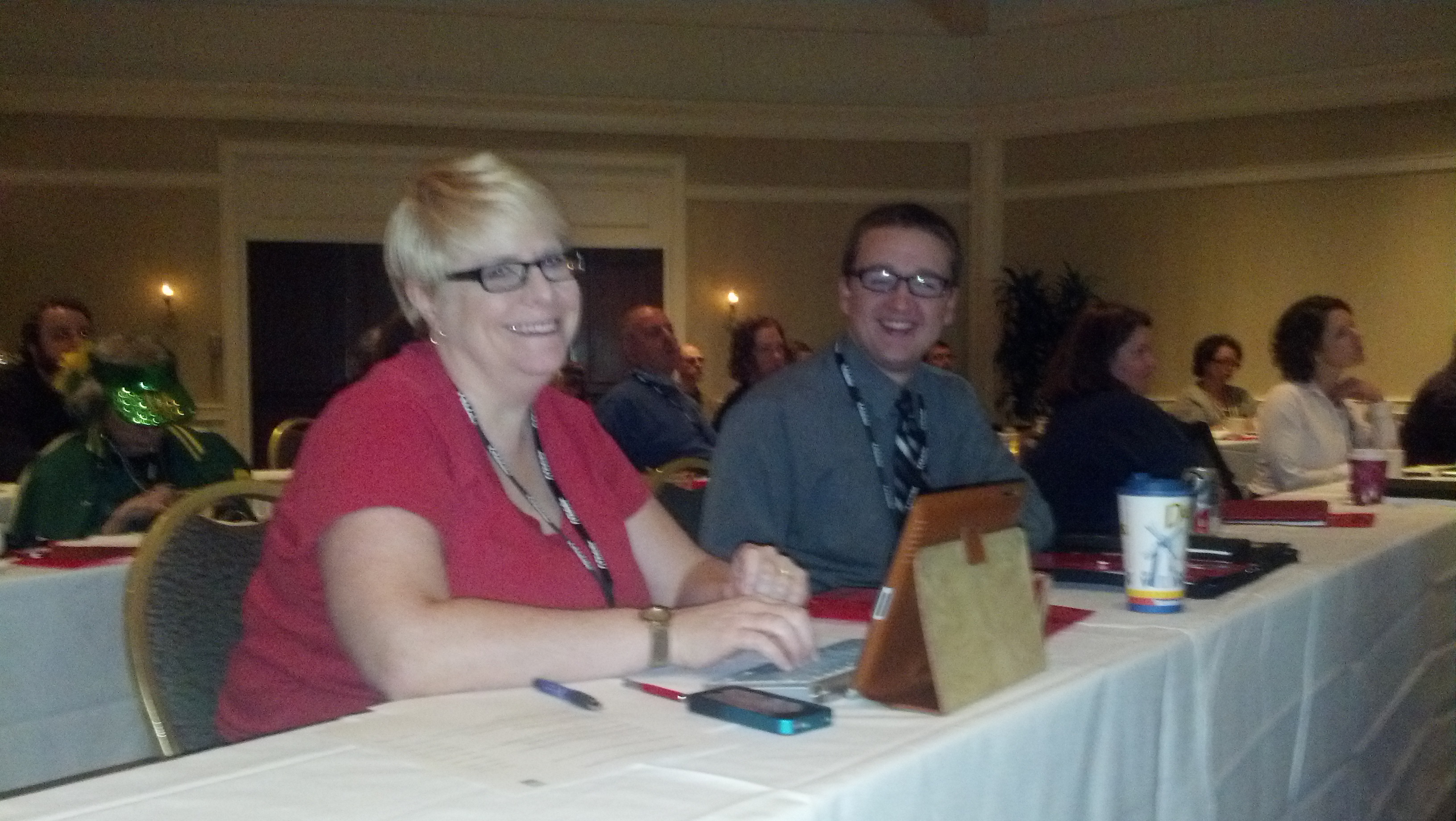
Waiting for Adobe Day to start!
Me and Kyle Johnson of Rocket Software
(photo courtesy of @barriebyron, also of Rocket Software)

I also have to say that in addition to Maxwell Hoffmann, I met others from the Adobe team as well, including Saibal Bhattacharjee, Ankur Jain (the Robo(Help) Cop!) and Tom Aldous. They did an excellent job putting this event together, and I appreciated their kindness and support in having me there to attend. I felt so welcomed! I was really happy to meet them in person after so many months of corresponding through Twitter or email.

I’ll be going through each presentation given prior to this panel in the next several posts over the next week, and I know you will find the information as educational as I did.

Next post: Adobe Day Presentations: Part I – Scott Abel and Structured Content.

PS– To anyone featured in this post or who attended this event, please let me know if I need to append or correct anything featured in this summary or in the future posts on the presentations. I am working off my “notes” that I tweeted during the event, so my recollection may need some tweaking. 😉


Posted in Uncategorized

Hard Work and Persistence (Who Says OCD Is a Bad Thing?) Pays Off! : How I won an iPad

As someone who participated in Adobe’s TechComm Conundrum contest on Facebook, I can confidently say that it was not for the faint of heart! It combined one of my favorite topics—technical communications—with the thrill a researcher gets when hunting for clues. Many of my favorite television shows and movies often combine finding historical facts and clues to find a treasure of some sort at the end, whether it be an “ah-hah!” piece of important information, or some physical prize at the end.  As it turns out for me, it was a matter of having both at the end of my journey!

The TechComm Conundrum, for those who did not participate, was a series of questions and clues to learn more about technical communication history, as well as Adobe’s role in technical communications, on the way to find Adobe’s missing employee, Tina.  Being that I was trained to do research while I was a graduate student at NJIT’s MSPTC program, I knew that sometimes answers would be very obvious, and sometimes I would have to read between the lines.

Like many who did participate, I hit some brick walls along the way.  Many of the answers were right in the Adobe Technical Communications Suite 4 videos, blog, and product page. Other answers required deeper searching, and using extensive Google searches, I found the information I needed. Some responses were more obvious than others, and I admit I learned a few new things about the technical communications field and its fantastic history. It made me proud to call myself a technical communicator, and reinforced the idea that I was glad to be a part of this field. It was fun.

For those who got that far but got stuck, like I did initially, the last question was the trickiest of all. Finding a connection between a photo of actors Annette Bening, Julianne Moore and Mark Ruffalo, the logo of FrameMaker, and a photo of produce at a market was daunting.  I found a connection between the actors, as they were all in the film titled, “The Kids Are Alright.”  But beyond that, I couldn’t figure out what that had to do with a photo of vegetables or FrameMaker.  I tried so many combinations of ideas to figure out the answer, and wasn’t getting very far. I wrote down all the answers on a sticky note by my computer, and for at least a good week, I would enter all the answers for the questions and get stumped at the last one.

Finally, I decided to look more carefully at FrameMaker’s history to see if that would yield any clues.  It was Wikipedia that finally yielded the clue I was seeking. In Wikipedia’s first line of the history of FrameMaker, it explains that FrameMaker’s original author, Charles “Nick” Corfield, designed FrameMaker to be a WYSIWYG document editor. Wait…WYSIWYG…that acronym stands for “What You See Is What You Get.” My mind started racing, as that’s an acronym I like to often use myself. Was it really that simple in the end? I was told later (after the contest) that Mark Ruffalo’s character in the movie owned a restaurant called “WYSIWYG”, although I didn’t know that since I hadn’t seen the movie. Nonetheless, I tried the acronym as my response, and gingerly hit the “Enter” button on my laptop to submit it.

EUREKA! That was it! The explorer finally had her “ah-hah” moment! There was true joy in deciphering something that was still stumping everyone else still playing. So, yesterday, when I found out that I had actually won one of the “grand prizes”—a new iPad—I was actually thrilled. I was informed that only two people—I was one of them—figured it out. The hard work to crack the code paid off!

Hopefully, Adobe will bring this contest back as a fun game, as I think the quiz is great for new technical communicators to learn about the rich history of the technical communications.  Talk about your active learning exercises through e-learning! (And I’ll bet it was created on Captivate, which is a featured product within Technical Communications Suite 4, too.)

Thanks, Adobe for such a fun ride—and the iPad!

Posted in Uncategorized

Remote and Mobile are not the same thing…but could or should be.

TechCommGeekMom is back! I’m sure you didn’t notice that much, but I was away for a week at the beach (or as we Jersey gals say, at the shore) in South Carolina, and while I wasn’t totally away from technology the whole week, I didn’t stay in touch with it as much as I usually do either. Hopefully, I can make up for some of that this week!

Just because I was away, it didn’t mean that I wasn’t thinking about tech comm, e-learning or m-learning while sitting on the beach. Quite the contrary. I had things going on related to all those topics that I still needed to keep up. And sitting by the ocean, listening to the waves, as well as traveling in lots of places far from home and working somewhat remotely got me thinking about the topic of working remotely and mobility, or rather mobile working.

I was actually put to the test in some respects during the trip. There was some important business correspondence that was going on during the week, and I had only my iPhone and trusty iPad, and spotty wifi to enable me to communicate with the “outside” world. I didn’t have the comforts of working from home with my laptop and reliable wifi connectivity that I have at home. (I do live in “Einstein Alley”, after all, so reliable wifi is almost a requirement where I live!) If I went to one of the Starbucks near where I was staying, then there was good wifi, and I could catch up with some of that correspondence. But if I was in my hotel room, it depended on the time of day and which room I was in, which was not exactly convenient.

As we travelled down some country roads before hitting the main highways on our way home, I started to think about mobile learning in these areas. How, in many respects, is this area that I was traveling through any different from any other remote area of the world, where education isn’t always cutting edge, and computers are difficult to access? The mom in me thought deeply about the educational part of this. If I lived in an area that was distant from a lot of technological access, but wanted the best education possible for my child, how would that be achieved?

My imagination first made me think about remote education. What is that? It could be online learning, or even just something static, like the equivalent of a correspondence course. How would that work in a classroom or standard educational system that is not near any major towns? Connectivity is the key for that. Having that connectivity would be greatly needed for the students to learn. Learning about what is happening in the “outside world” will open the minds of students not only to new ideas, but also how to bring those new ideas to their community. For example, would learning a new technology help with growing crops or improving productivity in some sort of service or manufacturing process prevalent in that community? I’m sure it would.

In my opinion, the Internet has always been an educational wonderland, much like how television and radio opened up possibilities and expanded our knowledge of the world. To deny that to the students of today would be a disservice, especially since so much more information is available through the Internet than radio or television alone. How does something work? A student can watch a YouTube video about it.  Who was Salvador Dali? A student can find Wikipedia and other sites that talk about the artist and see photos or video of his works.  Confusion about how to do algebra? Students can watch a video on Khan Academy. Newspapers from all over the world are online, and students can learn difference perspectives on world events as a result. There are so many possibilities!

But is mobile the solution to having a remote education? Yes and no. I think with the examples I showed above, a standard desktop or laptop can help achieve those activities quite easily. In many remote districts, I imagine that there isn’t the money in the school budget to provide that many desktops or laptops, but gaining that exposure would be worth the expense if it could be done.

To add mobile functionality to the mix would definitely enhance this process. Having a tablet computer such as an iPad or Kindle, or even using a smartphone would increase the learning capabilities. It would allow for more interactive learning. It would allow students to take their own video and photos to share with others. Learning could be done in the classroom, or even on a field trip or outside the confines of a classroom–including at home. All the benefits of mobile versus desktop would come to the forefront of reasons to use mobile for learning. Additionally, as smartphones are often more readily available and purchased, even in remote areas, mobile is possible and accessible in those hard-to-reach locales.

So, one has to understand that remote learning is not the same as mobile learning. Simply because one is out of reach from centers of society doesn’t mean that education about the outside world can’t be accessed, but with Internet connectivity, that experience is enhanced greatly. Correspondence courses of yesteryear (and modern day as well) show that you can be away from a learning source, and still gain knowledge needed. Online courses have been proving that in the last two or three decades as well. However, mobile enhances the e-learning experience greatly, providing greater flexibility for how a student can learn and when he or she can access information to learn. With the proliferation of smartphones and tablets exponentially growing every year, even in remote areas, mobile will enhance and promote changes in that the remote learning process, and in turn, the m-learning industry will change and grow.

So, my question to you, dear reader, as a tech comm or e-learning/m-learning professional, how are YOU going to help those learners who are far away from conventional resources? It’s something to think about when writing or creating courses or documentation that will help the end-user.  Mobile documentation is different because it can reach even more remote areas than ever before, but how it’s created and used is key in how successful it can be in helping those end-users, whether they be students or various professionals. Look at the photo that is at the top of this blog posting. How will you provide information to the inhabitants of that small island? Think about it….

Posted in Uncategorized

Video Killed the Radio Star – @TechCommGeekMom Style

I’m really excited about this! I’ve been waiting to tell y’all about this, and now I can!

A few months ago, the director of NJIT‘S Master’s of Science in Professional and Technical Communication
(MSPTC) program asked me if I would be willing to do a video about my experiences as an MSPTC student and graduate, and some of the opportunities the program has afforded me. Of course, I was honored that she asked me, and I said yes! So on several particularly hot days in late June and early July, a fellow graduate from the program who works for NJIT’s communications department came down to my hometown and filmed this video.

Yes, that’s really me in the flesh. Yes, those are my own words. I was just asked to talk about certain topics, and nothing is scripted at all (well, it’s scripted from my head, but nothing was memorized). I thought I was stiff during the filming, but my–I admit I’m rather animated! Just imagine what it’s like when I’m up doing a regular presentation! LOL

You can click on the image in this post (a still from the video) or you can click on this link: http://youtu.be/NN_nHOANR7k.

Or, if you’d like me to speak in person–contact me! (See the “About TechCommGeekMom” tab above.) Hey, if I can get some more speaking gigs, that would be good, wouldn’t it?

Let me know how I did in the video! 🙂

Posted in Uncategorized

Why Mobile, Gamification and Special Needs Are Made for Each Other

As the school year has started for some and will start during the following few weeks ahead, my thoughts start thinking about conventional learning and how educational technology has changed so rapidly, especially in the last few years.

Now, before I continue, I just want to preface this by saying that much of what I will be writing below isn’t based on any scientific study, but rather it’s based on my own experiences and knowledge.

I recently saw this article, and even retweeted it:

Autistic Student Feels Reinspired by Online Learning

I was so glad to see an article like this. We are constantly shown articles or videos about students who are much lower functioning than this kid, who are breaking through the communication wall through various apps on iPad. But I find that higher functioning autistic kids have a much harder time as the gap is much narrower, so it’s hard to define where the fine line between effective communication and ineffective communication is.  As a result, these kids fall through the cracks of the system. Seeing that the young man in this article found a solution through online studies is fantastic, and I can relate to it a lot.

I am sure that I’ve mentioned many times before that my son is autistic, but much like the young man in this article, he is very high functioning autistic. My son is so high functioning that the actual autism diagnosis eluded us until he was 9 years old, and that was after already going through several other diagnoses and still feeling that something wasn’t quite fitting right.  Through my son, while I have not gotten an official diagnosis, I’m pretty convinced that I am an Asperger’s Syndrome person myself; I have displayed so many of the same symptoms as my son, but I did not have the speech problems he had when he was younger (he’s fully language fluent now, due to early intervention and persistence). Even as a mother, I marvel at the various apps that are out there that could have helped my son when he was small, and I wish that we had access to it back when he was small.

My son is a smart boy. However, if something doesn’t interest him or doesn’t serve any meaningful purpose to him, then he’s unwilling to do the necessary schoolwork. As he’s gotten older, this has been problematic. He’s also a kid, and when it comes to mathematics, he doesn’t get the rote information down right away (like understanding his multiplication tables). But, show him how to do a mathematical function, and he can pick it up fairly quickly. He’s not always interested in reading, but he was reading when he was about 3, and when he reads something that interests him, he practically has the resource information memorized. He takes in videos like nobody’s business. Ask him anything about Super Sentai (the original Japanese Power Rangers), Kamen Rider, Power Rangers, Beyblades, Bakugan or Pokemon, and he can tell you everything about them.  He also has a fascination with the sciences, especially physics, so when the Higgs Boson was recently proven, I asked him if he had heard about it, and he said, “Yeah, what about it?” and he explained what it was, and didn’t know that it had actually be proven.  Keep in mind, the kid is only 11.

Yet, he struggles with school. It’s hard for him to focus, and sometimes he’s still processing things in his head when he’s paying attention in class. He can’t take notes to save his life, but he can learn from them.  School is a difficult chore for him, and it takes some creativity to engage him to learn. He’s definitely capable of learning, but he can’t always learn by conventional means. He has a very difficult time with writing skills as well, which has been a struggle since he was small.

I can relate to my son on so many levels academically. I think this is why I end up being the one to do homework with him most of the time–I know how to “translate” things in a way that he can understand. I also had that same combination of hyper-focus on some topics, and total distraction on other topics, and had a hard time with school as well, even though I did well for the most part. If I had half the tools and support he has now when I was a kid, I would’ve been valedictorian of my class, I bet, but instead, I had to fight my way through much of school to get decent grades.

So, when I read the article above, I could relate to it so much because of my son, but also because of my own online experiences getting my Master’s degree from NJIT. My degree was 100% online, and despite what anyone would think, it was a very social event, yet I could pace myself the way I wanted (well, within reason–I still had deadlines for assignments and such).  I want to say that the success in earning my degree and getting a straight “A” average was due to hard work and the quality of the program–which it was, but it was more. It was the delivery system. I’m very convinced that if I had done this coursework solely in a classroom environment, while I might have done well, I don’t think I would have done THIS well.  Being able to set up my own schoolwork routine, read at my own pace, respond to forum threads and work on assignments at my own pace were a huge part of it. I’ve found for years that social media and just being connected to the Internet is not only addictive for me, but essential for me. It’s how I’m able to socialize more effectively and learn more effectively as well.  For all those naysayers that say there’s no such thing as “learning styles,” I say, “Poppycock!” I am a living example of someone who needs to be taught more on a visual level than an audiological level; I have sensory issues but am simultaneously a sensory learner.  My son is the same way.

So what does this have to do with mobile learning and gamification? EVERYTHING! There seem to be more and more studies that “typical” learners learn as much or more with mobile options and gamification methods. Imagine what it can do for special needs learning! My son is a big of a gamer, and I know at his age I love the earliest electronic and digital games myself.  Even now, I’d much rather play an online game to learn than read my dry textbook. The trick for high-functioning special needs people like my son and I is that we–as I mentioned before–fall between the cracks; we don’t need things dumbed down for us, but we do need a different method to get the same information into our skulls, and everything is either over simplified and babyish (like some of the math games that he can play to get those multiplication facts into his head), or there isn’t something that is sophisticated enough that can achieve the same thing.

I envy my son, because e-learning is SO much more than it was when I was growing up. Heck, just having Internet access and email and social media is much more than what I had  when I went to school. Getting my Master’s degree was the first time I could use such resources, and given the right tools as these digital ones, I could fly (metaphorically speaking). I want to see my son fly as well, as I know he’s capable of it. I try to find lots of physics game apps for him on my iPad, which he zooms through with ease. I need to find some age appropriate math apps, writing apps, and other apps that can help him learn without him realizing he’s learning, or at least make it more enjoyable. I want him to feel successful in whatever he ends up doing, and I want him to feel that learning is a lifelong endeavor, and that he is capable of finding the resources he needs to accomplish what he wants. We are still figuring this out, but like I said, the world is his oyster, and he needs to learn how to access it all, and I think he’s already on his way since he found the Super Sentai on his own (and yes, he watches these Japanese Power Rangers episodes on YouTube, in Japanese, sometimes subtitled, sometimes not, but he doesn’t care–he picks up what all of it’s about anyway).

Being that my son is a big gamer, he enjoys and adapts to games well.  He was fortunate, this summer, that his summer school math teacher picked up on the idea of gamification, as every day my son and the other kids in his class would play a card/board game that would teach math skills. He enjoyed it very much, and there was a social skills aspect to it as well, which helped. Granted, it was not a video game or digital online game, but the principle is still the same–it was a game, and he was learning the skills he needed to learn.  So many online games can teach without one realizing it, and making learning so much more accessible.  Even the popular Angry Birds game–one of my son’s favorites–is actually a fantastic game that teaches physics and problem solving skills. I don’t say no to him playing Angry Birds on my iPad or iPhone.  He’s learning, at least, and developing skills that may help in the future as some sort of engineer.  Even as an adult, I can say that I would enjoy something more interactive online than something static or something that’s essentially a page-turner.

This is where mobile comes in. We all know the benefits of m-learning functionality, such as providing just essential information, having web capabilities to interact not only with others, but use tools like social media and researching on the web, and sharing resources is a big deal. Even the nature of m-learning is beneficial, because good m-learning design breaks things up in to small pieces than if it was done as a regular desktop course or classroom lesson. With m-learning, a child can record the class while attempting to take notes, and listen to it later while doing homework, rewinding parts of the lecture while rewriting or filling in missing information in notes.

I know for me, it was a big deal to be able to manipulate my studies to make them mobile. I would use the Microsoft OneNote app on my iPad to do initial drafts of homework assignments during my lunch hour, and then sync up my notes so that I could pull them onto my laptop later to clean them up more on my laptop at home. I could watch video or listen to a podcast on my iPad or iPhone, stop it and restart a section if I didn’t quite catch it–or even just stop so I could catch up writing notes first, then continue. You can’t do that so easily in a classroom. I could pace myself much better, and as a result, my retention was better because I could review details as needed.

This is really important for Aspies as they want to take in everything, and very often it hard to keep up because we are still deciphering and translating information given in our heads while the information keeps feeding. Sometimes our brains can’t process quite as quickly, so by the time we have a piece of information processed and we are ready for the next bit, instead of one new piece of information, then next five have happened. Keeping up and forcing oneself to keep up with the pace can be mentally grueling and exhausting. It’s not that we don’t have the mental capacity to understand the information, but rather that our internal processors are different. It’s like having last year’s processing chip in your computer instead of the latest and greatest. It’s not that the chip can’t handle it at all, but rather at a different pace. If you can gamify the information, then the information is learned on a subconscious level, and just like any video game, new skills are attained little by little as you proceed higher and higher in a game. It’s really THAT simple.

So, for you instructional designers, educational technologists and technical communicators that don’t think that gamification or m-learning makes that much of a difference–IT DOES. Believe me! Keep m-learning and gamification in mind. It not only lends itself well to typical learners, but can go miles farther for those with special needs.