It was recently announced that in the UK, the Royal Family was going through a bit of a corporate merger and restructuring, one might say. Her Majesty The Queen is getting up there in age (she’s almost 88 years old), and while she still maintains a full schedule that probably would put people half her age to shame, it was announced that her communications office and the communications office of her son, HRH The Prince of Wales, would be merging. This inferred that 65 year-old Prince Charles, who’s of retirement age himself yet shows no signs of slowing down either, is slowly going to be taking on more affairs of the regency on behalf of his mother. While the Queen has vowed never to abdicate or give up the throne (and if she lasts as long as her own mum, that could be another 15 years), it looks like she might be winding down to a point that she is slowly transitioning the affairs of state to Charles, as well as delegating responsibilities to her grandchildren as well. According to the Sunday Telegraph, “Reports suggest the move should avoid clashes of coverage of royal events as younger royals perform more engagements, and spread expertise in modern media.”
Even HRH Prince Charles is wondering how this transition relates to content strategy. “Do tell, TechCommGeekMom.”
So, all this is fine, but what does this have to do with content strategy, you may ask? Simple. This scenario really isn’t that different than any other company having to merge content written by different departments, like that of technical content writers and marketing content writers. Everyone in the merger or restructing needs to speak the same “language”, or to use a better description, they all need to use the same terminology. One of the issues that has been surfaced in recent tech comm talk in conferences and blogs is the idea of “silos”–different departments writing content, but not getting together to make sure that everyone is using the same terminology and language to communicate the company message consistently. This can lead to mixed messages in print, in multimedia, and online very quickly if everyone isn’t on the “same page”. Joe Gollner’s Adobe Day-Lavacon 2013 talk came to mind as I was thinking about this merger, and what it meant to have different departments sending out different messages.
Don’t think too hard about it, Prince Harry. It’s really not that complicated.
So, the merger of the royal communications offices makes total sense, really. In an age where news is spread quickly throughout the internet, especially through social media, it seems like a proactive move on the part of the royals to start this transition. One office will need to juggle multiple products–in this case, the royal family members–by providing a single voice and consistent message to promote their activities or relevance, whether it be in print or by digital means. The royals are already a bit ahead of the curve of many corporations, having already set up fairly active websites and social media presence on the internet. They even have their own YouTube account and several Twitter accounts, for example! The communications offices are already on top of internet media, and this step seems like a modern move that many companies are still hesitant to make. Perhaps the royals, known for being a bit stuffy and overly traditional, might actually be cutting edge, and setting the example of how to move forward in the 21st century.
The Times Square New Year’s ball drop has landed…it’s a new Adobe Technical Communication Suite!
As of TODAY, Adobe is releasing five new tools for technical communication professionals everywhere! Technical Communication Suite 5.0 (TCS5), FrameMaker 12 (FM12), FrameMaker XML Author 12 (FMXA 12) and RoboHelp 11 (RH11), and FrameMaker Publishing Server 12 (FMPS12) are now available.It’s been about eighteen months or so since the last big Adobe tech comm release, so you can imagine there are some new and enhanced features included.
I was privileged to be among a group of tech comm professionals who were invited to get a preview of the products before their release, and I have to say, there were so many new and improved features that it was difficult to squeeze all the information into one press conference! But I’m going to give you the highlights, and I’m sure you’re going to find that there’s something new for you.
In the last release of TCS, namely TCS4, there were several big overhauls of the product, namely that the Technical Communications Suite concentrated on providing tools that supported structured authoring, integrated interactive content, and could support the creation of content for mobile devices while providing searchable, personalized, socially enabled content in a way that would yield bigger results with less resources. It was a major step to enhance these tools, especially in regards to adding mobile and interactive abilities to content. Adobe has continued to build on those major changes with the new features in version 5.0.
The foundation of the Tech Comm Suite has always been FrameMaker and RoboHelp. With the release of TCS5, FrameMaker 12 and RoboHelp 11 have been released with big enhancements that appear to concentrate on making these tools more user-friendly and efficient for the technical writers using them.
Image courtesy of Adobe.
For FM12, the first obvious enhancement is the interface. Adobe has improved the user interface to include colored icons and larger icons that look cleaner and sharper in HD. If you like things “old school” in the original smaller, monochromatic colors, that choice is still available as well. There is also more flexibility in customizing your interface. A new “pod” allows the user to access all the currently opened files in one place, from which you can save and close multiple files at one time, while still viewing the unsaved files. There are also enhanced abilities to drag-and-drop to empty areas of the interface, close pods or panels more easily, double-click on empty areas to minimize or expand pods, and searching capabilities have been expanded. These seem like minor details, but when using a product as often as many technical writers use FrameMaker, these finer details can make a big difference! FM12 includes three samples of unstructured content and one DITA-based content sample with the product.
FM12 is not all about a new façade. Adobe has enriched the authoring process with new capabilities. The first thing that caught my attention is that FM12 can generate QR codes now! They can be created for URLs, SMS texts, emails, or to initiate phone calls. QR codes are taking over these days, so it’s great that these can be both created and integrated into FM documentation. Background color enhancements allow uniform height background color and options to specify paragraph boxes. The addition of a new customer-requested feature is the support regular expression coding.
Single-sourcing has been a hot topic in the last few years, and this has been addressed with new enhancements. FM12 gives users a new way to work with conditional text, by using a new conditional tag pod which provides check-box mechanisms with multiple conditions to allow the user to do more complex filtering with conditional text enhancements. It truly simplifies the entire process, that even a newbie should be able to figure it out easily.
Productivity enhancements have also been included in FM12. A searchable smart catalog function allows the user to filter choices based on the valid choices available and phrase typed by the user, while the user can continue to use the keyboard shortcuts as before. There is also a new capability to open all files from the user’s last session in one click, including the last documents and pages in focus, workspaces such as pods, panels and palettes, among others.
Adobe has also taken care to add great collaboration enhancements in FrameMaker. Native connections to any webdev content management system (CMS), such as Documentum, SharePoint, and Adobe CQ are available. Users can now view entire CMS tree layouts, and can access several key CMS functions, such as checking out documents, editing documents, and searching within document, all from FM12. PDF review commenting has been made more flexible. The most proactive steps towards subject matter expert (SME) reviews is that reviews can be done on PDF reader apps on mobile devices, and can also be used on those same devices using cloud technology such as Dropbox for both internal and external reviewers. As mobile devices become more commonplace replacing desktops and laptops, this is a great step forward!
Image courtesy of Adobe
Publishing abilities have gotten a boost on FrameMaker as well. It used to be that if you wanted to create certain types of digital output, such a ePUBs, for FrameMaker content, you would have to export it to RoboHelp, and have RoboHelp publish the document. Now, that step is no longer needed for PDFs, Webhelp, ePUBs, Kindle docs, Microsoft HTML Help, responsive HTML5, or Web help! That’s a big deal, as it allows FM12 to be more efficient by skipping that step of exporting and publishing in RoboHelp. Publishing can also be done through the Web now, too, for multiple users using a FrameMaker server, allowing multiple users to publish simultaneously and automatically to multiple channels and devices. That’s a practical efficiency improvement right there!
Image courtesy of Adobe
With this release, Adobe is introducing a new FrameMaker product for those who don’t need the full version of FM12, but are mostly concerned in having a tool to do structured XML authoring. FrameMaker XML Author is a tool that has been created especially for the structured XML market. Those wanting to use unstructured content will still need to use the full FM12 version. The XML Author is fully standards-compliant for content creation, and supports the most popular XML technology for single-sourcing. It is not FM12 “lite”, but it is a streamlined, easy-to-use version that supports structured authoring without the bulk of the FM12 features that aren’t needed for structured content, yet still integrate-able with the full version of FM12 and available at a lower price. I’m sure that having this tool will be highly beneficial to many companies who are looking for a way to cut costs (it is priced at 40% the price of FM12 “full”) while still reaping the benefits of having a powerful XML authoring tool.
Another customer request that has been granted by Adobe is the integration of MathML, to allow MathML equations to be imported, created, edited, and published with FrameMaker. Adobe is even including 30-day trials of MathFlow (MathML editor from Design Science) with the shipment of FM12 for those who are interested in trying it out. There are several other features that are also included, along with 55 bug fixes, improved performance and launch time for FrameMaker, but I’d end up writing a book at this point!
Of course, with all these big changes to FrameMaker, we can’t forget RoboHelp 11, which also has had a big overhaul.
Image courtesy of Adobe
RH11, like FM12, has a new UI look as well. Based on customer feedback, RH11 has a new color scheme and a more modern interface that looks more pleasing to the eye. It’s a step in the right direction. Adobe has said that further UI improvements are in the works, but this current new UI is the first step in a long overdue makeover for the interface.
The more important feature enhancements with this new release of RoboHelp include advances with HTML5 publishing, printed document enhancements, and collaboration and single-sourcing enhancements.
The HTML5 publishing enhancements are from the perspective that mobile publishing is central, so new single responsive layouts for all devices are available “right out of the box” when downloading RH11. This new single layout feature will work seamlessly across all devices, can be easily customized, will allow for real-time previewing based on the browser size, and can be published with one click. There is a new wizard-based layout editor available to help with this process that shows the added responsive HTML5 output options. You can also preview layouts, and the customization is great because no coding in CSS needs to be done, as you can use the editor instead. To me, this is true single-sourcing creation at its best while simplifying the process! This is a big deal!
Printed documents have not been ignored. Users can now customize headers and footers of printed documents by defining them in the master pages. Headers and footers can also be imported from Word. There is also the ability to specify different headers and footers for the cover, and even and odd pages for different sections of a document. This is great for consistency within branded documentation.
In terms of collaboration and single-source improvements, cloud integration and topic sharing for SMEs has now been included. RH11 now includes a Resource Manager tool that synchronizes folders using Dropbox, Google Drive, or Microsoft SkyDrive as shared locations, and includes filtering for specific folders. This allows the user to manage linked resources within files used in real time across projects and geography.
Image courtesy of Adobe
The Technical Communication Suite 5.0 includes FrameMaker 12 and RoboHelp 11, but it also includes the updated products of Acrobat Pro XI, Captivate 7, and Presenter 9 to complete the Suite. You will notice that Illustrator, which was included in the TCS4 version, is not included. This was a step, Adobe said, to help lower the price. Additionally, from the way I see it, it makes sense, because both Illustrator and Photoshop–another product that used to be included in prior TCS versions–are now affordably available as part of the Adobe Creative Cloud subscription. I know that I personally have a CC subscription, and I’m guessing that many active technical communicators do too, so this saves us from spending twice for the same product, which makes a lot of sense. TCS5, FM12, RH11, FM XML Author, and the FMPS12 will also be available both as a subscription and through perpetual license as well. There is separate pricing for the FM XML Author and FM Publishing Server software.
The updates made to FrameMaker and RoboHelp are extensive, as there are many more features, but I think you get the idea. Adobe is taking steps to try to stay on top of technological changes that have taken root in the past couple of years, such as mobile and cloud technology, and is working to continue to make a more robust and user-friendly products for technical communicators.
My recommendation is that if you are looking to try TCS5 or any of the TC products out, or are interested in upgrading your current TCS package or individual products, click on the Adobe advertisement in the upper right corner of this page, or visit Adobe’s TCS product page for more information.
Sarah Jane Smith of Doctor Who is gazing into her crystal ball, trying to figure out why the 3rd Doctor and the Master aren’t going at it with more mobile tech.Happy New Year! Welcome to 2014!
I had set several goals for 2013, and for the most part, I achieved many of them. Due to finally having a job this past year, I was able to pay for my new kitchen outright (okay, we saved on labor costs because my multi-talented husband installed everything–and I mean everything–except the Silestone countertops), so I have a new kitchen that I love. I definitely travelled more, as I visited Atlanta for the first time in 21 years due to the STC Summit, and I got to visit Portland, Oregon again for Lavacon. I didn’t get to go to the UK, however. And I still don’t look like a supermodel yet.
My 2014 goals are still fairly ambitious, I think. I would like to build upon my web publishing experiences at work, and figure out how to become a content engineer, rather than merely a content manager. I’m hoping that attending the Intelligent Content Conference in San Jose, CA this February and attending this year’s STC Summit in Phoenix, AZ will with help with that. I’m not sure if I’ll be able to make it to Lavacon again until later in the year. I still want to go to the UK, but I think I may have to wait a little longer for that. If there’s a way to combine a vacation and a conference there at the same time, perhaps I can pull it off later in the year instead of going to Lavacon (just to vary things up a bit). I had hoped to become a certified Muse expert last year, and that didn’t happen. Perhaps I can try this year. I also got the “WordPress for Dummies” book this year, which has inspired me to become more expert at using WordPress. I currently use the version hosted by WordPress itself, but I think it might be helpful to understand how the independently managed version works, too. If I can achieve some weight loss in the process during all of this, I will consider 2014 a success. 😉
As for predictions for 2014 in tech comm, I decided that I would be a little more analytical about it. Two years ago, it seemed that the push in tech comm was that we needed to think more carefully about content management reuse of content, and think in terms of mobile content. This past year, that was extended to translation and localization of content, taking it a step further. So with those concepts in mind, what’s the next step? In my mind, it’s implementation of all of these with more vigor. Some companies are on top of this, but it wouldn’t be surprising to me if many companies–even large, global companies–are not on top of any of this yet, or on top of it in an effective way. I think about companies that I’ve worked for in the past, and how, despite their size and availability of resources, these companies wouldn’t be cutting edge in distributing content for desktops or mobile, and regional sites were not as localized nor standardized as they should be. So, in my mind, this is the year of implementation.
Another thing to consider is technology changes. Over the past few years, we’ve been adapting not only to desktop or laptop interfaces, but we’ve also been adapting to more mobile devices like smartphones and tablets. Marta Rauch, a technical communicator friend of mine who is part of the Google Glass beta testing, pointed
out that 2014 is due to be a year in which even more portable, wearable mobile devices will become relevent. These devices would include something like Google Glass or similar products, but it also would include devices like Samsung’s wristband device or devices that are synchronized with car components. She’s got a point. Components are getting smaller, and technological portability is becoming more and more mainstream all the time. How do we decide what content is most user-friendly, reuseable, streamlined, and pertinent for these kinds of mobile devices? It’s something we need to start thinking about now.
“Riker to the Tech Comm community–are you there?”
So there you have it. At least in my mind, if we aren’t all wearing Comm Badges like in Star Trek by the end of the year, I don’t know what this world is coming to. 😉 But it’s hard for someone like me to figure out where the future is going. I’m grateful there are those who are on the cutting edge that can help me figure that sort of thing out, and can educate me on the latest and greatest so that I can bring it to my own workplace, as well as talk about it here on TechCommGeekMom.
I’m sure that there will be plenty of surprises coming up in 2014. As I said, I have three conferences that I’ll be attending in the first half of the year, and I know with the continuation of this great work contract I have, I will probably be learning a lot of new things through that opportunity, too. My philosophy is to never stop learning, and I plan to continue to learn a lot more going forward in the coming year.
What are you predictions for the coming year? Am I on target, or off-base? What did I forget to mention? Let me know in the comments.
Matt Sullivan presented the last individual presentation for Adobe Day at Lavacon 2013, and it was a little different than what I had seen before. To me, it was like Portland’s Crystal Spring Rhododendron Gardens, because while Portland is known for its rose gardens, here’s something that’s different, but not out of place either.
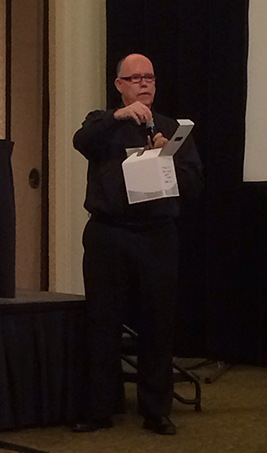
Matt Sullivan doing his presentation.
Matt recently co-authored the book, Unstructured Framemaker 11 with Sarah O’Keefe, and took the time to show us some of the more special features of Framemaker 11, specifically in reference to the use of rich media and XML. What made this a different presentation from what I had seen before was two-fold. First, Adobe prides itself in presenting these Adobe Day Thought Leadership events as the antithesis of a long commercial for the Adobe Technical Communications Suite applications, so having this presentation about Framemaker specifically seemed to go against that. But the deeper the presentation went, it was obvious that it wasn’t as much about how to include rich media in Framemaker (although that was certainly presented), it was about opening up minds to the idea of using rich media in digital documentation, and Framemaker happened to be the tool used to demonstrate this. Matt Sullivan is one of the foremost experts out there on the use of Framemaker (he did co-author a book, after all, and I’ve seen the book–it’s a hefty tome), so this made a lot of sense. The second part that seemed different was that it was a demonstration at all. As mentioned before, I was a little confused that an aspect of Framemaker was being demonstrated. For those who were familiar with the product, it was easier to follow along. For those who weren’t as familiar with the product, they could keep up, but it didn’t necessarily have the same impact, but opened eyes to possibilities.
All that aside, Matt gave a lively demonstration of how one can produce rich media output from DITA/XML. Because this was a live demo, it was hard to track all the nuances of the presentation, so there weren’t a lot of notes taken as it would be difficult to describe the processes step-by-step as he was doing them. The audience went along for the journey through these processes, and we could see how Matt used Framemaker to include of rich media. Matt showed us how one can place videos, flash components, and other multimedia into Framemaker docs. He also showed us how to integrate these into the DITA map, and how a PDF document can be produced for both print and interactive versions. One of the best examples Matt showed us was how 3D models can be used in Framemaker documents in addition to control tables. Matt explained that the beauty of the ability to add rich media to documentation is that it’s all about the single-sourcing features to be able to integrate the rich media. The other part of what makes it optimal is that rich media can be saved to online formats. He stressed that rich media can be used in unstructured Framemaker as well as structured Framemaker.
Matt has also done several Adobe webinars covering much of the information presented in this presentation and more. As a refresher, he offered a 45-minute demo with the details found at http://wp.me/p1KX8V-4P, which is also available on his blog at http://mattrsullivan.com.
While it was a little difficult to cover and summarize this presentation (no fault of Matt’s–he did an excellent job), as I said before, this was something new for me to experience at an Adobe Day. I learned not only about how to include multimedia objects in Framemaker specifically, but Matt was also showing how valuable rich media can be when used correctly and methodically in almost any kind of documentation and content out there, which is really the more important part of the bigger picture. As technical communicators, we need to remember that we don’t have to be limited by text and stand-alone images.
(Matt, if you need to correct anything I’ve said here or would like to add anything, please feel free to add in the Comments section!)
Next in the Adobe Day -Lavacon 2013 coverage: Val Swisher’s presentation.
(Yes, I’m going backwards with how everything was presented. Why? Because I can. 🙂 )
International Rose Test Garden – Portland, OR Photo from content.time.com
It’s been more than a week since I attended the 2013 Adobe Day at Lavacon, and like the previous two Adobe Days that I’ve attended in the last year or so, it certainly exceeded my expectations. There’s a lot to digest and write from my notes, plus I’ve been busy with my job, so it’s taken me a while to get things started. I appreciate your patience, as I hope that these upcoming summaries will give you the full flavor of this always free, thought leadership event!
The theme for this Adobe Day seemed to change mid-campaign prior to the actual event. Originally, the day was promoted as being an event in the “City of Roses,” alluding to one of the nicknames of the hosting city, Portland, Oregon. Later, the event was touted as being “a conference at the confluence of 2 rivers,” again referencing the location of Portland. Since this was my second visit to Portland in which I had an opportunity to see much more of the city and surroundings than during my first trip, I decided that I would adhere to the original theme for my postings about the event.
As always, I find it best to start my summaries of Adobe Day with the panel discussion that ended the event, as it provides an excellent starting point for the issues discussed throughout Adobe Day. The panel discussion was titled, “Preparing Your Content for Multi-lingual, Multi-Channel Global Delivery–Challenges and Opportunities.” In thinking about this theme, it reminded me–sticking with my floral theme of the “City of Roses”–of the International Rose Test Garden in Portland. The International Rose Test Garden is the most famous of all the public gardens in Portland, having the most colors and varieties of roses found anywhere for all to enjoy. The Adobe Day panel consisted of several thought leaders in technical communication that resembled this rose garden, as it was full of variety in experiences and opinions.
The Adobe Day Panel and Moderators! From L to R: Maxwell Hoffmann, Joe Welinske, Fabiano Cid, Neil Perlin, Matt Sullivan, Scott Abel (back to us), Bernard Aschwanden, Tom Aldous, Val Swisher, Joe GollnerMaxwell Hoffman of Adobe calling out a raffle ticket number
After an audience drawing for door prizes conducted by Maxwell Hoffman of Adobe for “Made in Oregon”-type prizes, the always nimble Scott Abel (aka The Content Wrangler) moderated the panel. I will admit that questions and answers were going by so quickly as to squeeze in as much information as possible that I was unable to tell you who said what for the most part, but I’m going to provide you with the main summary of the lightning fast conversation. I’d like to thank the following people for also tweeting the event, which helped me confirm my own information as well as fill in some blanks for information that might have slipped by. I’ve included some of their findings in this post:
(Be sure to check out all the Twitter connections of these fine people and the panelists! Lots of good ideas shared by these people!)
Questions and answers were as follows:
Q: What does it means to be global ready? A: Global ready means being able to operate anywhere in the world, ready to be translated easily, and that content being to be able to be structured, simple, and consumable. Other benefits includ knowing your audience well, as this way, content will be more consumable by both native and ESL (English as a Second Language) speakers.
Q: What is the single biggest challenge preventing us from reach global audiences?
A: The current mindset, rapid change, and a lack of strategy were listed as the top challenges. It was also noted that the voice that companies use now, such as cheeky language, isn’t working. We aren’t thinking strategically, so we need to think about the whole life cycle of projects and getting out of thinking in “silos”.
Q: What can we do to prepare for both human & machine translation?
A: Simplifying sentences in a grammatically correct way is a big way to help. Sentences should be 24 words or less. We need to also decide whether to use original content or not, what kind of content, what volume, etc. Content needs good globalization methods with translation and localization.
Q: Is it possible to create consistent tone and voice that will translate well across cultures, and if so, should we?
A: We may not be able to do it for all audiences, but you need to try.
Q: What is multichannel publishing exactly?
A: It is making maximum use of technology to create translation of content. This includes writing code to code, spoken to written, etc. You need to create a single, consistent source for what you are doing. As we break content into chunks for reuse, we have to take into account corporate culture and practices.
Q: What are the biggest challenges facing organizations that seek to publish content to multiple channels?
A: The biggest challenges listed were internal obstacles, such as no one wanting to change, “this is the way we’ve always done it” attitude. The is a need to understand that times are changing, so content needs to change with the times. Content may be outdated and it need to keep up. Writers can be a problem as well, as the content we create isn’t necessarily the content we consume. Customers can consume content in ways that we (the writers) don’t, so we need to be mindful of that. The people who are consuming content today are not the people who were consuming it 5 years ago. The content that you put in your help files also has to be on Google, after all. It was recommended that writers use SEO words in Google that customers use, and that will help writers understand context and how to craft our documentation for customers, as “Google-ability” affects context. Keywords are often created post-publishing, so we need to be proactive before publishing to have the advantage. If you manage your keywords, you can help with findability.
Q: What are the not-so-obvious opportunities of multichannel delivery?
A: Opportunities taking advantage of non-text items are the best opportunities right now, such as automated graphics that adjust to a device display. A table of contents for video can actually help in documentation, since end-users don’t have a long enough attention. Indexing multimedia should be made as part of the product. Further action also need to be taken to expand on the idea of being able to start on one device and continuing on another, like Kindle, as this has not explored enough yet.
Q: What’s the biggest mistake an organization can make when moving to a multichannel global content delivery?
A: Organizations tend to look internally, instead of getting outside input, such as learning things from conferences (like @LavaCon ). Mobile delivery is very different in different countries, so we need to do it in ways other than American. We need to find balance if one aspect is overfocused. The biggest mistake is thinking that everyone is like us (Americans/North Americans). They’re not! Strategy and planning from the start is key! We need to also learn from what’s working and what’s not, and go from there. It’s important to stop and assess procedures, and then add on more. There is a strong need to clean up practices. It comes back to knowing your audience–its symbols, language, culture. Testing is the best way to see if your audience are getting the benefit of the content you are putting out, and making sure it’s usable.
Q: How does one write consistency to reap those benefits and be consistent with SEO?
A: Writers need to know what language your customer is looking for you, and find a balance between translatability and vocabulary. Metadata is important inside as well.
Q; Are there tools on the horizon that will help with those symbols, icons, etc. that could not be good for translation?
A: At this point, no software as of yet. It’s mostly people based right now, but evolving software does exist. Precise content has its benefits including accessibility as well as fluid machine translation. Interaction types (voice, touch, text) will be a big part of how you integrate with content for global audience in mobile, although it’s not limited to mobile. Consideration of various screen sizes will be key. Think your online help is the first place your users go for answers? Unless your help shows up on Google, think again.
You have to admit, it sounds like quite the conversation, and it was!
Next in the Adobe Day -Lavacon 2013 coverage: Matt Sullivan’s presentation.

 It was recently announced that in the UK, the Royal Family was going through a bit of a corporate merger and restructuring, one might say. Her Majesty The Queen is getting up there in age (she’s almost 88 years old), and while she still maintains a full schedule that probably would put people half her age to shame, it was announced that her communications office and the communications office of her son, HRH The Prince of Wales, would be merging. This inferred that 65 year-old Prince Charles, who’s of retirement age himself yet shows no signs of slowing down either, is slowly going to be taking on more affairs of the regency on behalf of his mother. While the Queen has vowed never to abdicate or give up the throne (and if she lasts as long as her own mum, that could be another 15 years), it looks like she might be winding down to a point that she is slowly transitioning the affairs of state to Charles, as well as delegating responsibilities to her grandchildren as well. According to the Sunday Telegraph, “Reports suggest the move should avoid clashes of coverage of royal events as younger royals perform more engagements, and spread expertise in modern media.”











 TechCommGeekMom
You must be logged in to post a comment.