Posted in Uncategorized

Adobe Day at LavaCon 2012 Roundup!

This post is just a quick summary of the Adobe Day at LavaCon 2012 series from this past week. As you see, there was so much information that it took six posts to try to summarize the event!

Being in Portland, Oregon was great. It was my first trip there, and being a native Easterner, my thoughts pushed me to that pioneer spirit of moving westward in this country. Once there, I saw a hip, young, modern city, continuing to look towards the future.  The information I gathered at Adobe Day was general information that was endorsement-free, and practical information that I can use going forward as a technical communicator, and that by sharing it, I hope that others in the field will equally take on that pioneering spirit to advance what technical communications is all about, and bring the field to the next level.

To roundup the series, please go to these posts to get the full story of this great event. I hope to go to more events like this in the future!

As I said, I really enjoyed the event, and learned so much, and enjoyed not only listening to all the speakers, but also enjoyed so many people who are renowned enthusiasts and specialists in the technical communications field and talking “shop”. I rarely get to do that at home (although it does help to have an e-learning developer in the house who understands me), so this was a chance for me to learn from those who have been doing this for a while and not only have seen the changes, but are part of the movement to make changes going forward.

I hope you’ve enjoyed this series of blog posts. I still have many more to come–at least one more that is inspired by my trip out to Portland, and I look forward to bringing more curated content and commentary to you!

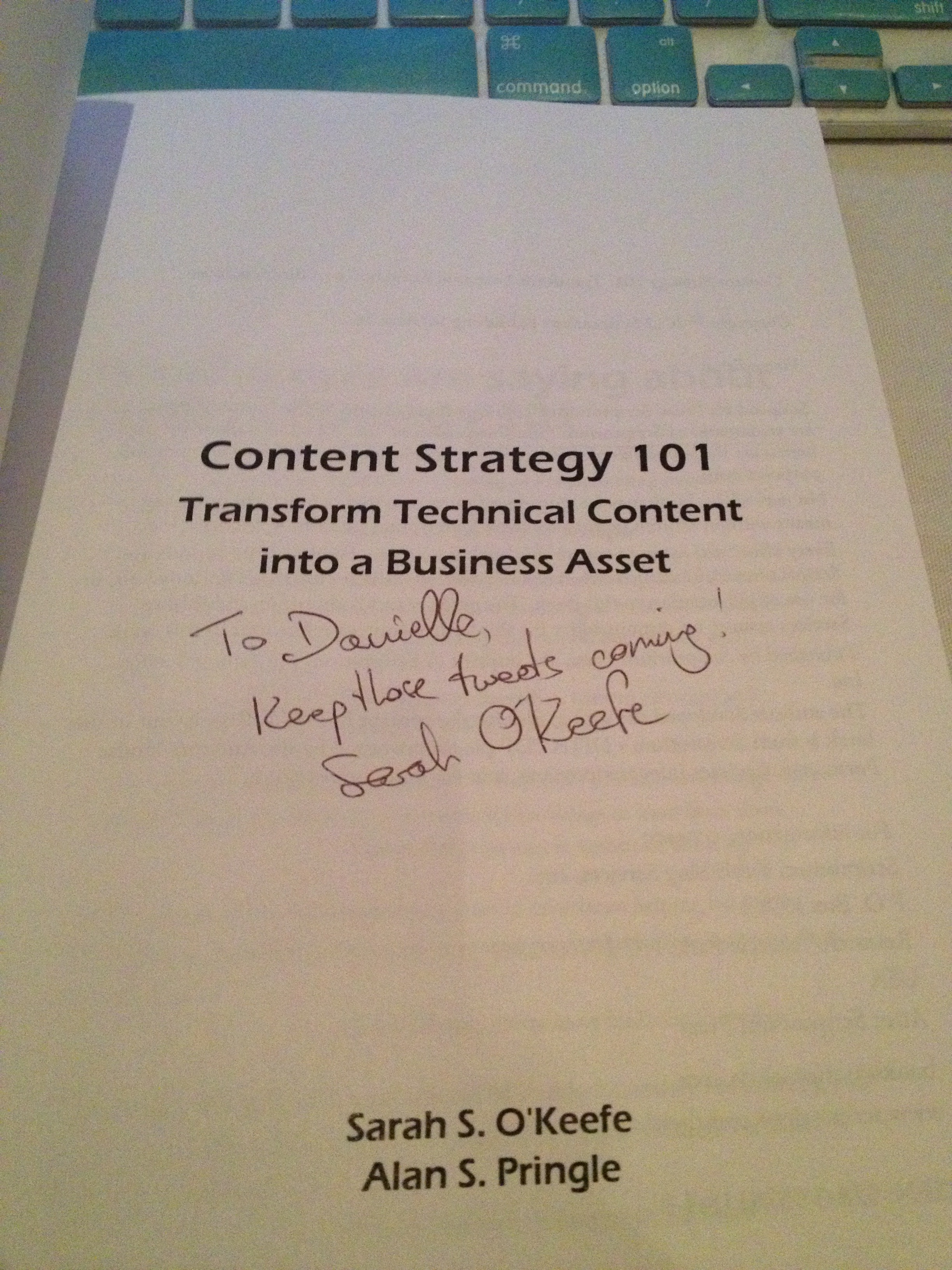
The autograph from my copy of
Sarah O’Keefe’s book,
Content Strategy 101.
Awesome!
Posted in Uncategorized

Missed Adobe Day at LavaCon2012? Here’s the scoop…

One of the “Three Sisters” mountains
outside Portland
(don’t know which one–took this from
my airplane seat coming home!)

As I write this, I am still recovering from quite the whirlwind of a weekend! I flew out to the West Coast on Friday night, and returned to the East Coast on Sunday.  I met SO many people who are not only leaders in the technical communications field in one capacity or another, but they are also nice and SMART people in the field. You couldn’t help but be inspired or feel smarter once you walked out!

Now granted, this was the first time I ever attended a conference-type event within the tech comm field, so I was excited to be there and soak everything in as much as I could. This is not to say that I’ve never been to a professional conference or travelled to this type of event; I just never have done it with the tech comm crowd.

Like I said, for me, at least, as the “new kid on the block”, I didn’t know exactly what to expect of the event, the topics, or the people I would encounter, and I’m glad to say that everyone was very welcoming to me, and I felt included as a fellow technical communicator very quickly. It was a little surreal in some instances, because many of the people I met were those whom I had only met online through Twitter or Facebook–Twitter mostly, so to be among such a collection of established tech comm thought leaders could have been a lot more intimidating, but it was not that way at all.

There was so much great information that came out from the morning that I will be splitting up my report over the next few days. Each day going forward will have my summary about each speaker at the event. And I have some photos as well!

So, let me get started into the Adobe Day event itself –with some photos!

Saibal Bhattacharjee (@saibalb79) from Adobe setting up.

The Adobe Day event started with an introduction from LavaCon organizer Jack Molisani welcoming everyone to the event. Jack, thanks for organizing and running LavaCon! Although I’m missing the main conference, I’m hearing awesome stuff about the speakers on Twitter, so I think you deserve some kudos for helping to assemble all of it!

Jack Molisani

Jack was followed by a short introduction and welcome by Maxwell Hoffmann, who is one of the key players of Adobe’s Technical Communications marketing team. If you’ve ever attended any Adobe Tech Comm webinars, more than likely you’ve heard Maxwell moderating the webinars. He is also one of the bloggers for Adobe’s Tech Comm blog. Having worked with him while creating my own webinar for Adobe, I can say that he does a fantastic job at what he does.

Maxwell Hoffmann of Adobe

One thing I’d like to mention, before continuing, is that the nice thing about Adobe Day was that is wasn’t actually about Adobe or promoting Adobe products. I don’t recall during the entire duration that any speaker promoted any Adobe product or the brand other than possibly to thank the company for the opportunity to speak. All the speakers spoke broadly about technical communications as a whole, so whether one supported Adobe products or not, everyone could benefit from the information being provided.  This really was a collective presentation of the best and brightest in thought leadership, and an opportunity to network and learn from those who are considered top in the technical communications field.

Now, for this post, I’m actually going to start this Adobe Day series going backwards in the day’s event, starting with the panel discussion that was at the end of the morning.

The panel topic at the end of the Adobe Day event was titled, “The Decade Ahead: Opportunities and Challenges for Technical Communications Professionals.” Scott Abel, who is also known as “The Content Wrangler,” moderated the panel.  The panel included several of the leading thought leaders in the tech comm industry. The panel consisted of Joe Gollner, Beth GerberBernard Aschwanden, Joe Welinske, Val Swisher,  Sharon Burton and Joe Ganci.

Adobe Day Panel.
L to R: Joe Gollner, Beth Gerber, Bernard Aschwanden, Joe Welinske,
Val Swisher, Sharon Burton, and Joe Ganci

As far as the opportunities in tech comm right now, Sharon Burton said it best when she exclaimed, “We are in the Wild West!” meaning that the field is still so very wide open that anything done right now would be in the pioneering spirit. Another point that Sharon summarized was that 99% of the content consumers are not happy with the tech comm content they are receiving, and so a revolution is brewing. It was agreed by all that so many new ways to deliver content are out, such as using audio, video, shared content, personalized content and mobile content. The choices are limitless and there is so much to explore that there is room so that we can all contribute! Interactivity and structured content will be key to communicating information as well.

That said, the group presented the challenges ahead, which included providing technical communicators with an education on understanding all the available possibilities, combating management’s misperception of cost, the general resistance to progressive change, business models still tied to old metrics, and too many tech comm specialists instead of tech comm generalists. An additional challenge mentioned dealt with the relationship that technical communicators have among themselves as well as to the rest of the world. It was suggested that technical communicators are not creating appropriate relationships with other business departments, and need to be proactive in business affairs to prove the value of tech comm as a whole and how it integrates with other business needs, thus providing a good ROI (return on investment). When the panelists were asked what skills were needed to go forward, they replied that the need to create communities to support each other and learn from each other was key, which could be done through such activities like participation in branding and discussion on the Twitter website with other technical communicators.  Bernard Aschwanden did comment, “People are not lazy enough!” which elicited a laugh. However, his point was that in this day and age, people just want more direct route to complete tasks, and community building was part of that.

Nolwenn Kerzreho, another attendee at Adobe Day, noted on Twitter during the discussion  that “[T]ech writers need to change, have to get an education in structured writing and writing for a global audience…Key is that needs to be promoted…everywhere!” Good point that I missed noting on Twitter myself, Nolwenn!

In other words, the panel felt that while this is a time with a lot of changes due to technological advances with plenty of opportunity to use different kinds of content to deliver information, there are still obstacles in the way that prevent those opportunities from coming to fruition. However, those obstacles aren’t anything that can’t be conquered over time. A big part of making these opportunities happen will be adopting the use of structured content and community building.

Now, if this was the caliber of the discussion just for the panel at the end of the Adobe Day event, then you can only imagine that each of the presentations before this were equally great as well, and why I’ve come back with renewed enthusiasm.

I’ll also just add here that I had the chance to meet SO people that I had only met through social media or featured in various technical communications media. It was like a parade of tech comm stars to me, and I was a little in awe to be among them! I enjoyed meeting so many people who really enjoy what they are doing and trying to make a difference in this field.

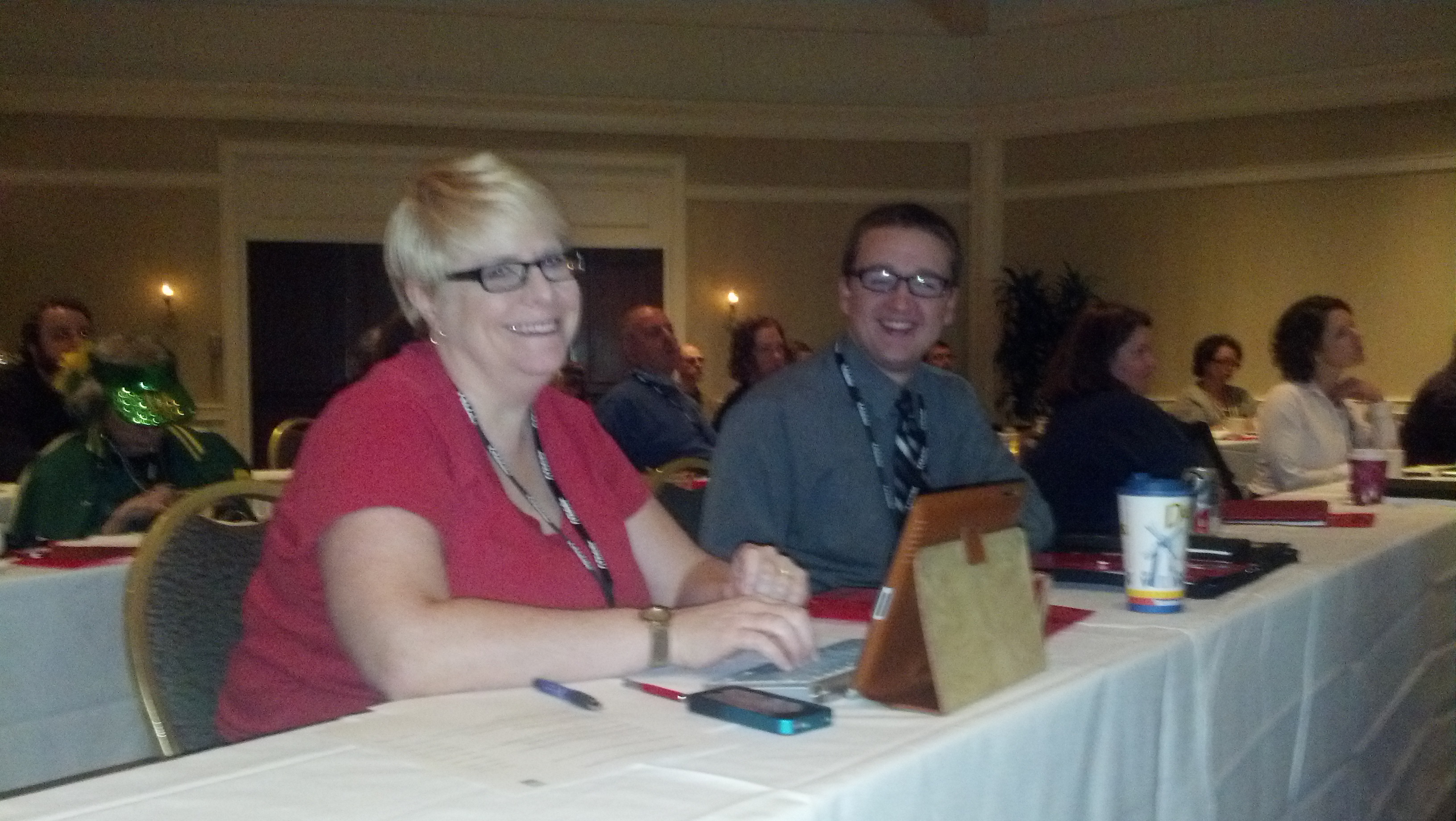
Waiting for Adobe Day to start!
Me and Kyle Johnson of Rocket Software
(photo courtesy of @barriebyron, also of Rocket Software)

I also have to say that in addition to Maxwell Hoffmann, I met others from the Adobe team as well, including Saibal Bhattacharjee, Ankur Jain (the Robo(Help) Cop!) and Tom Aldous. They did an excellent job putting this event together, and I appreciated their kindness and support in having me there to attend. I felt so welcomed! I was really happy to meet them in person after so many months of corresponding through Twitter or email.

I’ll be going through each presentation given prior to this panel in the next several posts over the next week, and I know you will find the information as educational as I did.

Next post: Adobe Day Presentations: Part I – Scott Abel and Structured Content.

PS– To anyone featured in this post or who attended this event, please let me know if I need to append or correct anything featured in this summary or in the future posts on the presentations. I am working off my “notes” that I tweeted during the event, so my recollection may need some tweaking. 😉

Posted in Uncategorized

Hard Work and Persistence (Who Says OCD Is a Bad Thing?) Pays Off! : How I won an iPad

As someone who participated in Adobe’s TechComm Conundrum contest on Facebook, I can confidently say that it was not for the faint of heart! It combined one of my favorite topics—technical communications—with the thrill a researcher gets when hunting for clues. Many of my favorite television shows and movies often combine finding historical facts and clues to find a treasure of some sort at the end, whether it be an “ah-hah!” piece of important information, or some physical prize at the end.  As it turns out for me, it was a matter of having both at the end of my journey!

The TechComm Conundrum, for those who did not participate, was a series of questions and clues to learn more about technical communication history, as well as Adobe’s role in technical communications, on the way to find Adobe’s missing employee, Tina.  Being that I was trained to do research while I was a graduate student at NJIT’s MSPTC program, I knew that sometimes answers would be very obvious, and sometimes I would have to read between the lines.

Like many who did participate, I hit some brick walls along the way.  Many of the answers were right in the Adobe Technical Communications Suite 4 videos, blog, and product page. Other answers required deeper searching, and using extensive Google searches, I found the information I needed. Some responses were more obvious than others, and I admit I learned a few new things about the technical communications field and its fantastic history. It made me proud to call myself a technical communicator, and reinforced the idea that I was glad to be a part of this field. It was fun.

For those who got that far but got stuck, like I did initially, the last question was the trickiest of all. Finding a connection between a photo of actors Annette Bening, Julianne Moore and Mark Ruffalo, the logo of FrameMaker, and a photo of produce at a market was daunting.  I found a connection between the actors, as they were all in the film titled, “The Kids Are Alright.”  But beyond that, I couldn’t figure out what that had to do with a photo of vegetables or FrameMaker.  I tried so many combinations of ideas to figure out the answer, and wasn’t getting very far. I wrote down all the answers on a sticky note by my computer, and for at least a good week, I would enter all the answers for the questions and get stumped at the last one.

Finally, I decided to look more carefully at FrameMaker’s history to see if that would yield any clues.  It was Wikipedia that finally yielded the clue I was seeking. In Wikipedia’s first line of the history of FrameMaker, it explains that FrameMaker’s original author, Charles “Nick” Corfield, designed FrameMaker to be a WYSIWYG document editor. Wait…WYSIWYG…that acronym stands for “What You See Is What You Get.” My mind started racing, as that’s an acronym I like to often use myself. Was it really that simple in the end? I was told later (after the contest) that Mark Ruffalo’s character in the movie owned a restaurant called “WYSIWYG”, although I didn’t know that since I hadn’t seen the movie. Nonetheless, I tried the acronym as my response, and gingerly hit the “Enter” button on my laptop to submit it.

EUREKA! That was it! The explorer finally had her “ah-hah” moment! There was true joy in deciphering something that was still stumping everyone else still playing. So, yesterday, when I found out that I had actually won one of the “grand prizes”—a new iPad—I was actually thrilled. I was informed that only two people—I was one of them—figured it out. The hard work to crack the code paid off!

Hopefully, Adobe will bring this contest back as a fun game, as I think the quiz is great for new technical communicators to learn about the rich history of the technical communications.  Talk about your active learning exercises through e-learning! (And I’ll bet it was created on Captivate, which is a featured product within Technical Communications Suite 4, too.)

Thanks, Adobe for such a fun ride—and the iPad!

Posted in Uncategorized

Using the Cloud–The Real Deal.

As a follow-up to my post about the scamming/hacking attack I had two weeks ago, this week I’m turning TechCommGeekMom.com over to a good friend of mine, Shay Shaked. We first met in grad school at NJIT as classmates, and have been friends ever since. Shay is more of a technology geek than even I am, so when my system got hacked two weeks ago by the phone scammers, he was one of the people who offered me some good advice and pointers along the way to my laptop recovery. I asked him if he would share some of the wisdom that he’s shared with me with my TechCommGeekMom readers, and he said, “Of course!” Here is TechCommGeekMom’s first guest post! It’s a little long, but I encourage you to read the entire thing– good stuff!

–TechCommGeekMom


Two weeks ago, TechCommGeekMom fell victim to the hands of a malicious scammer who managed to access her computer remotely by talking her into believing he was actually a Microsoft employee. The scammer was smart, confident, and very efficient. Reading through her post sent shivers down my spine (as a matter of fact, I am backing up my files as I’m writing this post) and made me realize that we are all vulnerable, especially these days, when technology is everywhere and computers have to be used on a daily basis.

TechCommGeekMom was able to recover rather quickly. The first thing she did was to share her experience with us, so we could all learn from what happened. She also shared a few tips about security of private information, and asked me if I would like to expand and talk in length in this post.

Today, security does not have to come at the price of convenience–quite the opposite. I have switched between four different computers in the last five years, and the transition to the cloud made each switch easy and painless. But the real benefit of cloud apps, I’ve discovered, is in added productivity. I am going to introduce some of the popular cloud services (and some less well-known ones) from the perspective of a paperless, digital person. I hope that when you’re done reading this post you will at least be convinced to give these apps a try, if you haven’t already.

Google Drive

Google Drive’s most important feature, in our case, is its ability to replace Microsoft Word, Excel, Powerpoint and even Access, for free. Throughout my time as a graduate student on a tight budget, I calculated I could do more than 90% of my work using Google Drive’s documents.

Google Documents now features two additional important features that makes it even more effective. It has an offline mode, which allows one to create and edit files even without internet connection. It also has a research pane which allows you to research your topic (via a search term on Google) from inside the document, and add whatever reference one may find directly into the document’s reference list in APA style.

Google gives users 5GB of free space to begin with, and documents created inside Google Drive do not take any room. This includes small pictures included in saved documents, such as background for presentations, mugshots, or logos. Additionally, Google Drive makes sharing or sending files to other people incredibly easy, even if they do not have a Google account! Documents can even be sent from within Google Drive as an attachment (.doc, .docx, .pdf and more) directly to an email address without downloading anything, so no obnoxious email attachment on your end.

Evernote

As great as Google Drive is, it is not the best place to upload files and scanned documents. Google Drive’s interface is still too clumsy to be used for organization, and I often need t search for what I need. For scanned documents and quick notes, I use Evernote.

In my opinion, Evernote is the best place for PDF files. Evernote’s excellent tagging system, flexible folders and powerful search (which can read texts from inside images) is exactly what’s missing from Google Drive’s system. I use it to save anything from receipts (using my phone to take snapshots) to a copy of my driver license (I will explain how I protect sensitive documents shortly). It is extremely easy to email documents directly from the app to someone’s email.

Evernote comes in a free version which allows users to upload up to 60MB per month, or a paid version that allows up to 1GB per month with many additional benefits. I have used the free version for a while and never ran out of space allowance.

Important information tip 1:

One of the best ways to protect your personal information is to keep it separate from your “public” information. It just so happens that Evernote and Google Drive create this separation for me automatically: anything that I need to share, publish, or have others edit and work on, is on Google Drive, while all my personal documents and more sensitive information is stored in Evernote. This means your personal files are stored under different username and a different password (because you do use different credentials for each website, right??)

Adobe Acrobat Reader

Adobe Reader is mentioned here because the newest versions come with a very simple, yet powerful feature: the ability to sign your name electronically directly into the PDF file. In the past, I had to download the PDF file, print it, sign it, scan it, and then send it back as an attachment. Not any more. Today I open my PDF file, sign my name, save it (to Evernote) and send it. Done.

Information tip 2:

When you’re not sure what kind of file to send your document in, use a PDF file. If you don’t know what Word version the HR department has, or you want to make sure your resume looks on their screen exactly the same way it looks on yours, send a PDF. PDF files also happen to be the easiest to open, encrypt (protect with a password) and are the industry standard for scanned papers and official documents online. Make sure you have the most recent version of Adobe Reader installed and save yourself the headache.

FoxyUtils

FoxyUtils is a website that does one important thing: it protects your PDF with a password. Upload a file to FoxyUtils, and choose to restrict the file from opening, printing, and copying its context to the computer’s clipboard (which means, no copy-pasting). FoxyUtils also allows users to split one multi-paged PDF into several PDF files, or do the opposite by combining several PDF files into one big PDF file.

Information tip 3:

I believe my personal information is safer inside a password protected PDF on a protected server in a locked building than it is in a drawer at my desk. If you’re serious about using the cloud to store your files and using PDFs, I recommend buying Adobe Acrobat (not just the free reader), which comes with additional features, most notably, better encryption. Keep in mind though that if you password protect your file, programs such as Evernote won’t be able to read its content and make it searchable, as it would with non-protected files.

Hardware – The Non-Cloud stuff for the Cloud

1 – Scanner

Most people would assume an external hard drive with good encryption is the best and safest way to store sensitive documents. In my opinion, that’s a bad mistake to make. The most important thing to consider about your information safety is a scanner.

If you don’t already have one, you can probably find an all-in-one printer (a printer, scanner fax and copier) for a price tag of less than $50. Most printers also ship with software that allows users to quickly convert scanned documents into PDFs, but even without such software, users can quickly upload a file into Google Drive and download it as a PDF if needed.

Information tip 4:

Why a scanner? Because prevention is the best form of protection. Your computer should never store your important documents, and an external hard drive with these documents available is nothing but an extension of your computer. You might as well just glue a glowing sticker to it saying, “My most important information is in here!” Remember, when you store sensitive documents on your computer you’re not only putting yourself at risk, but also others whose information is on these documents as well.

2 – The Backup External Hard Drive

The second device you want to have available is an external hard drive for backups. There are two very important rules when it comes to backup hard drives. First, don’t use the backup hard drive for anything else but backups. Second, don’t use the backup hard drive for anything else but backups.

Your external hard drive should be connected to your computer periodically to store files that are either in the cloud already, or on the way to get there. It is a secondary stop; it is an emergency storage in case you have no connection to the internet–like an airplane black box. And, it should be treated that way. Do not use this hard drive to store anything else under any circumstances.

Why am I so strict about this? Because the second you start using your backup hard drive to store music, movies and pictures, it is the second it ceases to be an “in case of emergency” black box and becomes an entertainment storage unit. Soon after, you will start to taking it to work, and your crucial information will be moving along with you in a storage unit that isn’t meant to handle traveling. You could actually severely damage your hard drive by shaking it too hard, not to mention, forgetting it or losing it. Leave it at home on your computer desk, where it belongs.

Information tip 5:

Not storing personal information on your computer means not storing it on your backup hard drive either. If you use a cloud service that downloads files into your computer (like Dropbox), do not use this cloud service for your sensitive information. Remember, your information is and more available on the cloud.

Information tip 6:

A couple of years ago someone came up with the genius invention: a USB drive. To this day, despite the millions of cloud services out there available, there is no more reliable and simple way to keep files you need. An 8GB USB drive is available today for less than $20 (and you can probably get one for less than $10 if you don’t need so much room). That size is enough to store about 2000 songs, or about 7 high-definition movies. Never store your sensitive information on a USB drive! If you need to send someone sensitive information, make sure it’s in encrypted PDF file, and send it directly from the cloud.

Private Information Hard Drive

No matter how secure the cloud is, some information is simply too private. In that situation, I suggest getting an additional, smaller hard drive that can be easily carried and encrypted. A good example for a hard drive for traveling is Western Digital My Passport line. These hard drives do not require a separate AC connection and built with less movable parts that can get damaged. They are also small and light enough to fit in your pocket. Do not mix this private information with your other personal information. Your driver license, passport and tax returns do not belong there.

Shredder

No home-office today is complete without a shredder. No matter how technology savvy and paperless person you are, chances are that some company (especially bank and utility companies) still insist on sending paper statements. These are dangerous and can lead to identity theft if not disposed of correctly. Do yourself a favor and spend the $30 or so on a simple shredder. Not only will you feel safer, you will also save room in your trash bin and become more recycle-friendly. Get rid of any copies of documents you have laying around. After all, a new copy can always be printed .

Some Final Words of Advice

These suggestions are probably not the only ones out there, but they are based on years of personal trial and error experience. Each one of the apps mentioned have many more features than what is covered in this post.

One area not mentioned as it would require a whole blog post to itself is smartphone security. Smartphones, if used correctly, can be an additional security measure and a crucial addition to cloud capabilities, especially if the goal is to go completely paperless. Investing in a smartphone doesn’t have to be expensive, and it can save users a lot of time and frustration.

Use your brain. Learn to create hard-to-guess passphrases, and remember to change them periodically. Most hackers out there still use brute-force methods to break passwords, which means they would use a software to guess any possible combination of letters and numbers until they get it right. If you use a 20-character passphrase, you are probably much safer than using a 4-digit pin number. Wipe out your computer regularly, and restore your files from your backups. This will not only make your computer safer, it would also keep it faster and free from malicious software. Protect your computer with a screensaver password, so every time you get up from your computer and leave it for more than 5 minutes, it would require a password to resume using it. Never store any passwords in your web browser–you would be shocked to know how accessible these passwords are. Create a guest account on your computer and log out of your account before handing it out to a friend, a coworker or your children–especially your children. Children are smarter than you think and they will snoop around, out of curiosity.

I hope this post was useful to you! If you have any questions, suggestions or any words of feedback, feel free to contact me at my blog, blog.shayshaked.com.


Shay Shaked is an aspiring teacher and educator, specializing in technology and special education. He is currently a teacher at the innovative New Shul School in NYC, and pursuing two Masters degrees, one at NJIT in Technical Communications, and the other at Touro College in Special Education. Shay is also a personal communication and health enthusiast, and blogs about these topics at his blog, blog.shayshaked.com, on Twitter as @blueeyednyc, and on Google Plus.

Posted in Uncategorized

A bold move into the wild blue yonder, aka the Cloud!

After my recent run-in with scammers, I’ve now come to better appreciate cloud computing and everything that is has to offer. It’s not that I didn’t appreciate it before, but in having to restore several items and back up others very recently, I was glad that I had several cloud storage accounts set up, and that much of my software could be restored easily because I had downloaded them from cloud accounts. Some of the programs on my laptop which I didn’t worry about included most of my Adobe software. Why? Most of the programs I use were downloaded through the Creative Cloud 6 subscription I have. I’m glad I made that move, instead of getting the disks. Not that the disks would be bad–they would do the job too, but at least I’d have the latest and greatest on my system, no matter what.

Well, I was just reading on Twitter from @saibalb79, @maxwellhoffmann and @AdobeTCS that the Adobe Technical Communications Suite 4 is cloud-bound! I think that’s awesome, really, and rather forward thinking. It supports mobile initiatives for some computers, like the impending Microsoft Surface, to be able to access the information more easily, but also for the rest of us as well. It appears that the subscription is offered either monthly at US$99.00 per month, or when signing up for a one-year plan, it would be US$69.00 per month. That seems like a pretty good deal if you ask me! Since I already have a copy of TCS4, I won’t need to subscribe for a while, but for those who have not upgraded yet, this seems like a great opportunity.

I think what’s also great about this is the fact that it works well with the idea of using Creative Cloud 6 apps in conjunction with the apps in TCS4. Imagine…always being up-to-date because you have subscriptions. I know that Microsoft is starting to promote this concept more as well, but knowing that Adobe is trying to stay on the cutting edge and keep up with technological needs and taking advantage of the cloud more and more is rather proactive thinking, in my opinion.

You can find out more by checking out Adobe’s website at this link: adobe.ly/Qp18q9.

Now tell me, do Flare or Doc-To-Help, or any of those other tech comm software suites offer cloud services like this? Let me know if I’m missing something…I’ll gladly present those to my tech comm readers as well, but I haven’t heard anything as of yet…