Today is Election Day in the United States, and it’s a big one this year as we are having a presidential election between Barack Obama and Mitt Romney. I wish I could vote for the fictional character in the photo on the left instead, Jed Bartlet from the old television show, “The West Wing” (one of my all time favorite shows), but that’s neither here nor there.
One of the things that gets me fired up when watching “The West Wing” or even watching real-life politics is the rhetoric. One of my secret dreams is that I would become a speechwriter for the president. One of the things I loved doing when I was younger was write up speeches or documents meant to make strong positions clear on particular subjects. Even when listening to the political speeches of the current presidential candidates, you can hear very different styles being put forth to explain the ideals and issues of each candidate. One famous politician, former President Bill Clinton, is famous for having great speeches that run on for a very long time.
That got me to thinking. Perhaps speechwriters don’t need to be wordsmiths that look to expound in great detail all the pomposity of the issues and ideals of candidates. Political candidates should look for technical writers and technical communicators to help them write their speeches. Why? Instead of using big fancy words and blaggering on and on, technical writers would get to the heart of what the issues are, and what the plans of a candidate would be in addressing those issues. A technical writer’s job is to make the complicated simple, to break down the most technical topics down to bite-sized, manageable pieces that can be more easily digested by any person reading or listening to the information being distributed. Wouldn’t that make an election much easier? Wouldn’t that help voters have a better understanding of what each candidate stands for and what he or she represents?
I’m sure it’s mostly marketing and advertising types that work on these campaigns. After all, each candidate is trying to sell themselves to the public, and the information distributed through debates, flyers, robo-calls, and emails scream of advertising so that they can get contributions to help fund his or her respective campaign. But in the end, voters need clear reasons on why a candidate is the better candidate for the job, and cutting right through the flowery “blah blah blah” and getting straight to the heart of issues would be much more accepted by the voting public. I think technical communicators as speechwriters and communications staff would have been optimal to make this a less complicated election.
And maybe, someday, I’ll have that speechwriting job after all.
If you have the ability to vote in this election, please remember that your vote really does count. If you feel passionately about your candidate of choice, don’t assume that he or she will get plenty of votes. There was one election in my home state a few years ago that showed in polls that one candidate was going to win, so people just stayed home. Instead, we got the other guy, and it hasn’t been that great for us since (can’t wait to vote him out!). Even if it’s not election day where you live, do remember to exercise your right to vote if you can. It is the one opportunity for your voice to be heard. It only takes one person to turn over an election, and that voice could be yours.
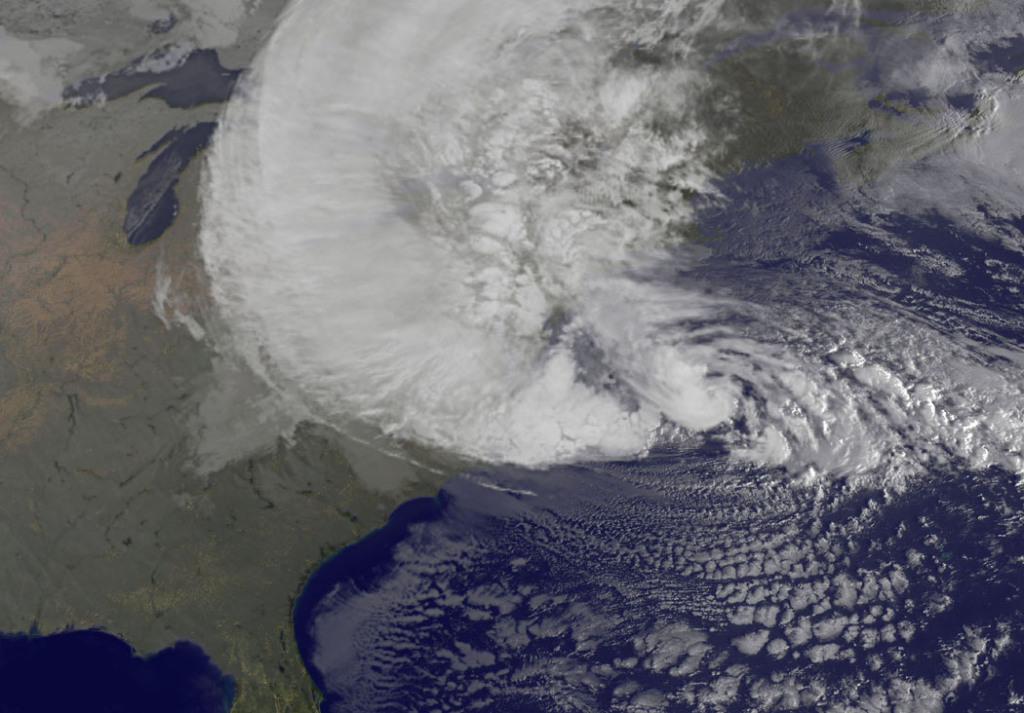
Hurricane Sandy satellite photo as it hit New Jersey
Hello all, and excuse my absence of late! If you hadn’t heard (ha!), Hurricane/ Superstorm Sandy hit the eastern coast of the United States, and headed straight for the state of New Jersey in particular. That means it hit where I live.
I initially started to write this while I was sitting in my car, writing on my iPad while my iPhone was getting recharged using the car battery, but I’m finishing it up on my laptop almost a week later. Hurricane Sandy hit my home, and we were without power for almost four days. A tree fell on our house, but fortunately not through the roof. There was a state of emergency in my town for a couple of days whereby no one was allowed in or out of town. Unless you were emergency personnel, you were not allowed to drive the streets. While we were lucky to get power within a few days (especially with very cold weather setting in), there are still thousands without power where I live, and even those who have lost their homes entirely. I was actually one of the lucky ones. So, you can understand why I might have had other things going on this week. 😉
My house the day before the storm.
Originally, I really struggled with an idea of what to write about this week, but this hurricane made some things very clear, and they are things that needs to be strengthened as a global necessity, not just as a local necessity. This storm made the following very evident to me: mobile technology and social media are critical in this day and age.
I only knew what was happening in the “outside world” and was able to make connections with my cell phone–a smartphone. Granted, the 4G network was incredibly slow, especially in the beginning, because everyone locally was doing the same thing. Something was better than nothing. Since I didn’t have power for my TV or radios, my phone was everything. It made me wish I had a MySpot mobile wifi connection created from my cell phone so that I could transmit the wifi signal to my other devices, but having at least the 4G did the job.
My house after the storm.
In the end, everyone who knows us had a way of knowing that we were okay. Between my husband and I, we texted my brother-in-law, my father-in-law in Ecuador was able to call my husband, and I had sent notes on Twitter and Facebook to let people know we were okay. There wasn’t much more that I could do. Until we had full power and Internet capabilities, I could only recharge my phone on a car recharger and send out the occasional note to update our status on social media. Saving battery life was essential to make sure that we could always be able to communicate. So writing up a blog entry was less important than making sure that our loved ones knew what was going on around us.
We were without electrical power for almost four days, and they were four of the longest days and nights I can remember. You have to remember that I live in a first-world country, where having constant supplies of electricity not only for powering things is commonplace, but it also runs things needed for basic survival, such as keeping perishable foods cold, and providing heat on cold nights (and we had some very cold nights). At my house, having had some Scouting training (I was a den leader for my son’s Cub Scout group for almost 5 years), and just even having a fireplace, we had some advantage. We had done some preparation so it wasn’t so terrible–just terribly inconvenient. There are others, such as my sister, who didn’t have power for more than a week. (She stayed with my parents who had power restored quickly.) There are still work crews from all over the Eastern Seaboard and the MidWest who have come in and have worked around the clock, and continue to do so to still get the rest of New Jersey power again. It is still not done. We’ve become a society that is dependent on its electricity, for sure. But we also have become a society that mostly depends on the power of internet connectivity and having means of communication powered by electricity.
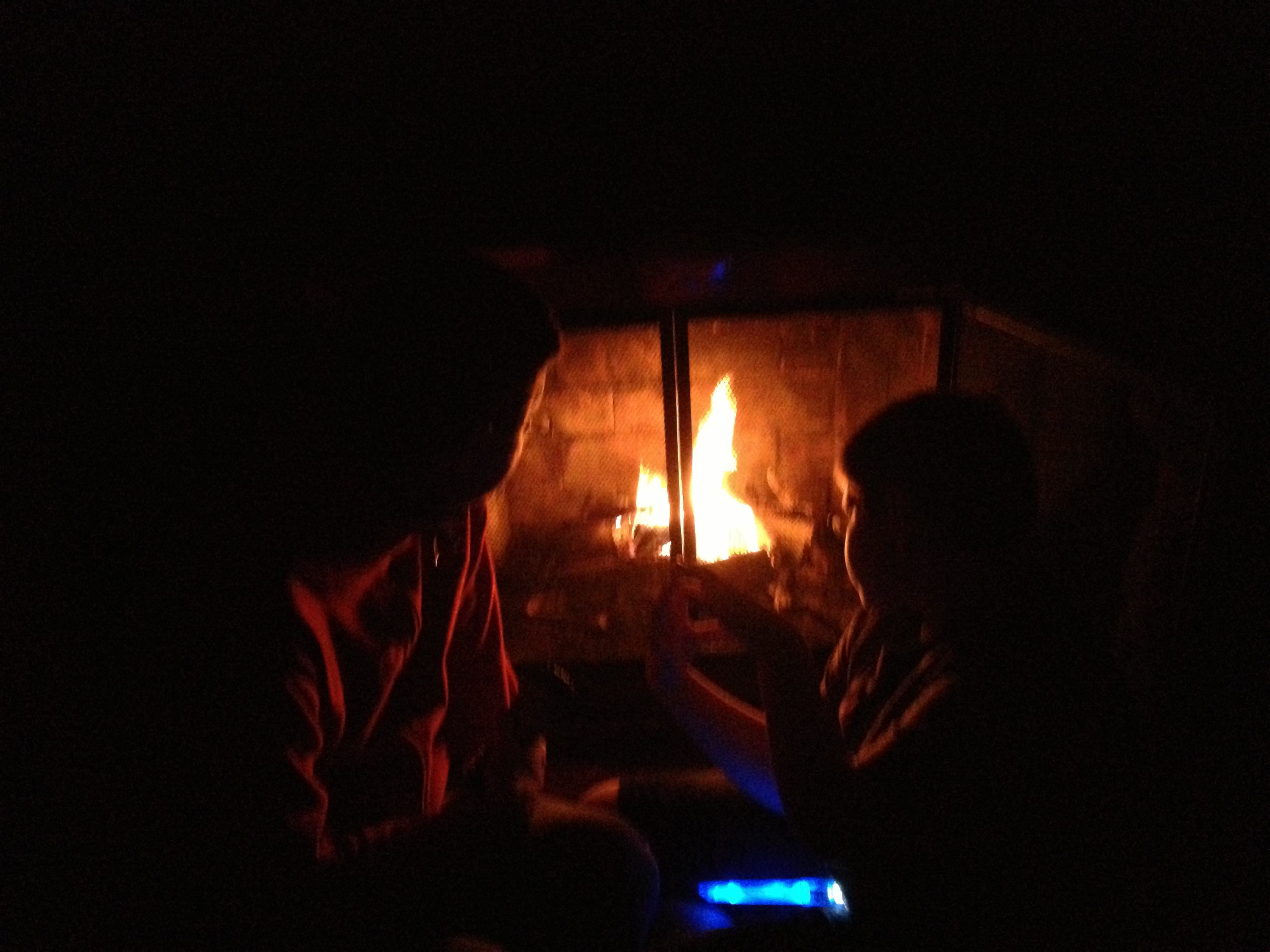
My husband and son keeping warm by our fireplace while we had no power.
Every day that we’ve had with power since it’s been restored, I’ve tried to remind myself about the many people in my state who have lost their homes and/or still don’t have power. I was greatly inconvenienced, but in the end, even with the tree falling on my house, I was still blessed and one of the lucky ones. My town, overall, didn’t sustain the kind of damage that other towns did. The big pond/lake and our town was drained before the storm in order to prevent flooding, and that worked. We didn’t have the water damage or flooding that other places did. Most of the damage we had was due to wind damage, so there were a lot of downed trees that took down power lines. Once trees began to be removed, and crews fixed the wires, then things started to get back in order. As I write this, there is still gas rationing in part of the state, which people need for their cars or even for generators to power their houses until regular service is restored. We’re not quite back to “normal,” but we are fairly close. Schools are starting to open back up for classes tomorrow after a week’s absence, many are returning to work, and shops are opening up again. New Jerseyans may have never been through something like this, but we are a resilient group of people. There is an expression that was often said well before the storm of “Jersey Strong.” That, we are.
But during this storm and its aftermath, I’ve had a lot of time to think about the importance of mobile technology and social media. Through SO much of the storm, my mobile phone was my lifeline to the outside world. Not only could we tell people that we were okay, but if we had been in serious trouble, it was our lifeline out. We would get messages and updates from friends and other resources through our phones. Was the storm over? I could track the storm either through the Hurricane Red Cross app or the Weather Channel app. Was it safe to go out? I’d receive text messages and emails from my town government to let us know what roads were blocked due to downed trees or wires. Where were there shelters if we needed heat, a warm shower and a solid meal? I could find that out as well. What markets had reopened after the storm for food, which gas stations were open with shorter lines, and where could we recharge our devices so we could continue to stay in touch and know what the news was? Different friends who had ventured out told me through social media. Having mobile devices and connectivity made knowing all that information possible. When we needed to have the tree removed from where it was leaning on our house, my husband called up our local tree guy, and his crew was out the very next day. And in a totally 21st century way, having mobile devices kept us entertained at night, as I had loaded up some old episodes of our favorite television programs on my old iPad for my son, and on the new iPad for me. (During the day, we’d be cleaning up our yard and doing other things that would take advantage of the daylight.) Without these modern technological conveniences, it would have been a lot more difficult to get through those days.
But it also got me to thinking about how that technology could have been even better, and where greater improvements could be made. Two things from the technological side were apparent to me. First, connectivity could be improved on a global level, not just at a local level. More communications infrastructure and stronger communications infrastructure are needed to create reliable wireless hotspots. While 4G connectivity was available, it was spotty, and not always reliable during the storm. My husband does not have 4G on his phone, although I have it, so we were solely dependent on my phone for information. A secondary but equally important problem was, however, that using 4G exclusively drained the battery of my phone quickly, especially when the 4G service was very slow. In a stressful and possibly dangerous situation like this storm, that’s a bad thing. I know there are several cities that have wifi service throughout the town, such as Philadelphia. We have many wifi hotspots, but they are not well connected between them, and they don’t reach to households around here. I found, once we had power and connectivity restored, that wifi connectivity on my phone or other mobile devices did not devour battery power on my mobile devices as much as the 4G did.
I started to think of places far, far away from me–and realized this is a global need. How are children in remote places supposed to get electrical power, more specifically battery power for a smart device? And even if there are miraculous power sources for these devices (which there are not at this time, especially in certain regions of the world), how would these children connect to the rest of the world? Both improving battery life/power sources for mobile devices and improving the infrastructure for internet communication are key. It all needs to be set up in such a way that it doesn’t cost a fortune, is readily accessible, and can literally weather anything. It should be similar to using a radio–we can still get AM and FM signals, but we need a wifi version of this. I know that the network services in our area, especially AT & T and Verizon, said they were doing their best to provide and repair the 4G and LTE services damaged from the storm. Okay, I understand that. But in the US, as well as everywhere else globally, we need to start thinking about how to step up the technology so that getting wifi signals are as common as getting an FM signal on a radio. I’m sure that this is technology that is being worked on, but I feel like this storm proved that point very much. Perhaps the internet access providers needed to get ready for the storm by temporarily increasing the network bandwidth and boosting those wifi signals already present. I’m sure that I will be charged an arm and a leg for the amount of data I did use during this time, and the provider companies won’t be giving any storm discounts of any kind under the circumstances.
The other thing that became highly apparent was the importance of social media during this time. It was one thing to receive text messages and emails from my local government (I signed up for emergency messages), loved ones and friends, and to have access to a tiny web browser on my phone, but social media, especially Facebook and Twitter were essential! It was an easy way for me to check in with everyone who needed to know how my family was doing, but also for me to know how all my friends and family were faring as well. Even now, those family members and friends who are still without power are posting status updates letting us know that they are safe, with family or friends with power, or if they are toughing out another cold night. As I mentioned earlier, it was through social media venues that I could see the scale of the storm, through various messages posted on a continual basis. We found out that our local supermarkets were open through Facebook with fresh food, warm place to stop, and outlets to recharge our devices. It allowed communities to come together–multiple communities–to help each other. As I write this, it continues to be working. Posts on Twitter and Facebook are still working to gather supplies for those who are in more trouble than us, provide information for those who seek a safe shelter until their home is habitable again, and moral support, too, for each other. The power of social media is incredible.
When I took my social media class last spring, there were several purpose categories in which social media communications fell, namely broadcasting the self, the netizen, participatory culture, or how social media related to work/labor. To me, there were instances were all these purposes were used during this storm. Social media users broadcast about themselves, providing status updates on their well-being. The netizens were the local governments and other information providers such as internet news agencies, or even Twitter feeds of local government leaders (like Newark mayor Cory Booker) who kept apprised of his city’s situation by staying in constant contact through Twitter to help citizens who had extra needs. All social media users who got through the storm were part of a participatory culture, namely, they were part of the group of “storm survivors” that grouped together. It related to work because we could see how the power companies and other service companies were keeping their customers informed about the progress they were making with restoring power, and would ask customers for feedback on which areas needed more help. Even if one barely posted anywhere on any social media outlet, one could easily understand the breadth and width of this storm’s impact merely by reading the feeds coming from these outlets. I had more information that my husband at any given time because I was looking at all of this and absorbing it, whether it was for personal safety or just for information. It was invaluable, and truly emphasized the importance of social media not only now, but going forward.
Mobile technology and social media were essential in helping my family get through this storm, and it benefitted millions of others through this storm as well. Both of these things continue to be vital as the job is not done in recovering from the storm.
As technical communicators, I think you can see my point, but there is yet another point in which technical communicators are vital in pushing our agendas in our field. That is, helping to provide concise, cogent, correct, and clear information for our end users. One of the problems that I encountered with various apps and communications was that they were so poorly written and explained that sometimes it was difficult to understand the information being provided. This is part of why social media was so vital–there was more of a conversation among users to clarify what a website said, or what a communication said. So many who were providing the information were clearly not writers or natural communicators, and this in itself could be dangerous in certain situations. I’m hoping as we recover from Hurricane/Superstorm Sandy, as a technical communicator, I can try to push the agenda that experienced social media writers and technical writers are needed so that information is provided in a clear way that all people can access it easily, whether there’s an emergency or not.
I hope that technologists are working to make the means of communication stronger with stronger internet connectivity that doesn’t require much power, and that smart devices available can have stronger battery power so that recharging as often isn’t necessary, especially when needing to rely on those communication networks for information. I think social media has proven itself as a strong communication tool during this storm, and it has reinforced the notion to me that I need to continue to stay tied to it, because it’s not only connected to my career livelihood, but my livelihood at large.
Right now, I just have to try to recover and try to get life back to “normal.” Appreciating mobile technology and the power of social media make me glad to live during a time when we have these available to us. Now, I need to get back into the swing of being more technologically immersed after being mostly “off the grid” for almost a week.
Recently, due to the upcoming release of Microsoft’s Surface machine, RJ Jacquez released two blog posts promoting the idea that tablets, in time, will indeed replace the PC as we know it, and that Microsoft is going in the wrong direction with this Surface device. Between his post titled, “For the sake of ‘Mobile’ I hope Microsoft Windows 8 and the Surface Tablet fall short” and Tablets Will Replace PCs, But Not In The Way You Think, he says that he feels that Surface is not taking us forward because it embraces the idea of adapting our devices to old software, instead of moving forward with mobile devices and rethinking how to create new productivity software for these new tablets that can make users more productive. After paraphrasing several articles that have been out in the press that claim that productivity apps such as Microsoft Office, Photoshop, and Final Cut Pro (to name a few) are items that need to be addressed by the tablet industry, he counter argues,
Personally I think that most of these articles miss the bigger point, namely the fact that most people think that Tablets replacing our PCs will require a 1:1 task-replacement approach. I don’t buy this argument….In other words, we are currently shaping our mobile tools and soon these amazing devices, along with the incredibly creative apps that accompany them, will shape us and redefine every single task we do from here on out, including learning design, image editing, web design and yes every productivity task as well.”
I understand what he’s saying. If I’m interpreting him correctly, his argument is that devices like Surface should not be adapted to run bloated “power” software that needs the extra storage and peripherals to work, thus making the devices less mobile, but rather software should be streamlined to become more efficient so it can run in a tablet like an iPad which doesn’t need extra storage because it relies on the Cloud nor does it need any other peripherals to function. Some of the other “power” apps that RJ mentioned that critics think would need PC power include Photoshop, Microsoft OneNote and Avid Studio.
Well, I do have to agree with RJ insofar as I think that mobile is the future, and it is forcing us to really look at software and its limitations, and it’s making us think about how to streamline processes and our needs. mLearning is in the midst of a huge revolution due to that mindset right now. And actually, there are tablet versions of Photoshop, MS OneNote, and Avid Studio available for tablets that cover most of what users need. So it’s not like these kinds of software can’t be adapted for most people’s uses. The average user does not use Word or Excel or Photoshop or other apps the same way as a power user, so streamlined apps are fine.
However, I think there may be a need–at least for a little while longer–for PCs to still exist for other kinds of “power” uses. The first thing that comes to mind are apps that are not as mainstream as the ones mentioned so far. Tech comm apps like Framemaker, RoboHelp and Flare are the first ones that come to mind. Now I know that Adobe is working to put just about all of their major software products on the cloud, so that’s a move in the right direction. I have no idea if Flare or the other leading tech comm productivity software packages are moving that way as well. The same thing with e-learning software…again, Captivate is part of Adobe’s cloud-based Technical Communications Suite 4 right now, but what about Lectora or Articulate or other instructional design software packages? These are all software programs that aren’t quite ready for tablet use yet, but for the sake of mobile productivity, it might not be a bad idea to move in that direction. But for now, staying as desktop apps is probably fine.
There’s an app called Cloud On that has the right idea. It’s an app that’s available for both iOS and Android use, and essentially it provides a means of accessing full versions of Microsoft Office on tablet devices, and then saving documents in a Dropbox, Box or Google Drive account. No short cuts here! Full functionality of the software, on the go!
So, why aren’t the all the big software companies jumping onto the bandwagon with this? Apple already has by creating tablet versions of their iWork and iLife apps, but what others? Some companies have taken baby steps, or are working on it, and others…well, I think they are not keeping up, or are in denial that having a lean version of their software is needed.
I can say, as I mentioned, that I’ve used Cloud On, but I’ve also used my iPad’s Notes app. I used the Microsoft OneNote app on my iPad heavily last year during grad school, as I would start my homework assignment on my iPad during my lunch hour, and then sync it in my SkyDrive account so I could access it from my laptop at home to finish an assignment. I recently used Photoshop Touch on my iPad when I was too lazy to power up my laptop one night to fix a photo for a friend. When I’ve made movies or did any digital photography projects, they’ve been done more on my iPad than on my laptop due to more affordable choices that meet my basic needs for editing.
So, my answer to RJ’s question is that I feel there will still be some apps that will need a PC to do much bigger jobs. Desktops and laptops are our workhorses right now, and you wouldn’t ask a pony to do the work of a Clydesdale horse. The PC isn’t going away anytime soon, and it will remain the hub of business and other work for some time to come. But, I agree with what RJ said, that in looking forward to the future, we need to continue to think mobile and how we can make it work so that much of these workhorse products can be made more lithe and flexible to our needs.
One last thought to put the mobile/tablet point in perspective–if you are a Star Trek fan like I am, you will have noticed that everyone carries portable devices–the size of a tablet, e-book or smartphone– to access huge databases and information, and to do much of the “heavy” information lifting for anyone aboard a starship. This was depicted on the shows well as much as 25 years ago, before the advent of tablet devices and smartphones. Think about how the various characters on the show used their devices. They would tap into a main computer device on the ship–much like we would access a network or the Cloud–to obtain information and make various calculations as needed.
It would seem to me that we are getting closer to that kind of scenario in reality, but we’re not quite there yet. We’re getting close, though!
As the end of October approaches, so does Halloween. And with Halloween, most people would think of ghosts, witches, vampires and other monsters along with other spooky stuff. As for me, I think of trick-or-treating and the all important CANDY. Mind you, the candy usually given out is not full-sized candy bars, but rather “fun-size” candy–usually miniature versions of the tastes we know and love.
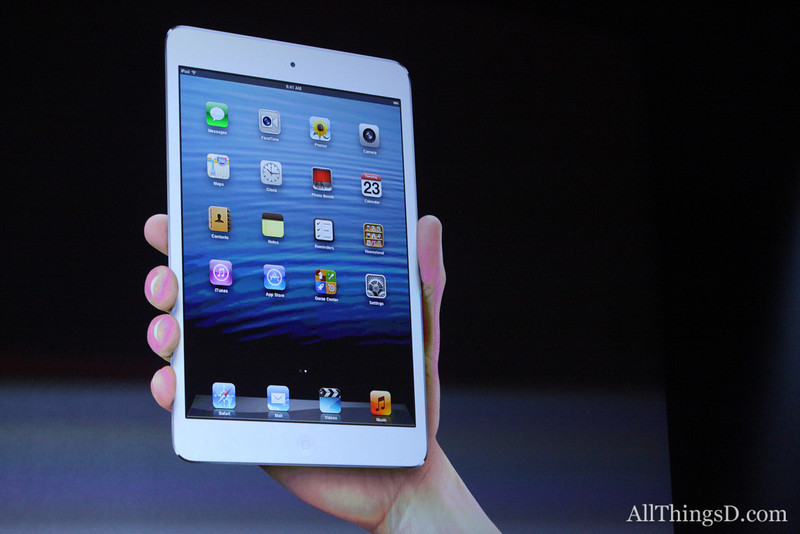
Apple decided to provide us with a new fun-sized item just in time for Halloween–the iPad Mini. It was highly anticipated, and naturally, I sat and watched the announcement. The iPad Mini appears to be about the same size as the most popular e-reader/non-iPad Mini devices, such as a Kindle Fire HD or a Nook. It is small enough to fit in one’s hand, and Apple claims that it’s a new design–and stressed that it’s not a shrunken iPad, but rather a concentrated one. It has all the same features of the iPad 4th generation (which was also introduced during this event), but it’s as thin as a pencil and as heavy as a pad of paper. The screen size is significantly larger than its competitors even though the device is of comparable size. I’ll leave out most of the other details, but needless to say, it performs the same as the new 4th generation iPad also introduced today, and runs all the same iPad only apps. The nice thing that Apple stressed about development for iPad Mini is that it doesn’t change from what is done for iPad–what works on iPad works on iPad Mini. NICE. Everything is faster and more powerful than before, and that makes for a great experience. Its flash storage is the same as a full-sized iPad as well, coming in 16GB, 32 GB and 64 GB. That’s great in itself too.
Photo from AllThingsD.com
So, is it fun-sized? It sure looks like it. Am I getting one anytime soon? No, I don’t have a need for one, considering I just got my cool new iPad 3rd generation not too long ago, and am very happy with that. But I can see a lot of benefits for the iPad Mini, especially for m-learning and use in schools. Sure, having all those cool new features alone make it great, but knowing that it has the same functionality as its full-sized counterpart, there are two features that will make it really great for education and schools.
First, it’s the smaller size. The smaller size will make the device even more portable than a standard sized iPad for students. It’ll be easier to fit in a backpack, or even to use in a classroom or on a field trip. For the elementary school students, the size will make it easier to use for smaller hands. I’m sure that typing with littler hands will be facilitated more easily on a smaller devices. It’s almost as if iPad Minis were MADE for the elementary school crowd! The size also makes reading e-books more like reading from a competitor’s device, in that it’s not much bigger than a paperback novel. The device itself allows for even more mobility than its larger counterpart. It seems to me like this will be a winner in these respects.
The second feature is the price. At a starting price of $329 for the 16GB Wi-Fi version of the iPad Mini, that’s a savings of $150 over the 16GB Wi-Fi version of the full-size iPad. Multiple that $150 many times for all the students that would be given iPads at schools… incredible savings, and maybe more iPad Minis to be bought!
Now, I’m not knocking the full-size iPad. It’s been revolutionary since its introduction two years ago. Tim Cook of Apple spouted off a lot of incredible statistics about iOS downloads and upgrades that were staggering, like 200 million devices upgraded to iOS6 in the past month, and the 100 millionth iPad was sold two weeks ago! (I wonder if it was mine? Ha ha!) Apple stressed their role in education not only with the introduction of iPads and their impact on schools, but also the impact of iBooks as well. (There is a new upgrade of both iBooks and iBooks Author available today as well). iPad full-size will always have a place, just like full-size writing pads have not gone away just because smaller writing pads can be made. There are advantages to full-size iPads, especially when doing larger scale work. Having more screen to view is easier on the eyes in that respect. Like I said, I personally wouldn’t give up my full-size iPad even if given the opportunity to trade it for a smaller one. That’s just me.
But then I think about my middle-school aged son. Having his own iPad Mini would be perfect for him. Not too big, not too small, and at a relatively affordable price, and he’s still get all the features found in the full-sized one. Or for someone who isn’t an avid computer geek, but wants something that’s more beefed up than the Android tablets and e-readers, this is an excellent choice. Or, someone who’s been wanting an iPad but couldn’t afford one, now they can in a “concentrated” size.
I think this means that the iPad Mini is both fun-sized, AND means business!
Now, will the next one be available in chocolate with nuts, caramel and rice crispies?
I’m so glad that this is now my 200th post on this blog! TechCommGeekMom has come a long way since it started out as a class project in grad school, now hasn’t it? For this particular post, I’d like to share my thoughts on something that I’ve been thinking about for the past two weeks or so. It reveals one of my hobbies to you, but hopefully you’ll like the analogy.
As you’ve seen in the subject line of this post, I’m going to be talking about knitting and how it relates to tech comm and m-learning. Now, I know what you are going to say. Knitting is for grandmothers who make ugly stuff for everyone, and you are obligated to wear it when she comes over and visits. You couldn’t be wrong. Knitting has had a huge upsurge in the last ten or so years, and more and more people are adopting it as a hobby. It goes back to the 9-11 attacks, when people were trying to get back to a sense of security and home. I think with economic times, it’s also a relatively easy and inexpensive hobby to have (unless you are a true diehard like some of us).
Knitters these days make more than clothing items, accessories and toys, but it’s become an artform unto itself. (Ever hear of yarn bombing?) I can’t remember when I started knitting exactly…but I’m guessing it was around 2004 or 2005. I know I was knitting in 2006 when I went to California for a convention for the now defunct Body Shop At Home businesses, and met Anita Roddick, as there’s photographic evidence of knitting in my hands during the event. In any case, it gave me a chance to learn something new that spoke a whole other language of its own, had a different vocabulary, and I got to work with all sorts of colors and textures in the process. For someone with sensory integration issues, it’s a great outlet for sight and touch. Even the rhythm of knitting up something has a calming effect, and following patterns forces my brain to focus.
So what does all this have to do with tech comm and m-learning? Well, as I thought about it, there’s definitely an analogy that could be made about the benefits of knitting and how they lend themselves to these topics. All this first came to me after I had spent the day at Adobe Day, and later took a small soujourn into the city of Portland with four fabulous technical communicators who also happen to be knitters. They had invited me to go on a yarn crawl with them (similar to a pub crawl, but in search of high quality yarn instead of libations), and I readily accepted. We only made it to one store, but we had a great time checking out all the high-end yarns and knitting notions available.
As I reflected on Adobe Day, one of the big themes of the morning was the idea of using structured content. Without structured content, all of one’s content could fall apart and lose strength. An architecture needs to be created to make it work. Well, knitting is like that. If one doesn’t follow a pattern, and just knits in a freestyle, haphazard manner, instead of a nice jumper/sweater, one could end up with a garment with no neck hole and three sleeves. Without the structure of a pattern, and even reusing good content (or stitches, or groupings of stitches describing appropriate methods for structure), the whole thing falls apart. The beauty, too, of reusable content in content management, just as in a knitting pattern, content that is produced well, is solid, and the reader can understand clearly and concisely will produce good results, and can be recombined effectively in different instances without losing its meaning. Take a look at a sweater or knit scarf you might have. You’ll find that each stitch makes sense, even when you look at different pattern of how the cuffs and collar differ from the sleeves and the body. But it all fits together. In my mind, this is how reusable content can be used. Very tight, well written content can be reused in different combinations without losing its context and form if done correctly.
The other way I thought of the analogy of knitting again had to do with how one learns how to knit, and how it relates to m-learning. Knitting fair-isle sweaters, Aran sweaters or lace shawls doesn’t come on the first day of learning how to knit. Heck, I’m even still learning how to do all these techniques! It comes with learning a foundation–namely the knit stitch and the purl stitch–and building upon that foundation. Any piece of knitting you see is all a matter of thousands of knit and purl combinations to make the item. But first, one has to master the simple knit and purl stitches by learning how to understand how to gauge the tension between the needles, the yarn and your fingers. Once that is mastered, then learning how to read the “codes” or the knitting language of K2, P2, S1 (that’s knit two, purl two, slip one), for example, then the real fun begins. Knitters have to pay attention to details in the directions, because knitting can be a long task. Except for tiny baby sweaters or sweaters for dolls or stuffed animals, I don’t know any sweater that could be hand knit in a single day, even if it was done from the time the knitter woke up until the time the knitter went to bed. It just couldn’t happen, even for a fairly experienced knitter. So, each part of the knitted pattern must be learned or read in chunks so the knitter can understand where he or she left off. Talk to me about lace patterns especially, and it’ll make more sense. But each technique takes time to master, and most knitters learn these techniques a little bit at a time. Whether a knitter is self-taught or taught in a conventional learning environment, nobody learns all there is to know about the most advanced knitting techniques on the first day. Just getting knitting and purling down takes a while. It’s an arduous task to learn to knit and knit well, and to be patient enough to see a pattern all the way through.
Just like in m-learning, things need to be learned in small chunks for comprehension. Information has to be short and to the point so that the reader, just like the knitting pattern reader, can take that information, mentally digest it, and then work out how to use the information. There is definitely trial and error in both m-learning and knitting; if one doesn’t succeed, then it’s possible to go back and try to re-learn the information and correct it, and in doing so, retains the information better.
Now, if one happens to be BOTH a technical communicator AND a knitter, then these are easy concepts. Reusing content, breaking down information into smaller portions for better learning retention, structuring the content appropriately and consistency comes both with our words and our stitches.
A variety of tools can be used in either case to create the content. For technical communicators, it’s the use of different software tools that help us achieve our goal. For knitters, different sized needles, different kinds of yarns and other tools can be used in the process. Is there only one way of doing things? Of course not. Is there any single tool that will do the job? Generally, no. This is the beauty of both technical communication and knitting. In the end, the most important tool is the mind, because without the individual mind, creativity and intellect cannot be expressed. When all of these tools and factors work together, it is possible to create a fantastic piece of work. When this combination of factors aren’t followed, it can look pretty disastrous.
So, next time you see someone with a pair of knitting needles in their hands, look carefully at the workflow that person is following. You might learn something from it.

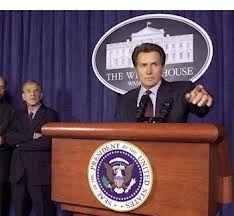 Today is Election Day in the United States, and it’s a big one this year as we are having a presidential election between Barack Obama and Mitt Romney. I wish I could vote for the fictional character in the photo on the left instead, Jed Bartlet from the old television show, “The West Wing” (one of my all time favorite shows), but that’s neither here nor there.









 TechCommGeekMom
You must be logged in to post a comment.