 As the school year has started for some and will start during the following few weeks ahead, my thoughts start thinking about conventional learning and how educational technology has changed so rapidly, especially in the last few years.
Now, before I continue, I just want to preface this by saying that much of what I will be writing below isn’t based on any scientific study, but rather it’s based on my own experiences and knowledge.
I recently saw this article, and even retweeted it:
Autistic Student Feels Reinspired by Online Learning
I was so glad to see an article like this. We are constantly shown articles or videos about students who are much lower functioning than this kid, who are breaking through the communication wall through various apps on iPad. But I find that higher functioning autistic kids have a much harder time as the gap is much narrower, so it’s hard to define where the fine line between effective communication and ineffective communication is. As a result, these kids fall through the cracks of the system. Seeing that the young man in this article found a solution through online studies is fantastic, and I can relate to it a lot.
I am sure that I’ve mentioned many times before that my son is autistic, but much like the young man in this article, he is very high functioning autistic. My son is so high functioning that the actual autism diagnosis eluded us until he was 9 years old, and that was after already going through several other diagnoses and still feeling that something wasn’t quite fitting right. Through my son, while I have not gotten an official diagnosis, I’m pretty convinced that I am an Asperger’s Syndrome person myself; I have displayed so many of the same symptoms as my son, but I did not have the speech problems he had when he was younger (he’s fully language fluent now, due to early intervention and persistence). Even as a mother, I marvel at the various apps that are out there that could have helped my son when he was small, and I wish that we had access to it back when he was small.
My son is a smart boy. However, if something doesn’t interest him or doesn’t serve any meaningful purpose to him, then he’s unwilling to do the necessary schoolwork. As he’s gotten older, this has been problematic. He’s also a kid, and when it comes to mathematics, he doesn’t get the rote information down right away (like understanding his multiplication tables). But, show him how to do a mathematical function, and he can pick it up fairly quickly. He’s not always interested in reading, but he was reading when he was about 3, and when he reads something that interests him, he practically has the resource information memorized. He takes in videos like nobody’s business. Ask him anything about Super Sentai (the original Japanese Power Rangers), Kamen Rider, Power Rangers, Beyblades, Bakugan or Pokemon, and he can tell you everything about them. He also has a fascination with the sciences, especially physics, so when the Higgs Boson was recently proven, I asked him if he had heard about it, and he said, “Yeah, what about it?” and he explained what it was, and didn’t know that it had actually be proven. Keep in mind, the kid is only 11.
Yet, he struggles with school. It’s hard for him to focus, and sometimes he’s still processing things in his head when he’s paying attention in class. He can’t take notes to save his life, but he can learn from them. School is a difficult chore for him, and it takes some creativity to engage him to learn. He’s definitely capable of learning, but he can’t always learn by conventional means. He has a very difficult time with writing skills as well, which has been a struggle since he was small.
I can relate to my son on so many levels academically. I think this is why I end up being the one to do homework with him most of the time–I know how to “translate” things in a way that he can understand. I also had that same combination of hyper-focus on some topics, and total distraction on other topics, and had a hard time with school as well, even though I did well for the most part. If I had half the tools and support he has now when I was a kid, I would’ve been valedictorian of my class, I bet, but instead, I had to fight my way through much of school to get decent grades.
So, when I read the article above, I could relate to it so much because of my son, but also because of my own online experiences getting my Master’s degree from NJIT. My degree was 100% online, and despite what anyone would think, it was a very social event, yet I could pace myself the way I wanted (well, within reason–I still had deadlines for assignments and such). I want to say that the success in earning my degree and getting a straight “A” average was due to hard work and the quality of the program–which it was, but it was more. It was the delivery system. I’m very convinced that if I had done this coursework solely in a classroom environment, while I might have done well, I don’t think I would have done THIS well. Being able to set up my own schoolwork routine, read at my own pace, respond to forum threads and work on assignments at my own pace were a huge part of it. I’ve found for years that social media and just being connected to the Internet is not only addictive for me, but essential for me. It’s how I’m able to socialize more effectively and learn more effectively as well. For all those naysayers that say there’s no such thing as “learning styles,” I say, “Poppycock!” I am a living example of someone who needs to be taught more on a visual level than an audiological level; I have sensory issues but am simultaneously a sensory learner. My son is the same way.
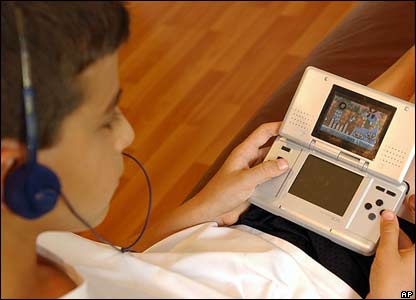
So what does this have to do with mobile learning and gamification? EVERYTHING! There seem to be more and more studies that “typical” learners learn as much or more with mobile options and gamification methods. Imagine what it can do for special needs learning! My son is a big of a gamer, and I know at his age I love the earliest electronic and digital games myself. Even now, I’d much rather play an online game to learn than read my dry textbook. The trick for high-functioning special needs people like my son and I is that we–as I mentioned before–fall between the cracks; we don’t need things dumbed down for us, but we do need a different method to get the same information into our skulls, and everything is either over simplified and babyish (like some of the math games that he can play to get those multiplication facts into his head), or there isn’t something that is sophisticated enough that can achieve the same thing.
I envy my son, because e-learning is SO much more than it was when I was growing up. Heck, just having Internet access and email and social media is much more than what I had when I went to school. Getting my Master’s degree was the first time I could use such resources, and given the right tools as these digital ones, I could fly (metaphorically speaking). I want to see my son fly as well, as I know he’s capable of it. I try to find lots of physics game apps for him on my iPad, which he zooms through with ease. I need to find some age appropriate math apps, writing apps, and other apps that can help him learn without him realizing he’s learning, or at least make it more enjoyable. I want him to feel successful in whatever he ends up doing, and I want him to feel that learning is a lifelong endeavor, and that he is capable of finding the resources he needs to accomplish what he wants. We are still figuring this out, but like I said, the world is his oyster, and he needs to learn how to access it all, and I think he’s already on his way since he found the Super Sentai on his own (and yes, he watches these Japanese Power Rangers episodes on YouTube, in Japanese, sometimes subtitled, sometimes not, but he doesn’t care–he picks up what all of it’s about anyway).
Being that my son is a big gamer, he enjoys and adapts to games well. He was fortunate, this summer, that his summer school math teacher picked up on the idea of gamification, as every day my son and the other kids in his class would play a card/board game that would teach math skills. He enjoyed it very much, and there was a social skills aspect to it as well, which helped. Granted, it was not a video game or digital online game, but the principle is still the same–it was a game, and he was learning the skills he needed to learn. So many online games can teach without one realizing it, and making learning so much more accessible. Even the popular Angry Birds game–one of my son’s favorites–is actually a fantastic game that teaches physics and problem solving skills. I don’t say no to him playing Angry Birds on my iPad or iPhone. He’s learning, at least, and developing skills that may help in the future as some sort of engineer. Even as an adult, I can say that I would enjoy something more interactive online than something static or something that’s essentially a page-turner.
This is where mobile comes in. We all know the benefits of m-learning functionality, such as providing just essential information, having web capabilities to interact not only with others, but use tools like social media and researching on the web, and sharing resources is a big deal. Even the nature of m-learning is beneficial, because good m-learning design breaks things up in to small pieces than if it was done as a regular desktop course or classroom lesson. With m-learning, a child can record the class while attempting to take notes, and listen to it later while doing homework, rewinding parts of the lecture while rewriting or filling in missing information in notes.
I know for me, it was a big deal to be able to manipulate my studies to make them mobile. I would use the Microsoft OneNote app on my iPad to do initial drafts of homework assignments during my lunch hour, and then sync up my notes so that I could pull them onto my laptop later to clean them up more on my laptop at home. I could watch video or listen to a podcast on my iPad or iPhone, stop it and restart a section if I didn’t quite catch it–or even just stop so I could catch up writing notes first, then continue. You can’t do that so easily in a classroom. I could pace myself much better, and as a result, my retention was better because I could review details as needed.
This is really important for Aspies as they want to take in everything, and very often it hard to keep up because we are still deciphering and translating information given in our heads while the information keeps feeding. Sometimes our brains can’t process quite as quickly, so by the time we have a piece of information processed and we are ready for the next bit, instead of one new piece of information, then next five have happened. Keeping up and forcing oneself to keep up with the pace can be mentally grueling and exhausting. It’s not that we don’t have the mental capacity to understand the information, but rather that our internal processors are different. It’s like having last year’s processing chip in your computer instead of the latest and greatest. It’s not that the chip can’t handle it at all, but rather at a different pace. If you can gamify the information, then the information is learned on a subconscious level, and just like any video game, new skills are attained little by little as you proceed higher and higher in a game. It’s really THAT simple.
So, for you instructional designers, educational technologists and technical communicators that don’t think that gamification or m-learning makes that much of a difference–IT DOES. Believe me! Keep m-learning and gamification in mind. It not only lends itself well to typical learners, but can go miles farther for those with special needs.

 After my recent run-in with scammers, I’ve now come to better appreciate cloud computing and everything that is has to offer. It’s not that I didn’t appreciate it before, but in having to restore several items and back up others very recently, I was glad that I had several cloud storage accounts set up, and that much of my software could be restored easily because I had downloaded them from cloud accounts. Some of the programs on my laptop which I didn’t worry about included most of my Adobe software. Why? Most of the programs I use were downloaded through the Creative Cloud 6 subscription I have. I’m glad I made that move, instead of getting the disks. Not that the disks would be bad–they would do the job too, but at least I’d have the latest and greatest on my system, no matter what.





 TechCommGeekMom
You must be logged in to post a comment.