Posted in Uncategorized

Adobe Day Presentations: Part IV – Val Swisher asks, “Are You Global Ready?”

Val Swisher
of Content Rules, Inc.

Following a short break after Joe Welinske’s talk about Multi-screen Help Authoring, Val Swisher took to the stage.

Val is the founder of Content Rules, Inc., and she spoke about eight simple rules for technical communicators to follow to make content global-ready–now! Her specialty is doing translation work, so she knows a thing or two about making content ready for a global market. As she went through each rule, she would explain the impact of the rules and why the rules were in place, although some were self-explanatory.

The rule she listed were as follows:

Rule 1: Not all errors are created equal. Some can cost you thousands of dollars!
This is one of those obvious rules. Taking the time to write content carefully as well as making sure proper editing is done is a necessity. Even one small typo can make a difference.

Rule 2: Creative Writing is a myth. Standardize.
Val’s point with this rule is that superfluous writing is not necessary. Keeping content clear, concise, cogent and correct is especially important in translation, and allows for better reuse of content.

Rule 3: Real copy editors don’t do it without a terminology manager. 
It is vital to use the same terms for certain words, especially for translation purposes. For example, the words “puppy”, “dog”, and “canine” all refer to the same animal, but are clearly different words, even though they essentially mean the same thing. In translation, there are times that this much word variation for a single item isn’t available in a different language, so choosing one word as the referential term is recommended. It keeps terminology within the content–especially if reusing content–consistent.  Style guides are, unfortunately, not followed as often as they can be. A system is needed to manage terminology and help prevent problems like this example from occurring.

Rule 4: Have you got translation memory (a translation database)? Your vendors do. Use it. It keeps content standardized and saves money.
This is another fairly self-explanatory rule. I was not aware, since I’m not in the translation business, that there are such things as translation databases. From what I could understand how it works (and someone please correct me if I’m wrong), a translation database has features that when a specific turn-of-phrase is used on one language, there is a specific translation for that combination of words into another language. When a translation is done, the database looks for that word combination and translates it accordingly. This, again, allows for consistency in translations between the different language editions of content.  As a technical communicator who does translations, Val is saying that if you don’t have such a database in place, you should have one because in the long run, it will standardized content and save money.

Rule 5: Don’t complain about quality of your tech writers. You agreed to outsource docs to ___ in the 1st place.
Val pointed out that while there are good outsource resources for writing and translation out there, sometimes the quality is not as good as keeping it in house or closer to home, especially if the content is written by someone whose first language is not English. Good quality source material is key! Having good quality source material helps control costs, especially with translation!

Rule 6: If you write flabby copy, even the nicest vendors will email you a bill for localization that will astound you.
Again, this comes back to having quality content in place. Val’s point was that if you do write weak content that is difficult to translate because it is not quality content, even one’s best clients will send you a bill for the translation for localization purposes, and the bill will be VERY HIGH. Again, having quality content saves money!

Rule 7: Get rid of extra adjectives and superlative words! Delay this product launch, and there’s no next product launch.
This rule is a strong recommendation related again to how content should be written. The use of extra adjectives, adverbs and other superlative words do not enhance the content. Using such words that have to be rewritten or translated can delay a product going out, and for a client, that can be a deal-breaking move. By delaying the product due to not meeting a deadline due to overdue time for translation, and there will be no next time being able to help with a product launch. Obviously, that would be bad business.

Rule 8: Translation is a team sport. You want to work alone? Become an accountant.
While this rule elicited a laugh from the audience, it was a point well taken. Teamwork is KEY! A better source of English content will result between source writers and translators if they work together.

Val was asked the question at the end of her presentation, “What alternative tools for style guides are on the market?” She responded that there are lots of software tools out there, but to be careful about push technology within those software items.

More information can be found at Val’s website, http://www.contentrules.com  and her free e-book is available by e-mailing her at vals@contentrules.com.

I found this presentation rather fascinating, especially since Val presented it with a sense of humor. But her point was clear. Content needs to be as precise as possible when it will be reused and especially when used in translation for consistency. By following her basic rules, costs can be controlled, and the quality of the content can only get better.

I thought about what it takes to do translation, searching my own memory banks from when I almost minored in French during my undergrad years and had to do translations, to the present day watching my husband translate literature written in German to Spanish for a group he’s been involved with for years, to my own struggles to translate what I want to say to my in-laws into my broken Spanish. Translation is not an easy task, but when thinking about translating my English thoughts into another language, it can get tricky because of the turn of phrase or colloquialisms used from area to area. Even in talking to my husband about the topic, he will say that there are different idioms used between Spanish speaking countries, although Spanish will still be relatively “standard.” Being from Ecuador, he can still understand someone from Spain, Mexico or Argentina as much as an American can understand someone from the UK, Canada, or the Australia. But I’ve even found in my own teaching of a business and technical writing course to a corporate group in Asia is that English taught globally is not consistent due to the source English being from different countries, so I have to go and set the record straight.  I can certainly appreciate where consistency and choice of words can lead to better quality content and communication in the long term.

The next presentation, and the last in this series: Adobe Day Presentations: Part V – Mark Lewis and DITA Metrics.

Posted in Uncategorized

Adobe Day Presentations: Part I – Scott Abel and Structured Content

Scott Abel
The Content Wrangler

As I had mentioned in my first post about Adobe Day, there were several well-known tech comm authorities presenting, and Scott Abel was the first presenter. Scott is the founder and CEO of The Content Wrangler, Inc., and he has a great Twitter feed and blog, if you haven’t read them. Scott’s presentation was called, “More than Ever, Why We Need to Create Structured Content.” If you’ve never read Scott or seen Scott speak, he is a force to be reckoned with, as he’s definitely got strong opinions from his experiences, and he’s not afraid of letting you know what he thinks.

Scott explained that structure is in everything we do–including in nature–so it would make sense that content needs to be structured as well.  Structure formalizes a content model and provides authoring guidance. It can enhance the usability of content, providing visual cues and is the foundation for automatic delivery of content through syndication. Structure makes it possible to efficiently publish to multiple channels, outputs and devices from a single source, making it a critical component of transactional content and making business automation process possible. By providing structure, it is possible to adapt content and leverage responsive design techniques. Structure also allows us to leverage the power of content management systems to deliver content dynamically and increasingly in real time. By creating structured content, it is possible for us to move past “persona-ized content” and facilitate innovative reuse of content in known sets of related information as well as in the unknown needs as well.

Scott quoted author and technologist Guy Kawasaki by saying that innovators must allow time for the majority to catch up; new ideas take time to filter through. He followed up with the question, “How much time does it take to adopt?” He answered his question by explaining that technological innovation is getting faster, and the technological adoption rate is becoming shorter, which is good news. However, how long to adopt structured content? He explained that it’s actually not a new idea–the idea started in 1963! It started with the Sequential Thematic Organization of Publications created in the airline industry to standardize airline manuals.

With that in mind, Scott presented that the question now is to figure out where are we today with structured content. Scott concluded that right now, one of the major challenges is that old ideas are getting in the way because many technical communicators are still stuck with design concepts created in the print paradigm.  Other major challenges include the lack of knowledge and experiences, writers making manual updates, the lack of human resource support, and making tools work with configurable content. He did point out that lots of reuse content is going on! His point was that the tools work, but it’s the people and processes are the problem, as Sarah O’Keefe paraphrased him on Twitter.

So when asked why we should be technical communicators, Scott’s response was that as technical communicators, we know how to create structured content. Knowing how to create structured content increases our value and makes us marketable. “Our professional needs to change whether we like it or not,” he concluded, to keep up with these technological changes.

Much of what Scott talked about in his presentation was echoed again in the panel discussion later in the morning. Scott had provided a few examples during the presentation which showed what unstructured content versus structured content looked like, and it was very clear what the differences were. As technical writers, as Scott said, we understand the importance of structured content and how reused content can be used effectively. Those who don’t have that mindset tend to repeat the same processes and make more work for themselves, wasting time and money for a company. We have value, and we need to promote our skills in creating this kind of content organization.  I think technical communicators take this ability for granted, and by being proactive in showing how we can help create efficient and structured content, we can add value not only to ourselves, but also provide on a larger scale a true cost-saving service to our respective companies and clients.

(Scott–if you are reading this, please feel free to clarify anything that I’ve written if I didn’t interpret it quite correctly in the comments.)

Scott later offered his slideshow online, which is available with his permission.

Scott’s talk was a great way to start the morning, and lead smoothly into the next presentation by Sarah O’Keefe, titled, “Developing a Technical Communication Content Strategy.”

Next: Adobe Day Presentations: Part II – Sarah O’Keefe and Content Strategy

Posted in Uncategorized

Remote and Mobile are not the same thing…but could or should be.

TechCommGeekMom is back! I’m sure you didn’t notice that much, but I was away for a week at the beach (or as we Jersey gals say, at the shore) in South Carolina, and while I wasn’t totally away from technology the whole week, I didn’t stay in touch with it as much as I usually do either. Hopefully, I can make up for some of that this week!

Just because I was away, it didn’t mean that I wasn’t thinking about tech comm, e-learning or m-learning while sitting on the beach. Quite the contrary. I had things going on related to all those topics that I still needed to keep up. And sitting by the ocean, listening to the waves, as well as traveling in lots of places far from home and working somewhat remotely got me thinking about the topic of working remotely and mobility, or rather mobile working.

I was actually put to the test in some respects during the trip. There was some important business correspondence that was going on during the week, and I had only my iPhone and trusty iPad, and spotty wifi to enable me to communicate with the “outside” world. I didn’t have the comforts of working from home with my laptop and reliable wifi connectivity that I have at home. (I do live in “Einstein Alley”, after all, so reliable wifi is almost a requirement where I live!) If I went to one of the Starbucks near where I was staying, then there was good wifi, and I could catch up with some of that correspondence. But if I was in my hotel room, it depended on the time of day and which room I was in, which was not exactly convenient.

As we travelled down some country roads before hitting the main highways on our way home, I started to think about mobile learning in these areas. How, in many respects, is this area that I was traveling through any different from any other remote area of the world, where education isn’t always cutting edge, and computers are difficult to access? The mom in me thought deeply about the educational part of this. If I lived in an area that was distant from a lot of technological access, but wanted the best education possible for my child, how would that be achieved?

My imagination first made me think about remote education. What is that? It could be online learning, or even just something static, like the equivalent of a correspondence course. How would that work in a classroom or standard educational system that is not near any major towns? Connectivity is the key for that. Having that connectivity would be greatly needed for the students to learn. Learning about what is happening in the “outside world” will open the minds of students not only to new ideas, but also how to bring those new ideas to their community. For example, would learning a new technology help with growing crops or improving productivity in some sort of service or manufacturing process prevalent in that community? I’m sure it would.

In my opinion, the Internet has always been an educational wonderland, much like how television and radio opened up possibilities and expanded our knowledge of the world. To deny that to the students of today would be a disservice, especially since so much more information is available through the Internet than radio or television alone. How does something work? A student can watch a YouTube video about it.  Who was Salvador Dali? A student can find Wikipedia and other sites that talk about the artist and see photos or video of his works.  Confusion about how to do algebra? Students can watch a video on Khan Academy. Newspapers from all over the world are online, and students can learn difference perspectives on world events as a result. There are so many possibilities!

But is mobile the solution to having a remote education? Yes and no. I think with the examples I showed above, a standard desktop or laptop can help achieve those activities quite easily. In many remote districts, I imagine that there isn’t the money in the school budget to provide that many desktops or laptops, but gaining that exposure would be worth the expense if it could be done.

To add mobile functionality to the mix would definitely enhance this process. Having a tablet computer such as an iPad or Kindle, or even using a smartphone would increase the learning capabilities. It would allow for more interactive learning. It would allow students to take their own video and photos to share with others. Learning could be done in the classroom, or even on a field trip or outside the confines of a classroom–including at home. All the benefits of mobile versus desktop would come to the forefront of reasons to use mobile for learning. Additionally, as smartphones are often more readily available and purchased, even in remote areas, mobile is possible and accessible in those hard-to-reach locales.

So, one has to understand that remote learning is not the same as mobile learning. Simply because one is out of reach from centers of society doesn’t mean that education about the outside world can’t be accessed, but with Internet connectivity, that experience is enhanced greatly. Correspondence courses of yesteryear (and modern day as well) show that you can be away from a learning source, and still gain knowledge needed. Online courses have been proving that in the last two or three decades as well. However, mobile enhances the e-learning experience greatly, providing greater flexibility for how a student can learn and when he or she can access information to learn. With the proliferation of smartphones and tablets exponentially growing every year, even in remote areas, mobile will enhance and promote changes in that the remote learning process, and in turn, the m-learning industry will change and grow.

So, my question to you, dear reader, as a tech comm or e-learning/m-learning professional, how are YOU going to help those learners who are far away from conventional resources? It’s something to think about when writing or creating courses or documentation that will help the end-user.  Mobile documentation is different because it can reach even more remote areas than ever before, but how it’s created and used is key in how successful it can be in helping those end-users, whether they be students or various professionals. Look at the photo that is at the top of this blog posting. How will you provide information to the inhabitants of that small island? Think about it….

Posted in Uncategorized

Why Mobile, Gamification and Special Needs Are Made for Each Other

As the school year has started for some and will start during the following few weeks ahead, my thoughts start thinking about conventional learning and how educational technology has changed so rapidly, especially in the last few years.

Now, before I continue, I just want to preface this by saying that much of what I will be writing below isn’t based on any scientific study, but rather it’s based on my own experiences and knowledge.

I recently saw this article, and even retweeted it:

Autistic Student Feels Reinspired by Online Learning

I was so glad to see an article like this. We are constantly shown articles or videos about students who are much lower functioning than this kid, who are breaking through the communication wall through various apps on iPad. But I find that higher functioning autistic kids have a much harder time as the gap is much narrower, so it’s hard to define where the fine line between effective communication and ineffective communication is.  As a result, these kids fall through the cracks of the system. Seeing that the young man in this article found a solution through online studies is fantastic, and I can relate to it a lot.

I am sure that I’ve mentioned many times before that my son is autistic, but much like the young man in this article, he is very high functioning autistic. My son is so high functioning that the actual autism diagnosis eluded us until he was 9 years old, and that was after already going through several other diagnoses and still feeling that something wasn’t quite fitting right.  Through my son, while I have not gotten an official diagnosis, I’m pretty convinced that I am an Asperger’s Syndrome person myself; I have displayed so many of the same symptoms as my son, but I did not have the speech problems he had when he was younger (he’s fully language fluent now, due to early intervention and persistence). Even as a mother, I marvel at the various apps that are out there that could have helped my son when he was small, and I wish that we had access to it back when he was small.

My son is a smart boy. However, if something doesn’t interest him or doesn’t serve any meaningful purpose to him, then he’s unwilling to do the necessary schoolwork. As he’s gotten older, this has been problematic. He’s also a kid, and when it comes to mathematics, he doesn’t get the rote information down right away (like understanding his multiplication tables). But, show him how to do a mathematical function, and he can pick it up fairly quickly. He’s not always interested in reading, but he was reading when he was about 3, and when he reads something that interests him, he practically has the resource information memorized. He takes in videos like nobody’s business. Ask him anything about Super Sentai (the original Japanese Power Rangers), Kamen Rider, Power Rangers, Beyblades, Bakugan or Pokemon, and he can tell you everything about them.  He also has a fascination with the sciences, especially physics, so when the Higgs Boson was recently proven, I asked him if he had heard about it, and he said, “Yeah, what about it?” and he explained what it was, and didn’t know that it had actually be proven.  Keep in mind, the kid is only 11.

Yet, he struggles with school. It’s hard for him to focus, and sometimes he’s still processing things in his head when he’s paying attention in class. He can’t take notes to save his life, but he can learn from them.  School is a difficult chore for him, and it takes some creativity to engage him to learn. He’s definitely capable of learning, but he can’t always learn by conventional means. He has a very difficult time with writing skills as well, which has been a struggle since he was small.

I can relate to my son on so many levels academically. I think this is why I end up being the one to do homework with him most of the time–I know how to “translate” things in a way that he can understand. I also had that same combination of hyper-focus on some topics, and total distraction on other topics, and had a hard time with school as well, even though I did well for the most part. If I had half the tools and support he has now when I was a kid, I would’ve been valedictorian of my class, I bet, but instead, I had to fight my way through much of school to get decent grades.

So, when I read the article above, I could relate to it so much because of my son, but also because of my own online experiences getting my Master’s degree from NJIT. My degree was 100% online, and despite what anyone would think, it was a very social event, yet I could pace myself the way I wanted (well, within reason–I still had deadlines for assignments and such).  I want to say that the success in earning my degree and getting a straight “A” average was due to hard work and the quality of the program–which it was, but it was more. It was the delivery system. I’m very convinced that if I had done this coursework solely in a classroom environment, while I might have done well, I don’t think I would have done THIS well.  Being able to set up my own schoolwork routine, read at my own pace, respond to forum threads and work on assignments at my own pace were a huge part of it. I’ve found for years that social media and just being connected to the Internet is not only addictive for me, but essential for me. It’s how I’m able to socialize more effectively and learn more effectively as well.  For all those naysayers that say there’s no such thing as “learning styles,” I say, “Poppycock!” I am a living example of someone who needs to be taught more on a visual level than an audiological level; I have sensory issues but am simultaneously a sensory learner.  My son is the same way.

So what does this have to do with mobile learning and gamification? EVERYTHING! There seem to be more and more studies that “typical” learners learn as much or more with mobile options and gamification methods. Imagine what it can do for special needs learning! My son is a big of a gamer, and I know at his age I love the earliest electronic and digital games myself.  Even now, I’d much rather play an online game to learn than read my dry textbook. The trick for high-functioning special needs people like my son and I is that we–as I mentioned before–fall between the cracks; we don’t need things dumbed down for us, but we do need a different method to get the same information into our skulls, and everything is either over simplified and babyish (like some of the math games that he can play to get those multiplication facts into his head), or there isn’t something that is sophisticated enough that can achieve the same thing.

I envy my son, because e-learning is SO much more than it was when I was growing up. Heck, just having Internet access and email and social media is much more than what I had  when I went to school. Getting my Master’s degree was the first time I could use such resources, and given the right tools as these digital ones, I could fly (metaphorically speaking). I want to see my son fly as well, as I know he’s capable of it. I try to find lots of physics game apps for him on my iPad, which he zooms through with ease. I need to find some age appropriate math apps, writing apps, and other apps that can help him learn without him realizing he’s learning, or at least make it more enjoyable. I want him to feel successful in whatever he ends up doing, and I want him to feel that learning is a lifelong endeavor, and that he is capable of finding the resources he needs to accomplish what he wants. We are still figuring this out, but like I said, the world is his oyster, and he needs to learn how to access it all, and I think he’s already on his way since he found the Super Sentai on his own (and yes, he watches these Japanese Power Rangers episodes on YouTube, in Japanese, sometimes subtitled, sometimes not, but he doesn’t care–he picks up what all of it’s about anyway).

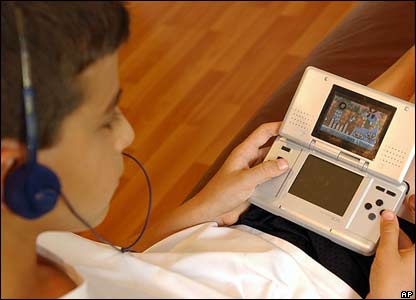
Being that my son is a big gamer, he enjoys and adapts to games well.  He was fortunate, this summer, that his summer school math teacher picked up on the idea of gamification, as every day my son and the other kids in his class would play a card/board game that would teach math skills. He enjoyed it very much, and there was a social skills aspect to it as well, which helped. Granted, it was not a video game or digital online game, but the principle is still the same–it was a game, and he was learning the skills he needed to learn.  So many online games can teach without one realizing it, and making learning so much more accessible.  Even the popular Angry Birds game–one of my son’s favorites–is actually a fantastic game that teaches physics and problem solving skills. I don’t say no to him playing Angry Birds on my iPad or iPhone.  He’s learning, at least, and developing skills that may help in the future as some sort of engineer.  Even as an adult, I can say that I would enjoy something more interactive online than something static or something that’s essentially a page-turner.

This is where mobile comes in. We all know the benefits of m-learning functionality, such as providing just essential information, having web capabilities to interact not only with others, but use tools like social media and researching on the web, and sharing resources is a big deal. Even the nature of m-learning is beneficial, because good m-learning design breaks things up in to small pieces than if it was done as a regular desktop course or classroom lesson. With m-learning, a child can record the class while attempting to take notes, and listen to it later while doing homework, rewinding parts of the lecture while rewriting or filling in missing information in notes.

I know for me, it was a big deal to be able to manipulate my studies to make them mobile. I would use the Microsoft OneNote app on my iPad to do initial drafts of homework assignments during my lunch hour, and then sync up my notes so that I could pull them onto my laptop later to clean them up more on my laptop at home. I could watch video or listen to a podcast on my iPad or iPhone, stop it and restart a section if I didn’t quite catch it–or even just stop so I could catch up writing notes first, then continue. You can’t do that so easily in a classroom. I could pace myself much better, and as a result, my retention was better because I could review details as needed.

This is really important for Aspies as they want to take in everything, and very often it hard to keep up because we are still deciphering and translating information given in our heads while the information keeps feeding. Sometimes our brains can’t process quite as quickly, so by the time we have a piece of information processed and we are ready for the next bit, instead of one new piece of information, then next five have happened. Keeping up and forcing oneself to keep up with the pace can be mentally grueling and exhausting. It’s not that we don’t have the mental capacity to understand the information, but rather that our internal processors are different. It’s like having last year’s processing chip in your computer instead of the latest and greatest. It’s not that the chip can’t handle it at all, but rather at a different pace. If you can gamify the information, then the information is learned on a subconscious level, and just like any video game, new skills are attained little by little as you proceed higher and higher in a game. It’s really THAT simple.

So, for you instructional designers, educational technologists and technical communicators that don’t think that gamification or m-learning makes that much of a difference–IT DOES. Believe me! Keep m-learning and gamification in mind. It not only lends itself well to typical learners, but can go miles farther for those with special needs.

Posted in Uncategorized

Hurrah! The ID/TC Education Resources Page has been updated on Techcommgeekmom.com!

Hello everyone!

It feels like it’s been a long time since I’ve posted here, but it’s only been a week. I do try to post something original here at least once a week as best as I can.

But right now, I’m mentally wiped out, so it occurred to me that now is a great time to update some of the pages here as best as I can.

So, for easier reading, I’ve updated the Instructional Design/Technical Communications Education Resources Page (otherwise known as the ID/TC Education Resources Page). If you click the link above in the navigation, that will take you directly to that page.

Now, upon first inspection, it will look pretty much the same, with the same links to helpful articles.

But now after a few additions and some reorganization, all 158 credentials are listed and organized by credential. Specifically, they are split up between Bachelor’s degrees, Certificates, Specialist degrees, Master’s degrees, and finally Doctorates.  I’m hoping that this reorganization will help anyone who is looking for that next avenue themselves. Many of these programs are online too, so be sure to check them out. Even my own alma mater, NJIT, is listed in the Master’s programs. 😉

As always, if you have a suggestion for a higher ed program related to technical communications, e-learning or m-learning, please let me know so I can add it to the list!

Enjoy, and thanks for continuing to support techcommgeekmom.com!