
Posted in Uncategorized

Why Mobile, Gamification and Special Needs Are Made for Each Other

As the school year has started for some and will start during the following few weeks ahead, my thoughts start thinking about conventional learning and how educational technology has changed so rapidly, especially in the last few years.

Now, before I continue, I just want to preface this by saying that much of what I will be writing below isn’t based on any scientific study, but rather it’s based on my own experiences and knowledge.

I recently saw this article, and even retweeted it:

Autistic Student Feels Reinspired by Online Learning

I was so glad to see an article like this. We are constantly shown articles or videos about students who are much lower functioning than this kid, who are breaking through the communication wall through various apps on iPad. But I find that higher functioning autistic kids have a much harder time as the gap is much narrower, so it’s hard to define where the fine line between effective communication and ineffective communication is.  As a result, these kids fall through the cracks of the system. Seeing that the young man in this article found a solution through online studies is fantastic, and I can relate to it a lot.

I am sure that I’ve mentioned many times before that my son is autistic, but much like the young man in this article, he is very high functioning autistic. My son is so high functioning that the actual autism diagnosis eluded us until he was 9 years old, and that was after already going through several other diagnoses and still feeling that something wasn’t quite fitting right.  Through my son, while I have not gotten an official diagnosis, I’m pretty convinced that I am an Asperger’s Syndrome person myself; I have displayed so many of the same symptoms as my son, but I did not have the speech problems he had when he was younger (he’s fully language fluent now, due to early intervention and persistence). Even as a mother, I marvel at the various apps that are out there that could have helped my son when he was small, and I wish that we had access to it back when he was small.

My son is a smart boy. However, if something doesn’t interest him or doesn’t serve any meaningful purpose to him, then he’s unwilling to do the necessary schoolwork. As he’s gotten older, this has been problematic. He’s also a kid, and when it comes to mathematics, he doesn’t get the rote information down right away (like understanding his multiplication tables). But, show him how to do a mathematical function, and he can pick it up fairly quickly. He’s not always interested in reading, but he was reading when he was about 3, and when he reads something that interests him, he practically has the resource information memorized. He takes in videos like nobody’s business. Ask him anything about Super Sentai (the original Japanese Power Rangers), Kamen Rider, Power Rangers, Beyblades, Bakugan or Pokemon, and he can tell you everything about them.  He also has a fascination with the sciences, especially physics, so when the Higgs Boson was recently proven, I asked him if he had heard about it, and he said, “Yeah, what about it?” and he explained what it was, and didn’t know that it had actually be proven.  Keep in mind, the kid is only 11.

Yet, he struggles with school. It’s hard for him to focus, and sometimes he’s still processing things in his head when he’s paying attention in class. He can’t take notes to save his life, but he can learn from them.  School is a difficult chore for him, and it takes some creativity to engage him to learn. He’s definitely capable of learning, but he can’t always learn by conventional means. He has a very difficult time with writing skills as well, which has been a struggle since he was small.

I can relate to my son on so many levels academically. I think this is why I end up being the one to do homework with him most of the time–I know how to “translate” things in a way that he can understand. I also had that same combination of hyper-focus on some topics, and total distraction on other topics, and had a hard time with school as well, even though I did well for the most part. If I had half the tools and support he has now when I was a kid, I would’ve been valedictorian of my class, I bet, but instead, I had to fight my way through much of school to get decent grades.

So, when I read the article above, I could relate to it so much because of my son, but also because of my own online experiences getting my Master’s degree from NJIT. My degree was 100% online, and despite what anyone would think, it was a very social event, yet I could pace myself the way I wanted (well, within reason–I still had deadlines for assignments and such).  I want to say that the success in earning my degree and getting a straight “A” average was due to hard work and the quality of the program–which it was, but it was more. It was the delivery system. I’m very convinced that if I had done this coursework solely in a classroom environment, while I might have done well, I don’t think I would have done THIS well.  Being able to set up my own schoolwork routine, read at my own pace, respond to forum threads and work on assignments at my own pace were a huge part of it. I’ve found for years that social media and just being connected to the Internet is not only addictive for me, but essential for me. It’s how I’m able to socialize more effectively and learn more effectively as well.  For all those naysayers that say there’s no such thing as “learning styles,” I say, “Poppycock!” I am a living example of someone who needs to be taught more on a visual level than an audiological level; I have sensory issues but am simultaneously a sensory learner.  My son is the same way.

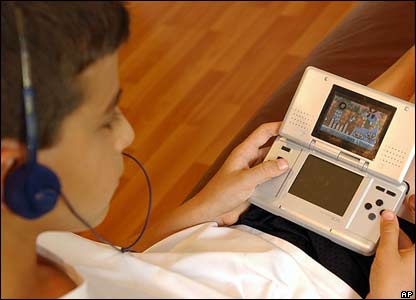
So what does this have to do with mobile learning and gamification? EVERYTHING! There seem to be more and more studies that “typical” learners learn as much or more with mobile options and gamification methods. Imagine what it can do for special needs learning! My son is a big of a gamer, and I know at his age I love the earliest electronic and digital games myself.  Even now, I’d much rather play an online game to learn than read my dry textbook. The trick for high-functioning special needs people like my son and I is that we–as I mentioned before–fall between the cracks; we don’t need things dumbed down for us, but we do need a different method to get the same information into our skulls, and everything is either over simplified and babyish (like some of the math games that he can play to get those multiplication facts into his head), or there isn’t something that is sophisticated enough that can achieve the same thing.

I envy my son, because e-learning is SO much more than it was when I was growing up. Heck, just having Internet access and email and social media is much more than what I had  when I went to school. Getting my Master’s degree was the first time I could use such resources, and given the right tools as these digital ones, I could fly (metaphorically speaking). I want to see my son fly as well, as I know he’s capable of it. I try to find lots of physics game apps for him on my iPad, which he zooms through with ease. I need to find some age appropriate math apps, writing apps, and other apps that can help him learn without him realizing he’s learning, or at least make it more enjoyable. I want him to feel successful in whatever he ends up doing, and I want him to feel that learning is a lifelong endeavor, and that he is capable of finding the resources he needs to accomplish what he wants. We are still figuring this out, but like I said, the world is his oyster, and he needs to learn how to access it all, and I think he’s already on his way since he found the Super Sentai on his own (and yes, he watches these Japanese Power Rangers episodes on YouTube, in Japanese, sometimes subtitled, sometimes not, but he doesn’t care–he picks up what all of it’s about anyway).

Being that my son is a big gamer, he enjoys and adapts to games well.  He was fortunate, this summer, that his summer school math teacher picked up on the idea of gamification, as every day my son and the other kids in his class would play a card/board game that would teach math skills. He enjoyed it very much, and there was a social skills aspect to it as well, which helped. Granted, it was not a video game or digital online game, but the principle is still the same–it was a game, and he was learning the skills he needed to learn.  So many online games can teach without one realizing it, and making learning so much more accessible.  Even the popular Angry Birds game–one of my son’s favorites–is actually a fantastic game that teaches physics and problem solving skills. I don’t say no to him playing Angry Birds on my iPad or iPhone.  He’s learning, at least, and developing skills that may help in the future as some sort of engineer.  Even as an adult, I can say that I would enjoy something more interactive online than something static or something that’s essentially a page-turner.

This is where mobile comes in. We all know the benefits of m-learning functionality, such as providing just essential information, having web capabilities to interact not only with others, but use tools like social media and researching on the web, and sharing resources is a big deal. Even the nature of m-learning is beneficial, because good m-learning design breaks things up in to small pieces than if it was done as a regular desktop course or classroom lesson. With m-learning, a child can record the class while attempting to take notes, and listen to it later while doing homework, rewinding parts of the lecture while rewriting or filling in missing information in notes.

I know for me, it was a big deal to be able to manipulate my studies to make them mobile. I would use the Microsoft OneNote app on my iPad to do initial drafts of homework assignments during my lunch hour, and then sync up my notes so that I could pull them onto my laptop later to clean them up more on my laptop at home. I could watch video or listen to a podcast on my iPad or iPhone, stop it and restart a section if I didn’t quite catch it–or even just stop so I could catch up writing notes first, then continue. You can’t do that so easily in a classroom. I could pace myself much better, and as a result, my retention was better because I could review details as needed.

This is really important for Aspies as they want to take in everything, and very often it hard to keep up because we are still deciphering and translating information given in our heads while the information keeps feeding. Sometimes our brains can’t process quite as quickly, so by the time we have a piece of information processed and we are ready for the next bit, instead of one new piece of information, then next five have happened. Keeping up and forcing oneself to keep up with the pace can be mentally grueling and exhausting. It’s not that we don’t have the mental capacity to understand the information, but rather that our internal processors are different. It’s like having last year’s processing chip in your computer instead of the latest and greatest. It’s not that the chip can’t handle it at all, but rather at a different pace. If you can gamify the information, then the information is learned on a subconscious level, and just like any video game, new skills are attained little by little as you proceed higher and higher in a game. It’s really THAT simple.

So, for you instructional designers, educational technologists and technical communicators that don’t think that gamification or m-learning makes that much of a difference–IT DOES. Believe me! Keep m-learning and gamification in mind. It not only lends itself well to typical learners, but can go miles farther for those with special needs.


Posted in Uncategorized

Hurrah! The ID/TC Education Resources Page has been updated on Techcommgeekmom.com!

Hello everyone!

It feels like it’s been a long time since I’ve posted here, but it’s only been a week. I do try to post something original here at least once a week as best as I can.

But right now, I’m mentally wiped out, so it occurred to me that now is a great time to update some of the pages here as best as I can.

So, for easier reading, I’ve updated the Instructional Design/Technical Communications Education Resources Page (otherwise known as the ID/TC Education Resources Page). If you click the link above in the navigation, that will take you directly to that page.

Now, upon first inspection, it will look pretty much the same, with the same links to helpful articles.

But now after a few additions and some reorganization, all 158 credentials are listed and organized by credential. Specifically, they are split up between Bachelor’s degrees, Certificates, Specialist degrees, Master’s degrees, and finally Doctorates.  I’m hoping that this reorganization will help anyone who is looking for that next avenue themselves. Many of these programs are online too, so be sure to check them out. Even my own alma mater, NJIT, is listed in the Master’s programs. 😉

As always, if you have a suggestion for a higher ed program related to technical communications, e-learning or m-learning, please let me know so I can add it to the list!

Enjoy, and thanks for continuing to support techcommgeekmom.com!

Posted in Uncategorized

iPads and Surface and Nexus…oh my!

With the announcement of the new Windows Surface tablet coming out later in 2012, the new Nexus tablet coming out as well, and the rumors of an iPad mini possibly coming out in the fall, it’s made me think about what this all means in terms of “what device would be best?” especially for m-learning and other mobile applications.

First, I need to clarify that when it comes to technological devices, I’m generally torn. I’m all for having variety and such– it’s what makes market competition possible, but at the same time, each thing has its benefits and place, and it’s like comparing apples to broccoli. It’s no secret that I love my iPad. I got it almost a year ago after owning my iPhone for a couple of years. At the time, my husband retorted, “What do you need that for? It’s just a toy, if anything.” Or IS IT?

When I was doing my graduate studies, all I could think about what how I could use it for my own studying purposes, and I did several projects centered around the idea of using iPads for flipped classrooms or even classroom use, and based much of my experiences of what mobile learning is between my iPad and iPhone. I love the flexibility of the devices, and how lean and mean they are in how they operate.  Like many students out there with tablet devices, I read articles and e-books, I wrote up assignments and papers, did my research– did most everything I could with my iPad. The downside? Well, I didn’t have 4G on my iPad, so sometimes having web access was limited, but it wasn’t anything that bad that couldn’t wait until I did have connectivity, or until I got home and could use my laptop or the wi-fi at home. (There are 3G and 4G versions available–I just didn’t want to shell out the extra cash for that ability.) And until I had my wireless keyboard, doing all those papers and assignments could get a little rough.

At the same time, while I have an iPhone and an iPad, I can’t say that I’ve been totally sold on the idea of getting an iMac of some flavor. I love my PC laptops. While the last Apple computer I used was an Apple IIc about a million years ago (be quiet! I was a kid back then–really!), my entire IT existence both professionally and personally has always been on a PC. Yes, I’ve experienced the blue screen of death several times, and had numerous crashes over the years, but nothing that couldn’t be fixed unless the hard drive was dying. Until I got my iPad, my laptop went with me on vacation or whenever I was away from home. Even writing these blog posts is easier on my laptop than using my WordPress app on my iPad. Ninety-eight percent of my online degree was done on my PC laptop– the other 2% was on my iPad. I’ve owned 3 laptops in the last ten years, and had at least two or three PC desktops for years before that. So yes, I’m a devout Microsoft geek as well.

So when I heard that Microsoft had finally come out with a tablet they were going to release, I had to find out more. I thought that it would be helpful to understand what the Microsoft Surface tablet was all about, and was hoping that it would work well in the future for single-sourcing initiatives. I felt like the Microsoft presentation and reviews I was seeing online was just mirrors and smoke, and after three iPads having been in the market now, why a Microsoft tablet now? Was it worth me getting one, as if I were to abandon my iPad for…heaven forbid…something else?

On a recent weekend jaunt to a local mall that had both an Apple store AND a new Microsoft store, I actually asked a Microsoft store employee about the new Microsoft Surface machines, and he said it was rather simple to explain, actually. The new MS Surface tablet was Microsoft’s answer to having their own hardware like a Samsung Galaxy or other PC-type tablet, running on a Windows 8 OS platform similar to the Windows Metro platform used on their phones. The guy had his personal PC tablet loaded up with Windows 8 on it, and proceeded to show me how it worked. In a nutshell, it worked exactly like my laptop, just a few more bells and whistles for the interface. And this, as I was told, would be pretty similar to what my experience would be like with a Surface machine, but with a handy keyboard in the cover. So anything that I was running on my laptop–full versions of Adobe Tech Comm Suite or Creative Cloud, Flare, PC games, Microsoft Office– as long as it all fit on the flash drive inside, or ran off a Flash card or external drive device, you could use it on Surface.

But wait…if Microsoft Surface is essentially just a flatter, touch screen PC version of my laptop, did this make it the iPad killer that everyone (especially Microsoft) has been claiming it to be? At first, I thought it could be. I was thinking that Surface was what I was looking for over a long period of time before my iPad. Sure, there have been other tablet computers out there, but they were always out of my price range and weren’t as powerful as my regular PC laptop. So, a former me that was shopping for a tablet would have loved that. But now, in my mind, I don’t think it’s the “iPad killer”. It just sounded–to me–like it was just a flatter, touch screen version of my laptop, with less storage room and possibly less power. Would it replace a laptop for me? Well, maybe not me, but for the average person who is not a power user, it might be a good alternative for someone else who is less tech savvy. Imagine if all the full features of your laptop were in a convenient package like a tablet, so it’d be easier to bring with you–it would work well.

At first, that sounds great. Just in mobile learning alone, that could be monumental. And that might work better for many people who want the convenience of a tablet with all the power (but less storage space) as a laptop. For some, it’ll be just what they need. But for me, as I’ve thought about it, and debated whether to get one in the future, I decided it wasn’t worth it. First of all, for the same amount of money that this Surface machine is going to cost (if it’s financially on par with iPads, as Microsoft claims it will be)–what’s the point of getting a tablet with little storage space and not as much power when you can get something more powerful–more storage space and higher processor speed–in laptop form for the same price? There doesn’t seem to be much of an advantage in having one, unless you are a person who wants to make the switch, and you don’t do much on your laptop to begin with. Yes, there are some operational advantages, but they are minor. The convenience of a tablet? Oh yeah, that’s definitely a plus, but it seems so late in the game. And in the end…it’s still a PC. You can get this now on a Samsung Galaxy Tab or other PC-based tablet now, for the most part. Maybe it’ll be a slightly ramped up OS, but then again iOS6 will probably be coming out around the same time (more or less), so it’ll be interesting to see who wins the latest Apple vs. Microsoft battle.

But just as everyone is focusing on the usual heavyweights battling it out, Google has been a contender for a while–much more than Microsoft has been. Google has recently announced that it was releasing its new device, Nexus 7, running on the latest Android OS called “JellyBean.” Reports I’ve read is that since this is a full OS, not an abbreviated version like on a Nook or Kindle Fire, it runs more smoothly and robustly. It allows for more Google features like Google Now and Google Play to be used more fully, for example. This leads me to believe that while this is a smaller tablet in size than an iPad or Surface, due to it’s great affordable price starting at $199 (as compared to a “bottom of the barrel” iPad at $499 for the new iPad, $399 for the same in an iPad), it’s definitely a dark horse contenter to come in and steal some thunder. In the end, though, it’s not really in the same category as an iPad or Surface machine. Let me explain.

The way I see it, there are two categories of tablets. The first category is one in which the tablets are almost PC replacements, but not quite. They have the most flexibility due to their ability to do anything from word processing and reports, graphic and image editing, games, video, email, web browsing, etc.  They are generally a much leaner version of a PC, not only physically in the hardware, but also in its capabilities. iPads have this down to a science now, whereas Surface will be just a slimmed down physical version of what most people have already.

The other category includes the small tablets. These would be your Nook, Kindle Fire, Nexus 7 and if it actually comes out, iPad Mini. While it has great perfunctory use, it’s not meant to be anything but a basic device to provide basic services. I’ve never heard of doing presentations off of a Nook, or a report being written on a Kindle Fire.

Are there uses in education and business for any of these kinds of tablets? Sure there are. Because of their enormous flexibility and functionality, it’s no surprise that iPads have been dominant in both education and business, and will continue to be dominant. Will the Surface upset that dominance? It might, only because so many are used to using a PC that the learning curve (not that there’s a huge one in learning how to use an iPad) would not have to be contended with, and some might like that full PC functionality over a streamlined one like an iPad. I see iPad and Surface being more productive than the smaller tablets.

Does this mean that smaller tablets don’t have a place in education or business? No, not at all. It can still be used for reading, communication, video and basic web searches– that might be all someone needs.

But from my own personal experience as a student as well as a professional, I don’t see how the larger tablets could lose. The question will be whether educators or business people find the streamlined functionality of an iPad more beneficial or the PC-similarity of the Surface to be more productive in the long run. Hmm…I think I found the topic of my PhD thesis (if I ever do it in the near future)!

What do you think? Let me know the comments below.

(PS–Microsoft or Google– if you want me to try these devices out once they are out, I’m glad to give them a go. 😉 )

Posted in Uncategorized

Flash Technology gone in a mobile….no, wait–that’s not quite right…

In the mobile technology warsit’s been a war between the technology of Adobe Flash versus HTML 5. This has been a long going–at least in Internet years–battle royale that has been going on for a while, but it appears that a break has finally happened.

Recently, Adobe made the decision to end the support of Adobe Flash in Google’s latest Android OS, aka “Jelly Bean.” The significance of this is huge.  To some, this is a surprise. To others, it is not.

Flash has been the driving force of web animation for a couple decades now on many websites globally. It is a huge part of Adobe’s repertoire, and yet… Flash has had a difficult time making it into the mobile realm.  Just in the desktop/laptop realm, a Flash player can be rather unwieldy. There seemed to be only one flavor of Flash made for 32-bit machines, and not for 64-bit machines (like my own) which are becoming more commonplace.  Flash programming is an art unto itself as well. As much as many employers want people to have Flash backgrounds as technical communicators, I’ve also been told by developers to not bother learning it unless I really was dying to know, because it was rather complex even for the experienced developer to use, and developing Flash was time consuming.

This was all brought to the forefront about two years ago by the late Steve Jobs who said that Flash would not last, and that HTML5 was the future. He believed this so much that all of Apple’s new mobile products supported HTML5 from the get-go, but not Flash.  Aaron Silvers reminded me of this when he posted this article from Business InsiderSTEVE JOBS WINS: Adobe’s Ditching Flash, today on Twitter. It’s been a huge deal as iPhones and iPads proliferated with HTML5-friendly browsers, and didn’t support Flash, while other browsers for other tablets, like the Kindle, Nook and other Android-based tablets and phones did.

Adobe’s had a hard time with this, as far as I could see. Just for the record, I love Apple products, but I also love my Adobe products as well, so it’s been a tough debate to follow. I actually wrote a case study about it just several months ago about it, entitled, A Case Study: HTML 5 versus Flash, which discussed the history of this debate and what actions I saw Adobe–as a company–trying to make to work within this new environment that was pushing HTML5. At the time of the writing, Steve Jobs had just passed–literally within days of when I wrote my first draft and final draft of the paper–and so much was out in the media about the great Steve Jobs and how he was the mastermind that he was. I still love Steve Jobs, but after all, he was still human and fallible,  so I wanted to show how Adobe countered his attacks against Flash. In the end, the conclusion at the time was that HTML5 was the future, but it wasn’t completely NOW (or at that moment). HTML5 needed more development, and in the meantime, Adobe would adjust with the HTML5 revolution with its work on the Adobe Edge product and bringing that capability to its development products, but in the meantime, Flash was still working on most of the machines in the world, and there was no reason to stop working on that as well.

The way I saw it, Adobe’s point was that you don’t just abandon a long standing technology that’s worked so well overnight, just because the next best thing is starting to come along. It’s like abandoning DVDs just because Blu-Ray disks are out. There has to be some sort of legacy transition, and until HTML5 was more mature and used by those other than the developers at Apple, it didn’t make sense to abandon Flash altogether. But in the meantime, time needed to be taken to start working with the new medium and figure out the best way to move forward.

Fast forward to now, about six to eight months after I wrote the case study above. Mobile technology continues to explode on the market, and the race is on to be the dominant technological mobile device with new tablets and smartphones being introduced.  RJ Jacquez posted this article that came out today on Twitter: Adobe: Web standards match 80 percent of Flash features. Arno Gourdol, Adobe’s senior director of Web platform and authoring, was quoted at the Google I/O show, referring to HTML5’s capabilities at this stage, “I think it’s close to 80 percent.”  Seeing the writing on the wall, it’s obvious, after reading the rest of the article, that Adobe has been making efforts to keep up with HTML5, and make forward progress on using the web standard. Adobe’s not quite there either in keeping up, but it seems that it’s starting to make significant progress in this direction.

So, where does this leave us in the mobile learning world? As I see it, this is another means towards single-sourcing for learning. Flash has been good, there is no doubt. Some of the most interactive e-learning and m-learning sites (depending on your device’s capabilities) have been Flash driven, and so much has been Flash driven for years that Flash capabilities and interactivity are expected. In speaking with my e-learning developer husband about the topic, he said that Flash, while complicated at times, was easier to develop than HTML5, because HTML5 depended not only on new HTML5 coding, but also javascript and jquery much more than before to have content play the same way–or at least similarly–to Flash. From the sounds of things, those similarities are getting closer and closer. How soon will HTML5 be a true standard in the same way as standard HTML has been all these years? Probably sooner than later, but I see it as a big step towards that single-sourcing solution that will help eliminate the idea of problems with BYOD (Bring Your Own Device). No one will have to worry whether something will work on an Android, Windows or iOS device. It will just work because they all use HTML5.

This is an important issue to follow, because it’s not the mobile technological devices that need to be watched as much as how they will be programmed and used. Flash isn’t gone yet, but seeing what will happen with it, and where and how HTML5 progresses will be a hot issue for some time to come–so keep on top of this!

Posted in Uncategorized

What do learners using m-learning want–what they really, really want?

Today, RJ Jacquez posted the following question on his Facebook account:

“If you asked ‘Learners’ on mobile what they wanted in #mLearning would they know? I’m not convinced they would.”

My first thought was that Spice Girls song–“So tell me what you want, what you really, really, want….” 😉

When I thought about it more seriously, I deduced that I don’t think learners would know what they want either. (Or in the words of the same Spice Girls song, the response of the average learner would be “I wanna really, really, really wanna zigazig ah….”)

Like most people involved in UX and e-learning/m-learning strategy, I’ve been taught the mindset of how to anticipate the moves of the average user. Must like what I talked about in my Adobe webinar, Transition from Content Consumer to Content Creator: Dual Viewpointsto truly be an effective technical communicator–no matter the specialization–one has to look at things both from the end user perspective as well as the creator perspective.  So, in addressing RJ’s question, unless someone is a professional student, I don’t think the average person–adult or child–thinks about how they learn, or what method works best or them, mobile or not. The average learner doesn’t know what they want or need until they don’t have a feature or do have a feature, for the most part.

I find that I think about such things because not only do I have non-verbal learning disabilities that made me more aware of what worked and what didn’t, but I also grew up having an educator dad whose hobby was reading up on learning styles and that kind of subject matter.  And just for the record, despite recent reports that said that learning styles are a bunch of hooey, from personal experience as well as being the mother of a learning disabled child, I am a firm believer in learning styles and being aware of trying to make adaptive or flexible learning possible. My son and I are visual/sensory learners. We both have sensory issues, but for a person to describe an object verbally versus presenting the object in front of me to see and touch, the latter experience will always stick with me more. (I do know other learning disabled people where the opposite situation is true– they have no problem with verbal descriptions, but have a hard time with reading or retaining information from a demonstration.) Heck, it’s been a while since I’ve said this, but I used to claim that most of what I learned was from TV, not from other sources! (I watched a LOT of TV as a kid, including educational stuff, but plenty of pop culture that has served me well over time.)

That said, it helps that there are those of us that are on top of learning presentations, and trying to find ways to make learning accessible, comprehensible, and enjoyable–an “ACE” product (I should copyright that acronym now!). Learning policies and procedures, for example, especially on a topic that perhaps one might not have anything to do with, should be done in a way that makes it “ACE,” and e-learning and m-learning specialists can work on ways to facilitate learning using new technology for better information retention.  I had that sort of experience myself. At my last consulting position at a global financial firm, I was required to take P&P courses, even though they were about financial transactions in banking, and I worked on an intranet site that had a) nothing to do with the banking end of the business, and b) I had nothing to do with any financial transactions whatsoever. But because there was online training that could be tracked, and the courses were relatively short, I got the basic foundations mastered to be compliant, and I could move on from there. I’ll admit that I even remember parts of it as well, because of the interactivity in the online course.

User strategists–whether they work in mobile worlds or not–are specialists who know from training and professional experience what works and what doesn’t work on a website, from both the front-end of a website as well as some of the back-end as well. Simple things, like evaluating typography, color schemes, and content are all part of that person’s job. The average end-user doesn’t really think about what he or she is looking at on a website that deeply. We’ve all encountered good websites and bad websites, and we put up with bad websites out of necessity sometimes, but it’s a UX specialist’s job to rid the world of as much bad design and as many bad experiences as possible, anticipating how end-users would use a website. The average Joe will understand sometimes that something isn’t good, but might not always know what it is that doesn’t work well. The average person doesn’t think about functionality of a site until it’s not functional. The average person doesn’t understand the complexities of what e-learning and m-learning specialists are trying to do to help learners attain the main goal, because it’s the end goal which is what’s most important, namely that information retention learned through a course–any course through any medium–can be used thoughtfully and effectively.  Pull any guy or gal off the street, and they wouldn’t know the first thing about it. They’ve never thought about it. It is like asking people why they like a certain ice cream flavor–they just do. (But what they don’t know is that ice cream manufacturers do a lot of testing on what are popular flavors and tastes in different areas before putting their products out on the market.) The average person just goes about his or her business, and when it comes time to be learning something, whatever means is put in front of that person is how he or she will learn it.

So, does that mean that we shouldn’t put so much time and thought into the process? Heck no! We should continue to put a LOT of time and thought into the learning process! Mobile is a big mover and shaker with this, because it is making information so accessible–even more than conventional paper books or any other media out there right now, short of in-person, one-to-one teaching. More smartphones are bought on a daily basis globally, and the tablet market is starting to catch up with that.  Even in areas like third world countries, people have smartphones. What a fantastic opportunity to reach out to help others learn and help themselves and work globally instead of in isolation! But how is that done? It’s done through careful thought about how the information is disseminated in a way that the information can be retained and used. It needs to be ACE.  We need to spend the time to make it the best learning experience possible, even if the average learner has no clue as to what they want in a learning experience. In the end, if learners are able to use the information, understand the information, and recall the learning experience as a positive one, isn’t that the measure of what they want from learning? If they don’t get anything positive out of the learning experience, then they learn they don’t want THAT.

Being a newly minted graduate school graduate who did her entire degree online, I know that my fellow students and I would quickly be able to evaluate what worked and didn’t in various courses. For example, presenting all the assignments, reading documents and forum links in the course description in Moodle instead of utilizing the weekly scheduler was BAD for learners. Having experiences both inside and outside of Moodle to do our assignments were good for learners. It really varied from course to course, and some professors learned from end-of-the-semester feedback, and others did not.  Each course and each learning experience has different requirements. It is up to those who are developing the curriculum and helping to disseminate the curriculum to decide what’s the best delivery method, especially because the learner usually doesn’t have a clue.

As m-learning and e-learning specialists–and this really applies to all technical communicators, it’s our job to provide the most concise, clear and cogent information we can to the public, and that means anticipating those average person thoughts or moves in using anything we create. To me, that’s what makes the job challenging and exciting. It’s especially fulfilling when you know that you’ve got it right, and the end user doesn’t know why it’s so great, but it just is.