Posted in Uncategorized

My response to RJ Jacquez’s question: Will Tablets replace PCs?

Recently, due to the upcoming release of Microsoft’s Surface machine, RJ Jacquez released two blog posts promoting the idea that tablets, in time, will indeed replace the PC as we know it, and that Microsoft is going in the wrong direction with this Surface device. Between his post titled, “For the sake of ‘Mobile’ I hope Microsoft Windows 8 and the Surface Tablet fall short” and Tablets Will Replace PCs, But Not In The Way You Think, he says that he feels that Surface is not taking us forward because it embraces the idea of adapting our devices to old software, instead of moving forward with mobile devices and rethinking how to create new productivity software for these new tablets that can make users more productive.  After paraphrasing several articles that have been out in the press that claim that productivity apps such as Microsoft Office, Photoshop, and Final Cut Pro (to name a few) are items that need to be addressed by the tablet industry, he counter argues,

Personally I think that most of these articles miss the bigger point, namely the fact that most people think that Tablets replacing our PCs will require a 1:1 task-replacement approach. I don’t buy this argument….In other words, we are currently shaping our mobile tools and soon these amazing devices, along with the incredibly creative apps that accompany them, will shape us and redefine every single task we do from here on out, including learning design, image editing, web design and yes every productivity task as well.”

I understand what he’s saying. If I’m interpreting him correctly, his argument is that devices like Surface should not be adapted to run bloated “power” software that needs the extra storage and peripherals to work, thus making the devices less mobile, but rather software should be streamlined to become more efficient so it can run in a tablet like an iPad which doesn’t need extra storage because it relies on the Cloud nor does it need any other peripherals to function. Some of the other “power” apps that RJ mentioned that critics think would need PC power include Photoshop, Microsoft OneNote and Avid Studio.

Well, I do have to agree with RJ insofar as I think that mobile is the future, and it is forcing us to really look at software and its limitations, and it’s making us think about how to streamline processes and our needs. mLearning is in the midst of a huge revolution due to that mindset right now. And actually, there are tablet versions of Photoshop, MS OneNote, and Avid Studio available for tablets that cover most of what users need. So it’s not like these kinds of software can’t be adapted for most people’s uses.  The average user does not use Word or Excel or Photoshop or other apps the same way as a power user, so streamlined apps are fine.

However, I think there may be a need–at least for a little while longer–for PCs to still exist for other kinds of “power” uses. The first thing that comes to mind are apps that are not as mainstream as the ones mentioned so far. Tech comm apps like Framemaker, RoboHelp and Flare are the first ones that come to mind. Now I know that Adobe is working to put just about all of their major software products on the cloud, so that’s a move in the right direction. I have no idea if Flare or the other leading tech comm productivity software packages are moving that way as well. The same thing with e-learning software…again, Captivate is part of Adobe’s cloud-based Technical Communications Suite 4 right now, but what about Lectora or Articulate or other instructional design software packages?  These are all software programs that aren’t quite ready for tablet use yet, but for the sake of mobile productivity, it might not be a bad idea to move in that direction. But for now, staying as desktop apps is probably fine.

There’s an app called Cloud On that has the right idea. It’s an app that’s available for both iOS and Android use, and essentially it provides a means of accessing full versions of Microsoft Office on tablet devices, and then saving documents in a Dropbox, Box or Google Drive account. No short cuts here! Full functionality of the software, on the go!

So, why aren’t the all the big software companies jumping onto the bandwagon with this? Apple already has by creating tablet versions of their iWork and iLife apps, but what others? Some companies have taken baby steps, or are working on it, and others…well, I think they are not keeping up, or are in denial that having a lean version of their software is needed.

I can say, as I mentioned, that I’ve used Cloud On, but I’ve also used my iPad’s Notes app. I used the Microsoft OneNote app on my iPad heavily last year during grad school, as I would start my homework assignment on my iPad during my lunch hour, and then sync it in my SkyDrive account so I could access it from my laptop at home to finish an assignment. I recently used Photoshop Touch on my iPad when I was too lazy to power up my laptop one night to fix a photo for a friend.  When I’ve made movies or did any digital photography projects, they’ve been done more on my iPad than on my laptop due to more affordable choices that meet my basic needs for editing.

So, my answer to RJ’s question is that I feel there will still be some apps that will need a PC to do much bigger jobs. Desktops and laptops are our workhorses right now, and you wouldn’t ask a pony to do the work of a Clydesdale horse. The PC isn’t going away anytime soon, and it will remain the hub of business and other work for some time to come. But, I agree with what RJ said, that in looking forward to the future, we need to continue to think mobile and how we can make it work so that much of these workhorse products can be made more lithe and flexible to our needs.

One last thought to put the mobile/tablet point in perspective–if you are a Star Trek fan like I am, you will have noticed that everyone carries portable devices–the size of a tablet, e-book or smartphone– to access huge databases and information, and to do much of the “heavy” information lifting for anyone aboard a starship. This was depicted on the shows well as much as 25 years ago, before the advent of tablet devices and smartphones. Think about how the various characters on the show used their devices. They would tap into a main computer device on the ship–much like we would access a network or the Cloud–to obtain information and make various calculations as needed.

It would seem to me that we are getting closer to that kind of scenario in reality, but we’re not quite there yet. We’re getting close, though!


Posted in Uncategorized

Flame Wars need not apply.

I had planned for this post to be something a little more lighthearted, but my plan was changed when I received my first insulting comment on this blog. It came in, and made accusations that proved that the person hadn’t read the blog post carefully, and additionally made insult of my relationship with Adobe. I was shaken up by this comment, because it was meant to be insulting, and in no way was the criticism constructive in any way. I was taken aback by it, and when I told my husband about it, he replied, “This is ‘typical’ internet behavior these days… don’t take it personally.” I knew he was right, and but still…it truly bothers me. It certainly doesn’t seem like professional behavior.

I choose my words carefully on this blog. Every entry is not written off the cuff, and I take a lot of time to write and edit each post. I do my best to be as diplomatic as possible when writing, even if I have a very strong opinion about something. I do my best not to insult anyone or anything. I try to dish constructive criticism when I feel it’s necessary. My intentions are to put forward my own thoughts as a new technical communicator who is trying to make her way into the field, and share ideas that I find interesting or educational. If I curate something from the web from my ScoopIt account, it’s because I found something worthy of sharing with my TechCommGeekMom audience.

This blog started out as a class project in graduate school, and it has taken off to have a life of its own. I don’t claim to be an expert. I don’t claim to be highly experienced. I don’t claim that I am familiar with everything that is related to tech comm. I try to be humble with what I do or don’t know. Yes, I have some knowledge and experience, but if you want to read commentary from someone more experienced who is an “expert” in the field, please, be my guest. You can go elsewhere.

I do write a lot about Adobe on my blog, and I feel that I need to clarify that, because if this one individual is questioning it, perhaps others are as well. My current relationship with Adobe was something that happened to me by surprise. I have always been a fan of Adobe products, even before this association happened. I’ve been using Adobe products for the last 15 or so years. I wrote a case study in grad school supporting Adobe’s business practices with Flash a year ago–well before I ever started this blog. So, when Adobe contacted me several months ago, it was a total shock. It was really out of nowhere for me. All I did was promote my blog and a post on my blog that called out Adobe and its competitors for making it a little difficult for students to get their hands on tech comm software. I never expected anyone to respond. If the MadCap Software, the makers of Flare, had responded the way that Adobe had, I’m sure I would be a Flare advocate right now. Same with the makers of Lectora and Articulate. I’m new, and when I wrote that fateful post, I just knew that these software packages have the same main function, and that I needed to learn this kind of software to get a job. Plain and simple.

Out of the many companies that I named in that blog post, Adobe was the only one that actually responded. As I said, I didn’t expect ANYONE to respond– it was just a fairly well articulated rant, if I do say so myself. Evidently, someone at Adobe thought so too, and wanted to help. Since I already liked their products, how could I not respond favorably to them? When offered the chance to do a webinar for their Thought Leadership series, that shocked me as well. What the heck did I have to offer or to say? I’ve been told that because I’m new to the TC world, it was because I had a fresh perspective of the field, and it was great to get a new opinion in the mix. From there, Adobe has provided me with opportunities such as sitting in on a conference call previewing products, attending a pre-conference event hosted by them at a major tech comm conference, and promoting my blog to a global audience. Did I ask them to do that? No, not at all. Am I going to take advantage of such opportunities? Well, I would be very stupid not to do that, especially since it’s still very early in my tech comm career!

Adobe is an advertiser on my page, but they aren’t paying me a salary. I am not employed by Adobe at all. (Although I wish I was! I’d be a great product evangelist!) I would love to have additional advertisers on this blog, as I totally embrace diversity in products and software if it helps get the job done. If Apple, Google, Microsoft, MadCap, Lectora, Articulate, TechSmith or any other software or hardware vendor wants to establish a business partnership to advertise on my blog, I welcome the opportunity! These are among the best of the best, and there are plenty of others out there as well that I’d be happy to include. Adobe happens to be the first to take advantage of my offer there on the right column.

Adobe is like the Doctor Who in my life. They came in unexpectedly, have taken me places and given me opportunities that I would not have had without them, and so there is a certain amount of loyalty they’ve earned from me. Is that so wrong in that context? I don’t think so. Unless they do something really ugly and downright horrible to me, I have no reason not to support them, especially in light of them supporting me and this very young blog that’s only 7 months old. They have never told me or asked me what to write on this blog. They have supported my independent thinking. This is not an Adobe blog. Perhaps it leans towards a “fan blog” sometimes, but it’s not solely concentrated on this.

TechCommGeekMom addresses technical communications, m-learning, e-learning and educational technology from my perspective as a new technical communications professional who is trying to make her way into this field and make a difference. While TechCommGeekMom is meant to be a place where I can share my thoughts and concerns, others can as well. Differing opinions are welcome if they are done in a fair and constructive manner. This blog is meant to embrace and discuss the best practices in the tech comm and e-learning fields as they move forward. If you don’t like what you read, that’s your prerogative, and you can go elsewhere. But I’m not going to change how I write or who I am for anyone. I hope that my regular readers, as well as newer readers, will appreciate my position, and embrace it by continuing to visit this blog.

As a mom, I’d like to quote Thumper in the movie, Bambi,

Posted in Uncategorized

Adobe Day at LavaCon 2012 Roundup!

This post is just a quick summary of the Adobe Day at LavaCon 2012 series from this past week. As you see, there was so much information that it took six posts to try to summarize the event!

Being in Portland, Oregon was great. It was my first trip there, and being a native Easterner, my thoughts pushed me to that pioneer spirit of moving westward in this country. Once there, I saw a hip, young, modern city, continuing to look towards the future.  The information I gathered at Adobe Day was general information that was endorsement-free, and practical information that I can use going forward as a technical communicator, and that by sharing it, I hope that others in the field will equally take on that pioneering spirit to advance what technical communications is all about, and bring the field to the next level.

To roundup the series, please go to these posts to get the full story of this great event. I hope to go to more events like this in the future!

As I said, I really enjoyed the event, and learned so much, and enjoyed not only listening to all the speakers, but also enjoyed so many people who are renowned enthusiasts and specialists in the technical communications field and talking “shop”. I rarely get to do that at home (although it does help to have an e-learning developer in the house who understands me), so this was a chance for me to learn from those who have been doing this for a while and not only have seen the changes, but are part of the movement to make changes going forward.

I hope you’ve enjoyed this series of blog posts. I still have many more to come–at least one more that is inspired by my trip out to Portland, and I look forward to bringing more curated content and commentary to you!

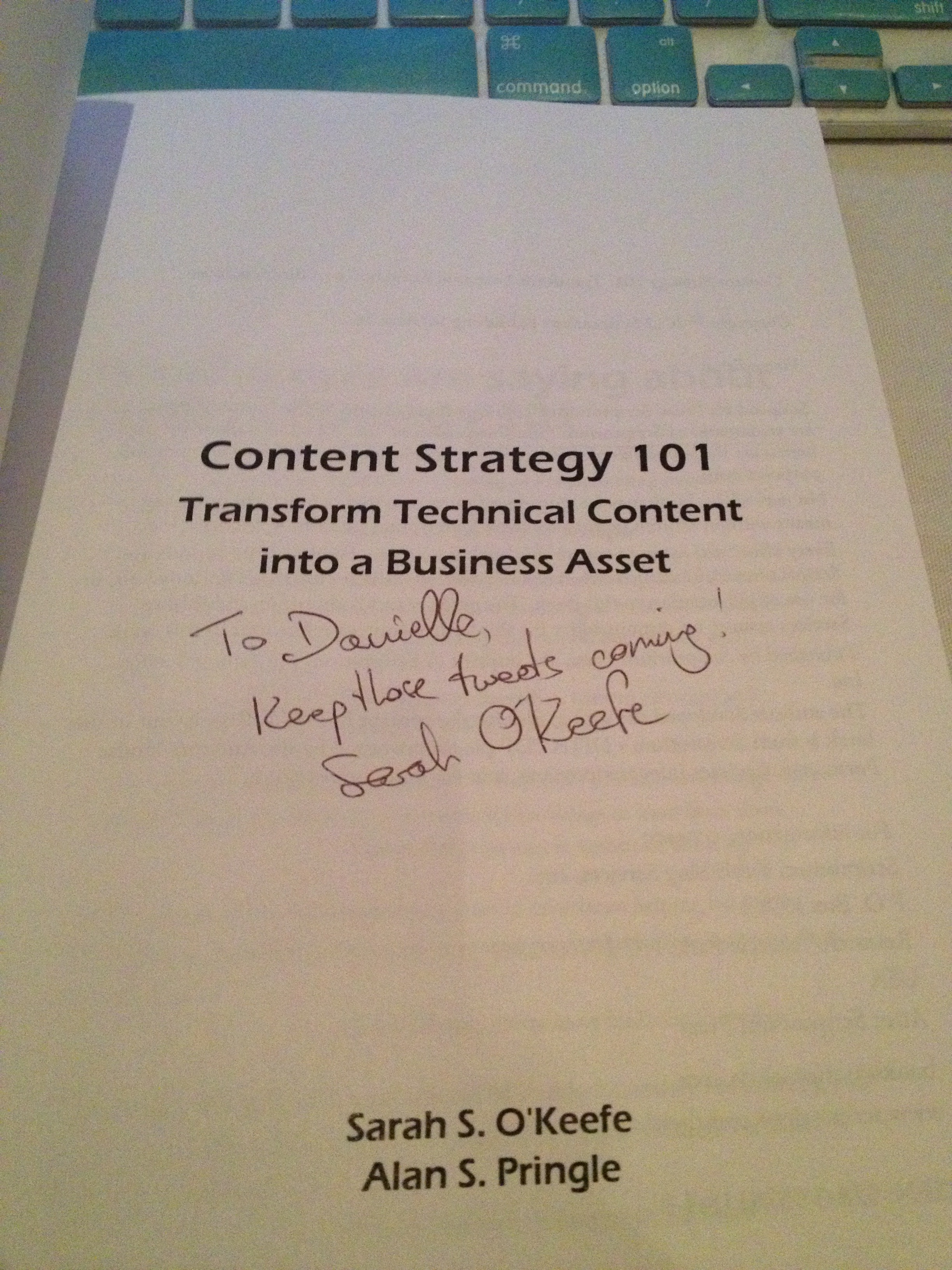
The autograph from my copy of
Sarah O’Keefe’s book,
Content Strategy 101.
Awesome!
Posted in Uncategorized

Adobe Day Presentations: Part II – Sarah O’Keefe and Content Strategy

Sarah O’Keefe
of Scriptorium Publishing

After an energetic first presentation by Scott Abel, second presenter Sarah O’Keefe, author of Content Strategy 101 and founder of Scriptorium Publishing, talked about “Developing a Technical Communication Content Strategy.”

Sarah started by telling us that many companies don’t understand the value of technical communication, so technical communicators need to justify their approach. When writing up business cases for these justifications, technical communicators need to include what the current situation is, recommendations to improve the situation, costs associated with those recommendations, as well as the benefits and risks of taking the actions recommended.  If there are regulatory and legal requirements, then there is the need to build a case for more efficient compliance in order to avoid legal complications.

Sarah expounded on how technical communication departments should talk to management about how technical communications can control costs. She explained that there is a myth that cheap documentation can be done. She busted that myth by explaining that cheap documentation is actually more expensive, as it can be limited in availability making it useless, it can be hard to understand and out of date, and it may not be translatable into other languages. The cost of bad content is high customer service volume,  lost sales, content duplication, huge global costs, and it can contradict marketing communications.

The solution, she said, is efficient development involving the reuse of content, using single sourcing and cross-departmental reuse of content, only tweaking text that is already available. She stressed that formatting and production are important! Using templates and various structures are helpful. She encouraged using tools for creating the needed output.  Sarah also said that localization is important as well, that translations are needed component of communication documentation. All these can help bring costs down significantly! Sarah gave an example of how a common obstacle to efficient customer service or tech phone support is often a monster-sized PDF that the support representatives need to read before providing service while on the phone! The process of having to read the long document while online with a customer is time consuming and not cost efficient.

Sarah encouraged technical communicators to work on collaborating and creating better working relationships with other business departments such as tech support, training and marketing with technical content, as this will help to support those departments with pertinent information as well as help them to streamline information. Technical communication can be used to support sales–read documentation before you buy! Technical communication content also can help to increase visibility by creating searchable, findable and discoverable documentation,  especially for Google or SEO purposes. Sarah recommended building user communities with technical communication documentation, and making sure that technical communications aligns with business needs.

Sarah has further information which goes into greater detail both in her book, and on the book’s website, which is found at: http://www.contentstrategy101.com .

Sarah’s presentation was really good, in my opinion, because coming from my own experiences, much of what she explained was true, and as she said, the biggest battle is making management understand the value of having solid content strategy. One of my biggest issues at my last consulting job was exactly the scenario that Sarah described; marketing was not taking proper advantage of the technical communication documentation available, nor was it sharing resources and creating reuseable content. As a result, in-house documentation was long and overly customized when much of the information was the same or very similar (needed few tweaks), and the sales advisors that needed the information rarely looked at it because it was too long. When I made the recommendations about reuse or editing from a technical communications standpoint, I was ignored. Of course, I was only a consultant, and I wasn’t privy to understanding the departmental costs, but it did not feel good to know that some of the issues could be fixed with the kind of collaboration that Sarah described. In this respect, I could associate with what she was saying.

An aside note is that Sarah is a self-confessed chocoholic, and a fun part of her presentation was that she incorporated chocolate production into her presentation. To verify her chocoholic status, I was out with Sarah after the event, and caught her in the act of buying more chocolate at one of Portland’s chocolate boutiques:

Sarah O’Keefe buying more chocolate for inspiration!

I do think Sarah’s message is very clear. Technical communications has a lot of value, especially with structured content and reusable content, and as technical communicators, we need to push that agenda to management so that we can provide a bigger service to our clients and companies that they currently realize.

(Sarah–feel free to correct any of my interpretations in the comments below!)

Next post: Adobe Day Presentations: Part III – Joe Welinske and Multi-screen Help Authoring

Posted in Uncategorized

Hard Work and Persistence (Who Says OCD Is a Bad Thing?) Pays Off! : How I won an iPad

As someone who participated in Adobe’s TechComm Conundrum contest on Facebook, I can confidently say that it was not for the faint of heart! It combined one of my favorite topics—technical communications—with the thrill a researcher gets when hunting for clues. Many of my favorite television shows and movies often combine finding historical facts and clues to find a treasure of some sort at the end, whether it be an “ah-hah!” piece of important information, or some physical prize at the end.  As it turns out for me, it was a matter of having both at the end of my journey!

The TechComm Conundrum, for those who did not participate, was a series of questions and clues to learn more about technical communication history, as well as Adobe’s role in technical communications, on the way to find Adobe’s missing employee, Tina.  Being that I was trained to do research while I was a graduate student at NJIT’s MSPTC program, I knew that sometimes answers would be very obvious, and sometimes I would have to read between the lines.

Like many who did participate, I hit some brick walls along the way.  Many of the answers were right in the Adobe Technical Communications Suite 4 videos, blog, and product page. Other answers required deeper searching, and using extensive Google searches, I found the information I needed. Some responses were more obvious than others, and I admit I learned a few new things about the technical communications field and its fantastic history. It made me proud to call myself a technical communicator, and reinforced the idea that I was glad to be a part of this field. It was fun.

For those who got that far but got stuck, like I did initially, the last question was the trickiest of all. Finding a connection between a photo of actors Annette Bening, Julianne Moore and Mark Ruffalo, the logo of FrameMaker, and a photo of produce at a market was daunting.  I found a connection between the actors, as they were all in the film titled, “The Kids Are Alright.”  But beyond that, I couldn’t figure out what that had to do with a photo of vegetables or FrameMaker.  I tried so many combinations of ideas to figure out the answer, and wasn’t getting very far. I wrote down all the answers on a sticky note by my computer, and for at least a good week, I would enter all the answers for the questions and get stumped at the last one.

Finally, I decided to look more carefully at FrameMaker’s history to see if that would yield any clues.  It was Wikipedia that finally yielded the clue I was seeking. In Wikipedia’s first line of the history of FrameMaker, it explains that FrameMaker’s original author, Charles “Nick” Corfield, designed FrameMaker to be a WYSIWYG document editor. Wait…WYSIWYG…that acronym stands for “What You See Is What You Get.” My mind started racing, as that’s an acronym I like to often use myself. Was it really that simple in the end? I was told later (after the contest) that Mark Ruffalo’s character in the movie owned a restaurant called “WYSIWYG”, although I didn’t know that since I hadn’t seen the movie. Nonetheless, I tried the acronym as my response, and gingerly hit the “Enter” button on my laptop to submit it.

EUREKA! That was it! The explorer finally had her “ah-hah” moment! There was true joy in deciphering something that was still stumping everyone else still playing. So, yesterday, when I found out that I had actually won one of the “grand prizes”—a new iPad—I was actually thrilled. I was informed that only two people—I was one of them—figured it out. The hard work to crack the code paid off!

Hopefully, Adobe will bring this contest back as a fun game, as I think the quiz is great for new technical communicators to learn about the rich history of the technical communications.  Talk about your active learning exercises through e-learning! (And I’ll bet it was created on Captivate, which is a featured product within Technical Communications Suite 4, too.)

Thanks, Adobe for such a fun ride—and the iPad!