Posted in Uncategorized

Maybe I’m Amazed I met this Tech Comm legend…

macca“Excuse me, Dr. Corfield, I’m tweeting this event for Adobe today. Would you happen to have a Twitter handle?”

With the apology that he hadn’t one, but that he did have a Facebook page, I had started a too-short yet lovely pre-event chat with Dr. Charles Corfield, the keynote speaker for the 2013 STC Summit’s Adobe Day. In my mind, being the inventor of Adobe Framemaker would easily qualify the tech comm pioneer for the Tech Comm Hall of Fame (if there was such a thing). For me, talking to Dr. Corfield was like talking to the Paul McCartney of tech comm (and that’s super high praise coming from a Macca fan like me!). Just as McCartney is unequivocally deemed as one of the early pioneers who revolutionized how we listen to rock music today, Corfield helped to revolutionize tech comm with his creation of Framemaker, and in the process, created what we know as a software standard for technical communication that still holds up today. I loved listening to Dr. Corfield’s soft-spoken, British accent as he chatted with me briefly about social media and about some of the things he was going to be talking about in his presentation. I was truly having a fangirl moment, and hopefully I kept my cool during the conversation. Awesome!
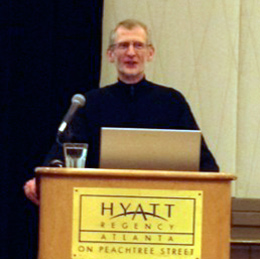
CharlesCorfield
Dr. Charles Corfield
The “Father” of Framemaker

Dr. Corfield started his talk by presenting us with a history of how Framemaker came about. He explained that before Framemaker, computing was still fairly archaic, but workstation computers were starting to become more powerful. As a graduate student at Columbia, he was looking to create software that could take things a step beyond word processing, namely make software that could also create unified pagination and page layouts. Framemaker allowed page layouts and paginatable text to work in a symmetrical flow. The software targeted long documents and other paper output done by humans.

Dr. Corfield pointed out that the first content management problems started to occur as a result, and those issues included the need for internal references, such as footnotes, indexes, cross references,  and markers. The power of Framemaker’s ability to create indices to update long documentation was–and still is–more powerful than Microsoft Word even today. He also added the ability to refer to external factors like external references and hypertext.

Framemaker created the ability to manage variants of a single document, leading to what we now think of as single source publishing. Variants would be such objects as variables, conditional text, frozen pagination and change-pages. This yielded a new dilemma. As Corfield posed it, do you send out fully changed documentation or only the pages that were changed, especially with super large documents? The problem would be that with big documents, people would say, “Well, what changed?” Corfield pointed out the Boeing 777 project in 1990s needed IMMENSE documentation, so they needed to use retrievable databases. The Boeing 777 project solution was to use SGML (the predecessor of HTML and XML). This project made it the first “web” delivery of documentation. The Boeing 777 project used Framemaker with SGML, using HTML, XML, DITA as well as “structure.” Framemaker provided a server-based generation of documentation.

Shifting his talk a bit, Dr. Corfield started to talk about Framemaker’s impact today.  He pointed out that the original retina display was actually paper! Sophisticated layouts had to be used to maximize the user-experience. The computer came along later to expand on that concept. Displays started out with 72 dpi (dots per inch) displays, which led to crude layouts. Now, retina display is available at 300 dpi, but we need to re-learn what we did on paper yet also include dynamic content from high resolution video and images.  Corfield pointed out that there has been a proliferation of platforms. We have desktop, laptops, smartphones, and tablets that use different platforms such as Unix, DOS, and MacOS (for PC and Mac products respectively) that need different outputs. Technical writing, therefore, is directly impacted by all the different displays and platforms in relation to  document authoring. It is a requirement to produce structure and rich layouts for the output. Documentation needs to be able to support dynamic content (video, animation, etc.) and it needs to manage content for consumption on multiple platforms. The good news is that Framemaker can do all that! While there are other tools out there that can also deliver different kinds of output, many still struggle to manage and deliver to these needs the same way that Framemaker can now. Dr. Corfield is not part of Adobe anymore, nor is he part of today’s Framemaker product, but he seems happy with where the product has gone since he left it in Adobe’s hands.

(I should note, that while this was a talk sponsored by Adobe, this really wasn’t intended to be a big info-mercial for Framemaker, but rather something that puts the concept of tech comm software into perspective, and it happens to be the product of the sponsor.)

So, where does this tech comm legend think technology is going next? Corfield thinks that going forward, voice is going to have the biggest impact. He felt that screen real estate is full, and that much of the visual is about adding a new widget, then removing a widget. Voice, he continued, eliminates how keyboard shortcuts are remembered. How many keyboard shortcuts does the average user know? Touch screens are a slow way to perform data entry. The impact of voice will be the ability to use visual tips, and have voice act as a virtual keyboard. Voice will be impacting product documentation, allowing it to understand how existing workflows can be modified. Corfield’s prediction is that Framemaker, along with other software out on the market, will “assimilate” voice, just like everything else.

Since leaving Framemaker, Corfield has been working with a product called SayIt, using voice as part of workflow optimization, and emphasized that voice truly is the next big thing (you heard it here, folks!). When asked about the use of voice technology in practical office use, Corfield responded that push-to-talk technology helps prevent cross-talk in an office environment. He also pointed out that with voice, there are no ergonomic issues as there are with carpel tunnel syndrome using a mouse and keyboard. If anything, voice will be more helpful!

On that note, the presentation was over. The long and winding road had ended, but has lead to new doors to be opened. 😉

I really enjoyed listening to the history and the thought process behind Framemaker that Dr. Corfield presented. Everything he mentioned made total sense, and it’s to his credit that he had the foresight to think about the next steps in word processing to create a useful tool like Framemaker to help technical writers meet the needs of documentation in the digital age.

There is a certain aura around creative, imaginative and smart people who make huge differences in our lives, whether it’s in music like McCartney, or tech comm software like Corfield. You can’t help but be awed in their presence, and yet understand that they are generally humble people.  When you have a chance to meet an individual like that, you want the opportunity to capture the moment–like have a picture of yourself and that person to prove that it happened. I was much too shy to ask Dr. Corfield for a photo with me to be honest. I felt awkward asking, so I didn’t. Heck, I felt awkward asking about his potential Twitter name! Even so, I’m glad I had the opportunity to meet him and hear him speak.  He’s got my vote as a candidate for the Tech Comm Hall of Fame someday.

(And, Dr. Corfield, if you do ever read this, please feel free to correct anything written here or add any clarification or other commentary below!)

Posted in Uncategorized

Follow-up: Where have all the adverbs gone? And how did they go?

mouthThis came to me by way of the Chicago Manual of Style Facebook feed. I’m not going insane–adverbs are declining, enough so that there’s a whole article in The Guardian from last fall!

Read the article here:

Where have all the adverbs gone? And how did they go?

I’m glad to have found an ally with the writer of the article, Maddie York!

To read my original article addressing this phenomenon, read here.

What do you think? Are adverbs overrated, or ignored?

Posted in Uncategorized

How does that jagged little pill of content strategy go down?

Jagged+Little+PillTo continue with the tech comm rock star theme set forth by Adobe for Adobe Day, I thought carefully about who might represent Rahel Anne Bailie, whose talk was titled, “Content Strategy in a Content Economy– Is Your Content Prepared?”  It took me a little while, but it finally came to me. Rahel is the Alanis Morrisette of tech comm.  Both ladies are Canadian, and they both have a no-nonsense approach to their craft. Alanis Morrisette became famous with her breakout album, “Jagged Little Pill” not only because the music was good, but she broke her ideas down simply and didn’t mince words. Morrisette looked at the good, the bad, and the ugly, and worked on making sense of what was going on around her.

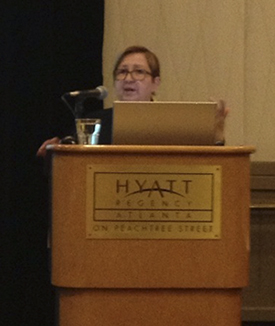
RahelBailie
Rahel Anne Bailie
The Alanis Morrisette of Tech Comm

Rahel does the same thing for content strategy. She breaks it down to a level to ensure that anyone who even begins to think about content understands what content is, and how it should be utilized at the most basic level. She tells it like it is, and why we need to employ it.

Rahel began her Adobe Day talk by talking about economic evolution. She started by pointing out that our economies have progressed from an agricultural economy, to an industrial economy, which in turn progressed to a service economy, then evolved to a knowledge-based economy, to an information economy, then to an attention economy, which has resulted in what we have today–a content economy.

Content includes the sub-sets of content that are location-based content and verified content. Location-based content includes geo-locational and geo-fenced information like Yelp, or information that is blocked from outside countries. Verified content deals with endorsed and social relevance; it has the user questioning, “How do I know that the content is true?” Facebook or TripAdvisor “likes” are an example of this. Cultural relevance applies to this as well. Topics such as Canadian versus American, demographics, and interests act as  filters.

Rahel stressed that content has value! It’s recognized as a business asset and it deserves to be managed with as much care as other assets. The problem is that we don’t inventory content in most cases–it’s not like managing our finances or physical inventory at a plant. This means that this is a big necessity! In order for this to happen, content has to work well. Like design, it’s only noticed when there’s a problem with it.

Rahel shifted the conversation to explaining how sub-sets relate to content. She explained that new user experiences these days include smaller screens as the first entry point to content, such as m-commerce and m-banking. Tablets are also being used as entertainment devices. We also have to content with multi-screen and multi-dimensional content, which are viewed as

  • ancillary, such as television plus social media,
  • sequential, where users use a desktop and mobile device interchangeably, or
  • simultaneous, in which there is a collaboration requiring instant synchronization between devices.

One also has to think about market maturity, and must look at market differences, social network penetration, the mobile market and growth opportunities. Cross market content involves a single language for many markets. By offering native languages in other markets, cross-border commerce incurs content needs as well.

Using language to meet adaptive needs makes a difference! How do we meet this head-on? Rahel suggests a repeatable system that governs the management of content throughout the entire life cycle creates content strategy. The life cycle consists of continually analyzing content, collecting content, publishing content, and managing content. Rahel reminded us that a tactic is not a strategy, but rather a strategy is the analysis and the prescription. Content touch points occur throughout a customer’s journey, and can include multiple variables and outputs, but also need to include localization.

In a content economy, we need ALL the right factors at the right time using right media. We need to work towards an integrated content strategy.

As this is a topic that can go even deeper, Rahel recommended her book, http://TheContentStrategyBook.com , which talks more at length about content strategy.

As most of my own current work revolves around content strategy these days, I was really happy to listen to Rahel talk about the benefits and necessity of content strategy. It’s something that I try to explain and promote at my own job, because so much of it really involves analyzing and pre-planning the usefulness and necessity of content. Rahel’s talk brought that concept home to me even more, and helped me validate what I’ve been telling others. She reminded me that it doesn’t matter what the medium is–print, web, or some other digital means–but content needs to be clear, concise, and cogent, as my favorite professor used to tell me (who was also, coincidentally, Canadian).  Rahel’s talk definitely set a positive tone on content strategy and its place in technical communications. I was glad that Adobe made sure to include her in Adobe Day, because content strategy isn’t going anywhere right now–it’s more important than ever! 

Rahel, if I’ve misquoted you, or something that I wrote needs further clarification, or if you’d like to add anything to these notes, please feel free to let me (and the readers) know in the comments below!

Posted in Uncategorized

TechCommGeekMom’s Guide on How to Write a Blog Post

MP910216414One of my former professors recently asked me for a small favor. Her first-year students are writing up blog posts after attending a plain language presentation, and she asked if I could provide some tips for how to write a great blog post, in light of the work I’ve done with this blog. Of course, I said I’d be happy to oblige.

Of course, that meant I actually had to come up with some actual tips! After some careful consideration, I think there are a few key elements I’ve found that make a blog posting successful.

First, it’s all about the mind set. I don’t think many people necessarily know what they want to say, or think of themselves as “bloggers.” So, the primary step is to have the right attitude. My blog post titled, “I’m not a writer. Wait…you say…I AM?” outlines this concept. As I said in that post, I never thought of myself as a writer until very recently, and in some instances, I still don’t. It’s all about the attitude and the right mind-set of having to write.

Second, I would simply say to write from the heart, and don’t be afraid to speak your mind. Use the blog post as if it’s a one-sided conversation with someone else out there on the Internet. You might not know who your audience is, but that audience is out there! I would know–this blog just passed the 9100 all-time hits mark at this writing, and it’s still counting towards that 10,000 hits mark! (Remember, this blog started out as a combination of a grad school project and a whim a year ago. I never expected anyone to read it at all!) It’s important to have an opinion when writing these posts. If you thought that the presentation was boring, you should say so, and say why. If you liked it, then say so, and why. People are attracted to blogs because of the opinions of the writer. It applies in social media too, if you think about it. Why do we follow certain people on Twitter, Facebook or Google+? Because there is something about the point of view of a particular person or group that you find interesting, entertaining, or informative. The same thing applies to blogs, which is really a long-form extension of Tweeting, if you ask me. 😉

Third, make sure that if you don’t have all the facts, admit to not having all the facts. It’s okay if you aren’t the world’s foremost authority on a topic, but supply support or backup for what you do know when you can. For example, if there’s a link to a recording of the presentation you saw,  include it in the blog post, so other people can listen, then read your interpretation. If possible, include a small image (like the one I have above) that helps to visually set the tone as well. I rarely leave out an image, and if I do, it’s because it’s related to curated content that doesn’t have an appropriate image to post.

Fourth, even though you have an opinion and you’ve presented your facts, don’t write unprofessionally. What I mean by that is don’t use profanity or be offensive, and make sure your grammar and formatting is as correct as you can make it. Your blog is just like a portfolio or the clothes you wear. It is a reflection of you, and you want to present yourself in the best light possible, even if you are speaking about something controversial. I know I’ve written about controversial topics in the past, but I would try to provide my point of view as clearly as possible, with as much supporting evidence as I could provide. You don’t need to be über formal, but you have to respect your reader’s intelligence. If you do this,  he or she will respect you in return, even if the reader has an opposing point of view, and will continue to visit your blog.

Lastly, edit, edit, edit!  Even as I’ve written this post, I’ve reviewed it, and proofread, and re-written several sections multiple times. It’s like any other writing process. Nobody nails the perfect post on the first try. There have even been times where I’ve written the post, saved the draft, and walked away for a while to come back with new insight or a fresh eye to tweak it some more.

I think this covers the basics of how to write a great blog post. Be yourself, present yourself in the best light as you write your words, and have fun with it! This is what has worked for me, and hopefully it can work for you, too. You might be surprised by the response you get as a result.

(Good luck, PTC 601 students!)

Posted in Uncategorized

STC-PMC Presentation of “How Did You Get That Tech Comm Job?”

Last week, I had the privilege of doing my first professional presentation as a fully-fledged technical communicator. The STC-Philly Metro Chapter (STC-PMC) had its annual STC Mid-Atlantic Technical Conference, and the theme this year was, “Sharpening Your Personal Brand.” Let’s face it–if anyone has figured that out over the past year, that’s been me! The STC-PMC was gracious enough to accept my proposal for this conference, and I truly appreciated the opportunity.

The presentation I made was based on my blog post, “What Did You Do To Get That Tech Comm Job?” that I posted here a few months ago, after I accepted my current position. I added some additional information that I hope will be helpful in this SlideShare presentation. Of course, you miss out on the anecdotal information in the process, but you get the main idea here. When you get to the slide that says, “Mobile Learning Revolution”, go to this page instead. I put the Prezi presentation without the voiceover into these slides, which was based on a social media project I did last year, but this link provides the basic voiceover that I did for that section. The idea was that this is a template for how to become immersed in a particular culture in order to get involved via social media. For me, it was m-learning that I pursued, but my rules apply to any topic. This is just an example.

I was really proud of myself in this respect as well–I presented my entire presentation from my iPad. While other presenters had their laptop computers out, I just connected my iPad to the A/V system in the presentation room using my A/V cable adapter for my iPad, and away I went! It did make it a lot smoother than using my laptop, and definitely lighter! I brought my big 17″ laptop with me, just in case my iPad didn’t work, but I now know I didn’t need it. Hooray! Another victory for mobile! 🙂  Maybe next time, I’ll see if I can present from my iPhone! 😛 I can confidently say that I practice what I preach about using mobile now.

All in all, it was a great experience, and I’d be glad to give the presentation again if someone asked. I met a lot of great people, including many who were Twitter, LinkedIn, or Facebook names and faces before the conference, as well as people who I hadn’t connected to before.   One thing that helped ease my anxiety in giving my presentation was that the keynote speakers actually touched upon some of the same things as I did–and they’ve been doing this a lot longer than I have! I had to learn things the hard way (on my own). That helped me realize that I’m on the right track, and I’m always happy to share that information with other people.

So, without further ado, please enjoy my slideshow of my presentation below from last week!