Posted in Uncategorized

Trust your Instincts!

Mind_Blown_AwayIt’s amazing the kind of revelations you can have in the slight delirium of being sick.

At this writing, I’m suffering from a bad cold. I’ve had worse, but this one has still knocked me down enough that I’m not getting much sleep at night, so I’m definitely feeling “out of it”.  Yesterday, after I had finished working for the day, I tried to take a nap to help. Instead, I couldn’t sleep not only because I was coughing, but I had a hundred thoughts running through my head. For some odd reason, I started thinking about a job that I had years ago. In the many years I’ve worked, it was the only job in which I was outright dismissed. I don’t mean laid off or my contract ended. I was sacked. That was about fourteen years ago. Now, granted, I was miserable in that job, and cried every day. I was trying to figure a way out of the job, but they let me go instead. I didn’t like that, because I wanted to go out on my terms, not theirs, and they were really rude when letting me go.

I was a project manager for a global news agency, working on a business project that they had. I was still very green as a project manager, and I know I was their second choice when hiring. I had the option to take another job for an e-learning firm, which in retrospect I probably should’ve taken, but hindsight is 20/20.  It was an industry I was unfamiliar with, and my manager was not exactly very good at explaining to me what he wanted me to do with the project. I was rather intimidated by him, so even if I asked questions, I got unclear answers, and I got the impression he didn’t like to be bothered.

But as I was thinking about this situation yesterday and how rotten I felt at that job, I remembered an initiative that I tried that my manager thought was a waste of time, but in retrospect I know was actually on the cutting edge.  Since the job I had before this particular job was as a content project manager creating web courses for one of the first e-learning dot-coms out there, I put my knowledge to use.  The news agency was sending me and others out to various clients and newspapers to personally train others on how to use our specialized CMS product used to place advertising information. I got the notion that we could save some money and time out of the office if we created a basic online tutorial that anyone could access. Pretty good thinking, right? I created the course, and presented it to my boss. He had some others review it with him, and they ripped it to shreds. No, it wasn’t perfect, but heck, it was on the right track, but they weren’t going to admit that. Without any guidance or constructive feedback about my own project or any others I was working on, I was eventually let go. The job has haunted me for years. It’s taken me almost a decade and a half to regain some of the confidence I had back then when I first started that job.

As I laid in bed yesterday trying to nap, I realized that in the long run, I had done something right. The news agency was not smart enough to see the benefits. I knew e-learning was the way to go, and the simple tutorial I created would have saved thousands of dollars in travel costs for the company. It was forward thinking for 14 years ago.  Many companies today are still getting on board with online training, yet here I was trying to bring this global news agency into the 21st century ahead of the rest. They missed out.

The point of this story is this: don’t be afraid to be forward thinking when it comes to tech comm. I try to stay on top of the latest trends and thoughts about different tech comm and e-learning topics because I know that this brings value to a company. Whether it’s adopting DITA practices in content strategy, or employing m-learning, forward thinking is what is going to eventually separate the innovation of one company from another.  Granted, not all higher-ups are going to always listen to your forward thinking, but it takes only one time for someone to hear you and help move things forward in a positive direction.  Hanging back in the past and taking the attitude of “This is the way we’ve always done it” isn’t going to work anymore. Technology is moving too fast to keep that attitude. Yes, there’s some risk involved, since no one knows what’s going to work best and be adopted as a standard in the future.  Unless you take that first step, you are never going to find out.

Being a technical communicator these days means being on the cutting edge, and finding new ways to disseminate content, whether it be print or digital. Your customers are keeping up with new technologies and methodologies, so you should too.

I can look back now at that news agency job and realize that while I might have failed at that job, I did some things right. I look back at other jobs as well where I made forward-thinking suggestions that weren’t taken while I was there. I would often find out after I left that I was on the right track, and their inability to act would catch them off-guard later.  Be the one to speak up.

One reason I like the job I have now is that I can speak up and put ideas forward. Some are accepted, and some aren’t, but at least they are considered. In some instances, a company knows they have to move forward, but they don’t have the resources or support, but they continue to push the initiative. I feel better knowing that I’m taking pro-active steps to move in new directions, which benefit both me and my company in the long run.

Have you had any realizations that you were ahead of the curve after the fact? Share your insights in the comments.


Posted in Uncategorized

Maybe I’m Amazed I met this Tech Comm legend…

macca“Excuse me, Dr. Corfield, I’m tweeting this event for Adobe today. Would you happen to have a Twitter handle?”

With the apology that he hadn’t one, but that he did have a Facebook page, I had started a too-short yet lovely pre-event chat with Dr. Charles Corfield, the keynote speaker for the 2013 STC Summit’s Adobe Day. In my mind, being the inventor of Adobe Framemaker would easily qualify the tech comm pioneer for the Tech Comm Hall of Fame (if there was such a thing). For me, talking to Dr. Corfield was like talking to the Paul McCartney of tech comm (and that’s super high praise coming from a Macca fan like me!). Just as McCartney is unequivocally deemed as one of the early pioneers who revolutionized how we listen to rock music today, Corfield helped to revolutionize tech comm with his creation of Framemaker, and in the process, created what we know as a software standard for technical communication that still holds up today. I loved listening to Dr. Corfield’s soft-spoken, British accent as he chatted with me briefly about social media and about some of the things he was going to be talking about in his presentation. I was truly having a fangirl moment, and hopefully I kept my cool during the conversation. Awesome!

CharlesCorfield
Dr. Charles Corfield
The “Father” of Framemaker

Dr. Corfield started his talk by presenting us with a history of how Framemaker came about. He explained that before Framemaker, computing was still fairly archaic, but workstation computers were starting to become more powerful. As a graduate student at Columbia, he was looking to create software that could take things a step beyond word processing, namely make software that could also create unified pagination and page layouts. Framemaker allowed page layouts and paginatable text to work in a symmetrical flow. The software targeted long documents and other paper output done by humans.

Dr. Corfield pointed out that the first content management problems started to occur as a result, and those issues included the need for internal references, such as footnotes, indexes, cross references,  and markers. The power of Framemaker’s ability to create indices to update long documentation was–and still is–more powerful than Microsoft Word even today. He also added the ability to refer to external factors like external references and hypertext.

Framemaker created the ability to manage variants of a single document, leading to what we now think of as single source publishing. Variants would be such objects as variables, conditional text, frozen pagination and change-pages. This yielded a new dilemma. As Corfield posed it, do you send out fully changed documentation or only the pages that were changed, especially with super large documents? The problem would be that with big documents, people would say, “Well, what changed?” Corfield pointed out the Boeing 777 project in 1990s needed IMMENSE documentation, so they needed to use retrievable databases. The Boeing 777 project solution was to use SGML (the predecessor of HTML and XML). This project made it the first “web” delivery of documentation. The Boeing 777 project used Framemaker with SGML, using HTML, XML, DITA as well as “structure.” Framemaker provided a server-based generation of documentation.

Shifting his talk a bit, Dr. Corfield started to talk about Framemaker’s impact today.  He pointed out that the original retina display was actually paper! Sophisticated layouts had to be used to maximize the user-experience. The computer came along later to expand on that concept. Displays started out with 72 dpi (dots per inch) displays, which led to crude layouts. Now, retina display is available at 300 dpi, but we need to re-learn what we did on paper yet also include dynamic content from high resolution video and images.  Corfield pointed out that there has been a proliferation of platforms. We have desktop, laptops, smartphones, and tablets that use different platforms such as Unix, DOS, and MacOS (for PC and Mac products respectively) that need different outputs. Technical writing, therefore, is directly impacted by all the different displays and platforms in relation to  document authoring. It is a requirement to produce structure and rich layouts for the output. Documentation needs to be able to support dynamic content (video, animation, etc.) and it needs to manage content for consumption on multiple platforms. The good news is that Framemaker can do all that! While there are other tools out there that can also deliver different kinds of output, many still struggle to manage and deliver to these needs the same way that Framemaker can now. Dr. Corfield is not part of Adobe anymore, nor is he part of today’s Framemaker product, but he seems happy with where the product has gone since he left it in Adobe’s hands.

(I should note, that while this was a talk sponsored by Adobe, this really wasn’t intended to be a big info-mercial for Framemaker, but rather something that puts the concept of tech comm software into perspective, and it happens to be the product of the sponsor.)

So, where does this tech comm legend think technology is going next? Corfield thinks that going forward, voice is going to have the biggest impact. He felt that screen real estate is full, and that much of the visual is about adding a new widget, then removing a widget. Voice, he continued, eliminates how keyboard shortcuts are remembered. How many keyboard shortcuts does the average user know? Touch screens are a slow way to perform data entry. The impact of voice will be the ability to use visual tips, and have voice act as a virtual keyboard. Voice will be impacting product documentation, allowing it to understand how existing workflows can be modified. Corfield’s prediction is that Framemaker, along with other software out on the market, will “assimilate” voice, just like everything else.

Since leaving Framemaker, Corfield has been working with a product called SayIt, using voice as part of workflow optimization, and emphasized that voice truly is the next big thing (you heard it here, folks!). When asked about the use of voice technology in practical office use, Corfield responded that push-to-talk technology helps prevent cross-talk in an office environment. He also pointed out that with voice, there are no ergonomic issues as there are with carpel tunnel syndrome using a mouse and keyboard. If anything, voice will be more helpful!

On that note, the presentation was over. The long and winding road had ended, but has lead to new doors to be opened. 😉

I really enjoyed listening to the history and the thought process behind Framemaker that Dr. Corfield presented. Everything he mentioned made total sense, and it’s to his credit that he had the foresight to think about the next steps in word processing to create a useful tool like Framemaker to help technical writers meet the needs of documentation in the digital age.

There is a certain aura around creative, imaginative and smart people who make huge differences in our lives, whether it’s in music like McCartney, or tech comm software like Corfield. You can’t help but be awed in their presence, and yet understand that they are generally humble people.  When you have a chance to meet an individual like that, you want the opportunity to capture the moment–like have a picture of yourself and that person to prove that it happened. I was much too shy to ask Dr. Corfield for a photo with me to be honest. I felt awkward asking, so I didn’t. Heck, I felt awkward asking about his potential Twitter name! Even so, I’m glad I had the opportunity to meet him and hear him speak.  He’s got my vote as a candidate for the Tech Comm Hall of Fame someday.

(And, Dr. Corfield, if you do ever read this, please feel free to correct anything written here or add any clarification or other commentary below!)

Posted in Uncategorized

What Does Knitting Have To Do With TechComm and m-Learning?

I’m so glad that this is now my 200th post on this blog! TechCommGeekMom has come a long way since it started out as a class project in grad school, now hasn’t it? For this particular post, I’d like to share my thoughts on something that I’ve been thinking about for the past two weeks or so.  It reveals one of my hobbies to you, but hopefully you’ll like the analogy.

As you’ve seen in the subject line of this post, I’m going to be talking about knitting and how it relates to tech comm and m-learning. Now, I know what you are going to say. Knitting is for grandmothers who make ugly stuff for everyone, and you are obligated to wear it when she comes over and visits. You couldn’t be wrong. Knitting has had a huge upsurge in the last ten or so years, and more and more people are adopting it as a hobby. It goes back to the 9-11 attacks, when people were trying to get back to a sense of security and home. I think with economic times, it’s also a relatively easy and inexpensive hobby to have (unless you are a true diehard like some of us).

Knitters these days make more than clothing items, accessories and toys, but it’s become an artform unto itself. (Ever hear of yarn bombing?)  I can’t remember when I started knitting exactly…but I’m guessing it was around 2004 or 2005. I know I was knitting in 2006 when I went to California for a convention for the now defunct Body Shop At Home businesses, and met Anita Roddick, as there’s photographic evidence of knitting in my hands during the event. In any case, it gave me a chance to learn something new that spoke a whole other language of its own, had a different vocabulary, and I got to work with all sorts of colors and textures in the process. For someone with sensory integration issues, it’s a great outlet for sight and touch. Even the rhythm of knitting up something has a calming effect, and following patterns forces my brain to focus.

So what does all this have to do with tech comm and m-learning? Well, as I thought about it,  there’s definitely an analogy that could be made about the benefits of knitting and how they lend themselves to these topics.  All this first came to me after I had spent the day at Adobe Day, and later took a small soujourn into the city of Portland with four fabulous technical communicators who also happen to be knitters. They had invited me to go on a yarn crawl with them (similar to a pub crawl, but in search of high quality yarn instead of libations), and I readily accepted. We only made it to one store, but we had a great time checking out all the high-end yarns and knitting notions available.

Pardon us drooling over the yarn!
Five technical communicators who
are also knitters! We know!
At KnitPurl, Portland, OR, during LavaCon
L to R: Sharon Burton, me, Sarah O’Keefe,
Marcia R. Johnston, and Val Swisher

As I reflected on Adobe Day, one of the big themes of the morning was the idea of using structured content. Without structured content, all of one’s content could fall apart and lose strength. An architecture needs to be created to make it work. Well, knitting is like that. If one doesn’t follow a pattern, and just knits in a freestyle, haphazard manner, instead of a nice jumper/sweater, one could end up with a garment with no neck hole and three sleeves. Without the structure of a pattern, and even reusing good content (or stitches, or groupings of stitches describing appropriate methods for structure), the whole thing falls apart. The beauty, too, of reusable content in content management, just as in a knitting pattern, content that is produced well, is solid, and the reader can understand clearly and concisely will produce good results, and can be recombined effectively in different instances without losing its meaning.  Take a look at a sweater or knit scarf you might have. You’ll find that each stitch makes sense, even when you look at different pattern of how the cuffs and collar differ from the sleeves and the body. But it all fits together.  In my mind, this is how reusable content can be used.  Very tight, well written content can be reused in different combinations without losing its context and form if done correctly.

The other way I thought of the analogy of knitting again had to do with how one learns how to knit, and how it relates to m-learning. Knitting fair-isle sweaters, Aran sweaters or lace shawls doesn’t come on the first day of learning how to knit. Heck, I’m even still learning how to do all these techniques! It comes with learning a foundation–namely the knit stitch and the purl stitch–and building upon that foundation. Any piece of knitting you see is all a matter of thousands of knit and purl combinations to make the item. But first, one has to master the simple knit and purl stitches by learning how to understand how to gauge the tension between the needles, the yarn and your fingers. Once that is mastered, then learning how to read the “codes” or the knitting language of K2, P2, S1 (that’s knit two, purl two, slip one), for example, then the real fun begins. Knitters have to pay attention to details in the directions, because knitting can be a long task. Except for tiny baby sweaters or sweaters for dolls or stuffed animals, I don’t know any sweater that could be hand knit in a single day, even if it was done from the time the knitter woke up until the time the knitter went to bed. It just couldn’t happen, even for a fairly experienced knitter.  So, each part of the knitted pattern must be learned or read in chunks so the knitter can understand where he or she left off.  Talk to me about lace patterns especially, and it’ll make more sense. But each technique takes time to master, and most knitters learn these techniques a little bit at a time. Whether a knitter is self-taught or taught in a conventional learning environment, nobody learns all there is to know about the most advanced knitting techniques on the first day. Just getting knitting and purling down takes a while. It’s an arduous task to learn to knit and knit well, and to be patient enough to see a pattern all the way through.

Just like in m-learning, things need to be learned in small chunks for comprehension. Information has to be short and to the point so that the reader, just like the knitting pattern reader, can take that information, mentally digest it, and then work out how to use the information. There is definitely trial and error in both m-learning and knitting; if one doesn’t succeed, then it’s possible to go back and try to re-learn the information and correct it, and in doing so, retains the information better.

Now, if one happens to be BOTH a technical communicator AND a knitter, then these are easy concepts. Reusing content, breaking down information into smaller portions for better learning retention, structuring the content appropriately and consistency comes both with our words and our stitches.

A variety of tools can be used in either case to create the content. For technical communicators, it’s the use of different software tools that help us achieve our goal. For knitters, different sized needles, different kinds of yarns and other tools can be used in the process. Is there only one way of doing things? Of course not. Is there any single tool that will do the job? Generally, no. This is the beauty of both technical communication and knitting. In the end, the most important tool is the mind, because without the individual mind, creativity and intellect cannot be expressed. When all of these tools and factors work together, it is possible to create a fantastic piece of work. When this combination of factors aren’t followed, it can look pretty disastrous.

So, next time you see someone with a pair of knitting needles in their hands, look carefully at the workflow that person is following. You might learn something from it.

Posted in Uncategorized

Adobe Day at LavaCon 2012 Roundup!

This post is just a quick summary of the Adobe Day at LavaCon 2012 series from this past week. As you see, there was so much information that it took six posts to try to summarize the event!

Being in Portland, Oregon was great. It was my first trip there, and being a native Easterner, my thoughts pushed me to that pioneer spirit of moving westward in this country. Once there, I saw a hip, young, modern city, continuing to look towards the future.  The information I gathered at Adobe Day was general information that was endorsement-free, and practical information that I can use going forward as a technical communicator, and that by sharing it, I hope that others in the field will equally take on that pioneering spirit to advance what technical communications is all about, and bring the field to the next level.

To roundup the series, please go to these posts to get the full story of this great event. I hope to go to more events like this in the future!

As I said, I really enjoyed the event, and learned so much, and enjoyed not only listening to all the speakers, but also enjoyed so many people who are renowned enthusiasts and specialists in the technical communications field and talking “shop”. I rarely get to do that at home (although it does help to have an e-learning developer in the house who understands me), so this was a chance for me to learn from those who have been doing this for a while and not only have seen the changes, but are part of the movement to make changes going forward.

I hope you’ve enjoyed this series of blog posts. I still have many more to come–at least one more that is inspired by my trip out to Portland, and I look forward to bringing more curated content and commentary to you!

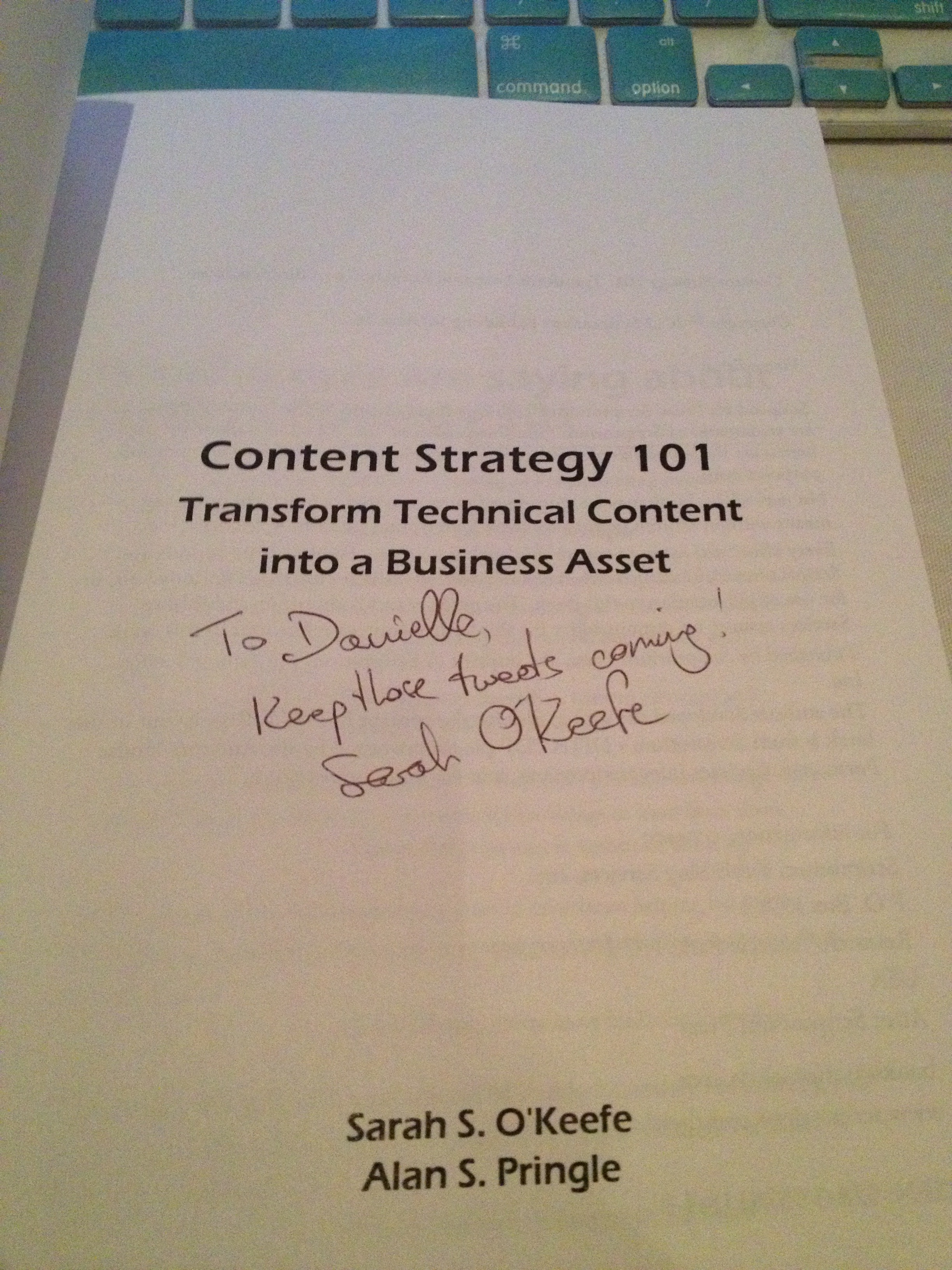
The autograph from my copy of
Sarah O’Keefe’s book,
Content Strategy 101.
Awesome!