Posted in Uncategorized

Flame Wars need not apply.

I had planned for this post to be something a little more lighthearted, but my plan was changed when I received my first insulting comment on this blog. It came in, and made accusations that proved that the person hadn’t read the blog post carefully, and additionally made insult of my relationship with Adobe. I was shaken up by this comment, because it was meant to be insulting, and in no way was the criticism constructive in any way. I was taken aback by it, and when I told my husband about it, he replied, “This is ‘typical’ internet behavior these days… don’t take it personally.” I knew he was right, and but still…it truly bothers me. It certainly doesn’t seem like professional behavior.

I choose my words carefully on this blog. Every entry is not written off the cuff, and I take a lot of time to write and edit each post. I do my best to be as diplomatic as possible when writing, even if I have a very strong opinion about something. I do my best not to insult anyone or anything. I try to dish constructive criticism when I feel it’s necessary. My intentions are to put forward my own thoughts as a new technical communicator who is trying to make her way into the field, and share ideas that I find interesting or educational. If I curate something from the web from my ScoopIt account, it’s because I found something worthy of sharing with my TechCommGeekMom audience.

This blog started out as a class project in graduate school, and it has taken off to have a life of its own. I don’t claim to be an expert. I don’t claim to be highly experienced. I don’t claim that I am familiar with everything that is related to tech comm. I try to be humble with what I do or don’t know. Yes, I have some knowledge and experience, but if you want to read commentary from someone more experienced who is an “expert” in the field, please, be my guest. You can go elsewhere.

I do write a lot about Adobe on my blog, and I feel that I need to clarify that, because if this one individual is questioning it, perhaps others are as well. My current relationship with Adobe was something that happened to me by surprise. I have always been a fan of Adobe products, even before this association happened. I’ve been using Adobe products for the last 15 or so years. I wrote a case study in grad school supporting Adobe’s business practices with Flash a year ago–well before I ever started this blog. So, when Adobe contacted me several months ago, it was a total shock. It was really out of nowhere for me. All I did was promote my blog and a post on my blog that called out Adobe and its competitors for making it a little difficult for students to get their hands on tech comm software. I never expected anyone to respond. If the MadCap Software, the makers of Flare, had responded the way that Adobe had, I’m sure I would be a Flare advocate right now. Same with the makers of Lectora and Articulate. I’m new, and when I wrote that fateful post, I just knew that these software packages have the same main function, and that I needed to learn this kind of software to get a job. Plain and simple.

Out of the many companies that I named in that blog post, Adobe was the only one that actually responded. As I said, I didn’t expect ANYONE to respond– it was just a fairly well articulated rant, if I do say so myself. Evidently, someone at Adobe thought so too, and wanted to help. Since I already liked their products, how could I not respond favorably to them? When offered the chance to do a webinar for their Thought Leadership series, that shocked me as well. What the heck did I have to offer or to say? I’ve been told that because I’m new to the TC world, it was because I had a fresh perspective of the field, and it was great to get a new opinion in the mix. From there, Adobe has provided me with opportunities such as sitting in on a conference call previewing products, attending a pre-conference event hosted by them at a major tech comm conference, and promoting my blog to a global audience. Did I ask them to do that? No, not at all. Am I going to take advantage of such opportunities? Well, I would be very stupid not to do that, especially since it’s still very early in my tech comm career!

Adobe is an advertiser on my page, but they aren’t paying me a salary. I am not employed by Adobe at all. (Although I wish I was! I’d be a great product evangelist!) I would love to have additional advertisers on this blog, as I totally embrace diversity in products and software if it helps get the job done. If Apple, Google, Microsoft, MadCap, Lectora, Articulate, TechSmith or any other software or hardware vendor wants to establish a business partnership to advertise on my blog, I welcome the opportunity! These are among the best of the best, and there are plenty of others out there as well that I’d be happy to include. Adobe happens to be the first to take advantage of my offer there on the right column.

Adobe is like the Doctor Who in my life. They came in unexpectedly, have taken me places and given me opportunities that I would not have had without them, and so there is a certain amount of loyalty they’ve earned from me. Is that so wrong in that context? I don’t think so. Unless they do something really ugly and downright horrible to me, I have no reason not to support them, especially in light of them supporting me and this very young blog that’s only 7 months old. They have never told me or asked me what to write on this blog. They have supported my independent thinking. This is not an Adobe blog. Perhaps it leans towards a “fan blog” sometimes, but it’s not solely concentrated on this.

TechCommGeekMom addresses technical communications, m-learning, e-learning and educational technology from my perspective as a new technical communications professional who is trying to make her way into this field and make a difference. While TechCommGeekMom is meant to be a place where I can share my thoughts and concerns, others can as well. Differing opinions are welcome if they are done in a fair and constructive manner. This blog is meant to embrace and discuss the best practices in the tech comm and e-learning fields as they move forward. If you don’t like what you read, that’s your prerogative, and you can go elsewhere. But I’m not going to change how I write or who I am for anyone. I hope that my regular readers, as well as newer readers, will appreciate my position, and embrace it by continuing to visit this blog.

As a mom, I’d like to quote Thumper in the movie, Bambi,

Posted in Uncategorized

Adobe Day at LavaCon 2012 Roundup!

This post is just a quick summary of the Adobe Day at LavaCon 2012 series from this past week. As you see, there was so much information that it took six posts to try to summarize the event!

Being in Portland, Oregon was great. It was my first trip there, and being a native Easterner, my thoughts pushed me to that pioneer spirit of moving westward in this country. Once there, I saw a hip, young, modern city, continuing to look towards the future.  The information I gathered at Adobe Day was general information that was endorsement-free, and practical information that I can use going forward as a technical communicator, and that by sharing it, I hope that others in the field will equally take on that pioneering spirit to advance what technical communications is all about, and bring the field to the next level.

To roundup the series, please go to these posts to get the full story of this great event. I hope to go to more events like this in the future!

As I said, I really enjoyed the event, and learned so much, and enjoyed not only listening to all the speakers, but also enjoyed so many people who are renowned enthusiasts and specialists in the technical communications field and talking “shop”. I rarely get to do that at home (although it does help to have an e-learning developer in the house who understands me), so this was a chance for me to learn from those who have been doing this for a while and not only have seen the changes, but are part of the movement to make changes going forward.

I hope you’ve enjoyed this series of blog posts. I still have many more to come–at least one more that is inspired by my trip out to Portland, and I look forward to bringing more curated content and commentary to you!

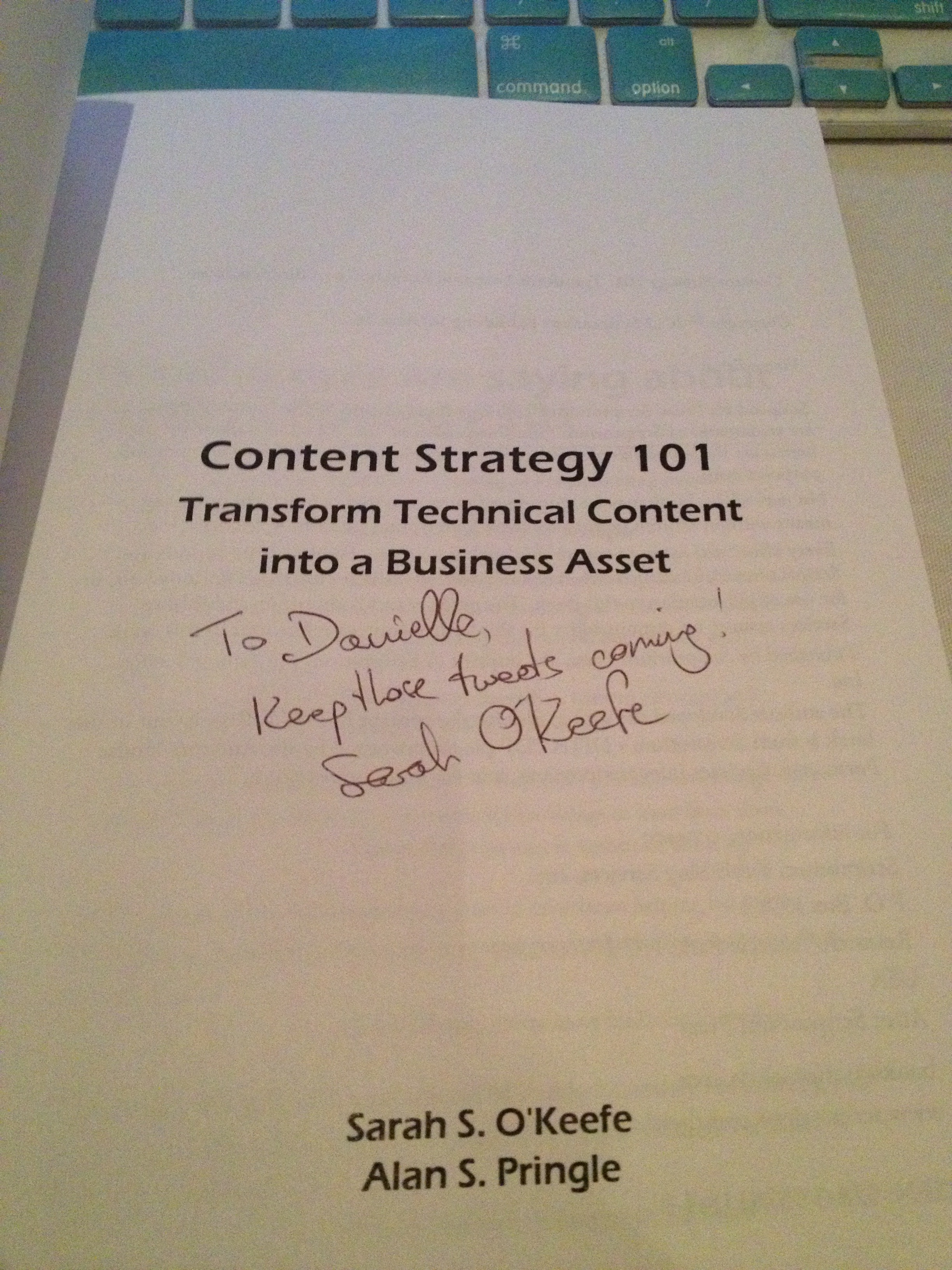
The autograph from my copy of
Sarah O’Keefe’s book,
Content Strategy 101.
Awesome!
Posted in Uncategorized

Adobe Day Presentations: Part III – Joe Welinske and Multi-Screen Help Authoring

Joe Welinske
President of Writers UA

Joe Welinske of Writers UA followed Sarah O’Keefe’s presentation on Adobe Day. I was especially interested in hearing what he had to say, because the topic of his presentation was  about “Multi-screen Help Authoring–How to Deal With the Explosion in Device Sizes.” Anyone who’s read this blog before knows that I’m very much into the mobile revolution, and while I’m usually talking about m-learning more specifically, mobile goes beyond learning, and using mobile in technical communications is connected to m-learning in many ways.

Joe explained that the device population keeps growing! Smartphones and desktops are changing; the sizes between smartphone and tablet devices, whether they be iOS, Windows or Android devices truly vary. The same content needs to be displayed on everything from large monitors to laptops to tablets to GPS to small phones–there are dozens of choices! How do you design a UI (user interface) for all these variations?

Joe explained that different devices have different dimensions, different operating systems, different user interfaces elements…lots of variations to contend with when creating content. He suggested that a “graceful, efficient adjustment is needed,” namely matching the amount of content and the type of content with a device without crafting solutions for each.  He contended that responsive design the key as it allowed for adaptive content. Responsive design would allow flexibility for different environments.

Joe mentioned that Scott Abel has touched upon this during his presentation, but Scott later clarified for me on Twitter, by saying, “That’s one way, although I question whether it is the best way…Lesson: Adapt content first, design second. Wrong content, right design = #fail.”

Joe continued by pointing out that one way to accomplish this objective included using HTML5/CSS3, tagging all objects in source code, create device-type style sheets, and including media queries in source. The end result would be a single-source content file that looks and works well on different devices. To prove his point,  Joe demonstrated how same source content looked on different devices, specifically the iPad versus iPhone in this example. Joe also showed an example of how he divides the devices by “buckets” when creating his style sheets into categories such as 10″ tablets, desktops, phones, etc. He recommended using a “parent” style sheet, then fine tuning with a device style sheet for each device type. This would help create a graceful adaptation using HTML/CSS and query to allow your content to flow automatically and intelligently. From that point going forward, a technical communicator can consider making mobile the starting point and expanding from there. Joe’s last point was that a small percentage of people from traditional technical communications are involved in mobile projects but the user experience and design skills are actually similar.

I agree with Joe that designing for mobile really does use many of the same skills as traditional design methods, but it does take a little extra time to lay out the thought process and structure needed to make the content be delivered from a single-source to multiple types of mobile devices. It’s a little tricky, but with some careful thought, it’s not really as complicated as it could be. By using single-sourcing and customizing style sheets, multiple output of content can easily be attained.  I strongly agree as well that this is the mentality that people need to adopt, whether involved in technical communications or e-learning/m-learning now.  I think this opened the eyes of many attendees in the room. Mobile really is an important consideration now in content output!

Next: Adobe Day Presentations – Part IV: Val Swisher asks, “Are You Global Ready?”

Posted in Uncategorized

Upgrade Time! PREVIEW of the NEW Adobe Technical Communications Suite 4!

I’m very excited as this is my 100th post here on techcommgeekmom.com, and with this 100th post, I am able to present all of my readers with a special preview.

Adobe’s Technical Communications Suite 4.0 (TCS4) is now out!

Woo hoo! It’s great to see that along with upgrades to the Adobe Creative Suite and e-Learning Suite, now the Technical Communications Suite is getting a major update as well.

Now, you may be wondering, like most technical communicators, what changes have been made between the 3.5 version and the 4.0 version. Good question! There have been several upgrades to the software package, thank you very much. How do I know? Adobe was kind enough to invite me to a preview a little while ago, and even as a newbie to this software package, I can say that I could see that the company is trying very hard to keep up with the needs of technical communicators, and they are taking the necessary steps to embrace mobile technology, which is highly evident in this upgrade.

Now, I took as many notes as I could, considering the presentation went by faster than I could take the notes, but I know that there are a few major highlights that are important to cover.

As the speakers from Adobe started the presentation, they concentrated on identifying key trends they felt were happening in technical communications, namely a movement to structured authoring, rapid mobile growth in smartphones and tablets, the need to make content more interactive, the concern of technical communicators having to do more with less resources, and the need to provide searchable, personalized and socially enabled content. It sounded to me like they were on the right track, especially if the improvements they were about to present fulfilled these needs.

One of the main anchors of Technical Communications Suite is Framemaker, and here in the TCS 4 Suite, Framemaker has been upgraded to Framemaker 11. From what I’ve been able to gather from my observations, Framemaker had its heyday, then it lost favor, and now it’s starting to regain steam again. Framemaker (FM) 11 seems to be taking the improvements make from FM 10 another step forward. Structured authoring was the main focus of the improvements with this product, including multi-view editing environments providing WYSIWYG (What You See Is What You Get) of XML and author sources as well as getting WYSIWYG output as well. Content creators can edit XML documents in any view, and the changes are reflected in all views without manual changes. This bodes well for working towards single-source creation! DITA and XML support has been enhanced as well, and performance using these has been enhanced as well.

A big addition to FM 11 is ability to include rich media objects like vector images with hotspots, video, and 3D modeling. One of the features I liked that was demonstrated was one where play, pause, and jump buttons were created around a video/animation presentation within the content. Nice! The 3D model imaging that can now be used will be great for how-to manuals, so there is better context at looking or training on physical objects, like looking at a machinery part from all angles. From a productivity standpoint, SmartPaste and SmartInsert features have been added to help auto-format pasted or inserted text or content into a new document, but one can still retain the old formatting as well. Another appealing feature is the ability to create your own Framemaker set-up. Adobe’s goal was to enable content creators to be able to author content faster by allowing the creators to customize navigation and workspaces. That sounds great! Of course, what got me most excited was to hear that FM 11 has been oriented to now enable mobile output, including multi-screen HTML5 content as well as ePub 3.0 and Kindle formats. That’s definitely a step in the right direction!

The second main anchor of Adobe’s Technical Communications Suite is RoboHelp (RH), now available in version 10. RH 10 works seamlessly with Framemaker, as it always has, but again Adobe has focused on streamlining the workflow process as well as improving the product’s output. That output includes new outputs for mobile devices. RH 10 can deliver content to iPad as well as other tablets, smartphones, and desktops now—there are 17 output formats now! It is set up so that authors can work in a multi-author, multi-reviewer environment, where it’s easier to personalize and optimize content relevance. Content can be rich media—again, like FM11, and includes various HTML5 outputs that include mobile apps, ePub 3.0 and Kindle now.

The HTML5 output has also been made to be modern looking, frameless and SEO-friendly. The output is responsive design that works well with fluid layouts like CSS 3 and media queries. Like FM 11, RH 10 can customize and optimize the appearance of the content on each screen as needed. Socially enable documentation can be produced using RH 10, which means that creative native and web mobile apps can now be produced from RoboHelp. This is a big boost for making apps for iOS and Android mobile apps. The workflow view is easier as multi-layout options are available, and there is a preview tool that allows the author to see how the output will look on different devices and subsequently, there is the ability to assign different styles to different devices, including the output publishing settings for each device. One of the other features that caught my attention was that now there is also out of the box integration with MS Sharepoint, so it provides end-to-end workflow. Being someone who’s used SharePoint at my last job extensively, that would make things flow really well for output, and I’m sure that would provide a better product for the end user as well!

TCS 4 has several new features about it. While it includes Framemaker 11 and RoboHelp 10 as mentioned, it will also include the updated Captivate 6, Acrobat X Pro, and now Illustrator has been added (most likely to accommodate vector images better) and Adobe Presenter. I think I’m most excited that not only the newly updated Captivate has been included, but that Presenter has been included as well. I think this is a really smart move on the part of Adobe, because between Captivate and Presenter, more interactive content can be created and put out for mobile. And yes, as I mentioned before, the big push for TCS 4 is being able to provide technical communicators with tools to produce output for mobile devices. To use their words, they are “embracing the mobile revolution” with the multi-screen outputs that are in HTML5 and other mobile formats like ePub 3.0, but also providing tools to make the content context sensitive, providing socially enabled apps, and support for optimizing indexes, glossaries, custom metadata and other content features.

Adobe even made sure that it was understood how TCS 4 would work very well for those in the e-Learning world, saying that TCS 4 provides “new workflows to bridge technical communication with e-Learning” by providing tools that can create m-Learning opportunities and rapid step-by-step authoring. Keeping up with other major trends, cloud-based computing is integrated into the product, as review workflows can now be done using the cloud with TCS 4.

One of the new pricing features also includes using the same cloud pricing model. There will be monthly rates as well as a reduced rate that monthly is cheaper than a month-to-month rate. Due to a lot of these new features–especially the ones that help enable publishing content for HTML5 and other mobile content, I would especially upgrade if I had an older version of TCS or older version of Framemaker and Robohelp. The fact that both FM 11 and RB 10 have customizable views is a big bonus, as well as having the capabilities to produce mobile-friendly content is a big boost. Having more efficient single-source authoring, and cloud capabilities—there are a lot of good things that are added to this.
Now granted, like I said, I’m still a newbie to using the product and using it, but from this reviewer’s standpoint based on the preview, it’s good to see significant upgrades to a product making a strong comeback in the technical communications field. I do hope that as time goes on, Adobe continues to keep up with updates to the product, especially considering the “Creative Cloud”-like option with obtaining the product.

It’s an exciting product, from what I can see, if you are just starting out, or need to revamp your technical communications software.

I hope this review has proven to be helpful. Have you downloaded your copy yet? If so, do you think these changes are big improvements or is there still something missing? Please leave a comment below on what you think about TCS 4 so far.

Adobe notified me just as I was writing this post (before I posted it) that I will have a chance to test-drive the product itself very shortly, and once I have it installed, I’m hoping that I can give my techcommgeekmom readers more information about this product–from my newbie perspective, and see if the preview information holds up to the real deal. Stay tuned!

Posted in Uncategorized

iPads and Surface and Nexus…oh my!

With the announcement of the new Windows Surface tablet coming out later in 2012, the new Nexus tablet coming out as well, and the rumors of an iPad mini possibly coming out in the fall, it’s made me think about what this all means in terms of “what device would be best?” especially for m-learning and other mobile applications.

First, I need to clarify that when it comes to technological devices, I’m generally torn. I’m all for having variety and such– it’s what makes market competition possible, but at the same time, each thing has its benefits and place, and it’s like comparing apples to broccoli. It’s no secret that I love my iPad. I got it almost a year ago after owning my iPhone for a couple of years. At the time, my husband retorted, “What do you need that for? It’s just a toy, if anything.” Or IS IT?

When I was doing my graduate studies, all I could think about what how I could use it for my own studying purposes, and I did several projects centered around the idea of using iPads for flipped classrooms or even classroom use, and based much of my experiences of what mobile learning is between my iPad and iPhone. I love the flexibility of the devices, and how lean and mean they are in how they operate.  Like many students out there with tablet devices, I read articles and e-books, I wrote up assignments and papers, did my research– did most everything I could with my iPad. The downside? Well, I didn’t have 4G on my iPad, so sometimes having web access was limited, but it wasn’t anything that bad that couldn’t wait until I did have connectivity, or until I got home and could use my laptop or the wi-fi at home. (There are 3G and 4G versions available–I just didn’t want to shell out the extra cash for that ability.) And until I had my wireless keyboard, doing all those papers and assignments could get a little rough.

At the same time, while I have an iPhone and an iPad, I can’t say that I’ve been totally sold on the idea of getting an iMac of some flavor. I love my PC laptops. While the last Apple computer I used was an Apple IIc about a million years ago (be quiet! I was a kid back then–really!), my entire IT existence both professionally and personally has always been on a PC. Yes, I’ve experienced the blue screen of death several times, and had numerous crashes over the years, but nothing that couldn’t be fixed unless the hard drive was dying. Until I got my iPad, my laptop went with me on vacation or whenever I was away from home. Even writing these blog posts is easier on my laptop than using my WordPress app on my iPad. Ninety-eight percent of my online degree was done on my PC laptop– the other 2% was on my iPad. I’ve owned 3 laptops in the last ten years, and had at least two or three PC desktops for years before that. So yes, I’m a devout Microsoft geek as well.

So when I heard that Microsoft had finally come out with a tablet they were going to release, I had to find out more. I thought that it would be helpful to understand what the Microsoft Surface tablet was all about, and was hoping that it would work well in the future for single-sourcing initiatives. I felt like the Microsoft presentation and reviews I was seeing online was just mirrors and smoke, and after three iPads having been in the market now, why a Microsoft tablet now? Was it worth me getting one, as if I were to abandon my iPad for…heaven forbid…something else?

On a recent weekend jaunt to a local mall that had both an Apple store AND a new Microsoft store, I actually asked a Microsoft store employee about the new Microsoft Surface machines, and he said it was rather simple to explain, actually. The new MS Surface tablet was Microsoft’s answer to having their own hardware like a Samsung Galaxy or other PC-type tablet, running on a Windows 8 OS platform similar to the Windows Metro platform used on their phones. The guy had his personal PC tablet loaded up with Windows 8 on it, and proceeded to show me how it worked. In a nutshell, it worked exactly like my laptop, just a few more bells and whistles for the interface. And this, as I was told, would be pretty similar to what my experience would be like with a Surface machine, but with a handy keyboard in the cover. So anything that I was running on my laptop–full versions of Adobe Tech Comm Suite or Creative Cloud, Flare, PC games, Microsoft Office– as long as it all fit on the flash drive inside, or ran off a Flash card or external drive device, you could use it on Surface.

But wait…if Microsoft Surface is essentially just a flatter, touch screen PC version of my laptop, did this make it the iPad killer that everyone (especially Microsoft) has been claiming it to be? At first, I thought it could be. I was thinking that Surface was what I was looking for over a long period of time before my iPad. Sure, there have been other tablet computers out there, but they were always out of my price range and weren’t as powerful as my regular PC laptop. So, a former me that was shopping for a tablet would have loved that. But now, in my mind, I don’t think it’s the “iPad killer”. It just sounded–to me–like it was just a flatter, touch screen version of my laptop, with less storage room and possibly less power. Would it replace a laptop for me? Well, maybe not me, but for the average person who is not a power user, it might be a good alternative for someone else who is less tech savvy. Imagine if all the full features of your laptop were in a convenient package like a tablet, so it’d be easier to bring with you–it would work well.

At first, that sounds great. Just in mobile learning alone, that could be monumental. And that might work better for many people who want the convenience of a tablet with all the power (but less storage space) as a laptop. For some, it’ll be just what they need. But for me, as I’ve thought about it, and debated whether to get one in the future, I decided it wasn’t worth it. First of all, for the same amount of money that this Surface machine is going to cost (if it’s financially on par with iPads, as Microsoft claims it will be)–what’s the point of getting a tablet with little storage space and not as much power when you can get something more powerful–more storage space and higher processor speed–in laptop form for the same price? There doesn’t seem to be much of an advantage in having one, unless you are a person who wants to make the switch, and you don’t do much on your laptop to begin with. Yes, there are some operational advantages, but they are minor. The convenience of a tablet? Oh yeah, that’s definitely a plus, but it seems so late in the game. And in the end…it’s still a PC. You can get this now on a Samsung Galaxy Tab or other PC-based tablet now, for the most part. Maybe it’ll be a slightly ramped up OS, but then again iOS6 will probably be coming out around the same time (more or less), so it’ll be interesting to see who wins the latest Apple vs. Microsoft battle.

But just as everyone is focusing on the usual heavyweights battling it out, Google has been a contender for a while–much more than Microsoft has been. Google has recently announced that it was releasing its new device, Nexus 7, running on the latest Android OS called “JellyBean.” Reports I’ve read is that since this is a full OS, not an abbreviated version like on a Nook or Kindle Fire, it runs more smoothly and robustly. It allows for more Google features like Google Now and Google Play to be used more fully, for example. This leads me to believe that while this is a smaller tablet in size than an iPad or Surface, due to it’s great affordable price starting at $199 (as compared to a “bottom of the barrel” iPad at $499 for the new iPad, $399 for the same in an iPad), it’s definitely a dark horse contenter to come in and steal some thunder. In the end, though, it’s not really in the same category as an iPad or Surface machine. Let me explain.

The way I see it, there are two categories of tablets. The first category is one in which the tablets are almost PC replacements, but not quite. They have the most flexibility due to their ability to do anything from word processing and reports, graphic and image editing, games, video, email, web browsing, etc.  They are generally a much leaner version of a PC, not only physically in the hardware, but also in its capabilities. iPads have this down to a science now, whereas Surface will be just a slimmed down physical version of what most people have already.

The other category includes the small tablets. These would be your Nook, Kindle Fire, Nexus 7 and if it actually comes out, iPad Mini. While it has great perfunctory use, it’s not meant to be anything but a basic device to provide basic services. I’ve never heard of doing presentations off of a Nook, or a report being written on a Kindle Fire.

Are there uses in education and business for any of these kinds of tablets? Sure there are. Because of their enormous flexibility and functionality, it’s no surprise that iPads have been dominant in both education and business, and will continue to be dominant. Will the Surface upset that dominance? It might, only because so many are used to using a PC that the learning curve (not that there’s a huge one in learning how to use an iPad) would not have to be contended with, and some might like that full PC functionality over a streamlined one like an iPad. I see iPad and Surface being more productive than the smaller tablets.

Does this mean that smaller tablets don’t have a place in education or business? No, not at all. It can still be used for reading, communication, video and basic web searches– that might be all someone needs.

But from my own personal experience as a student as well as a professional, I don’t see how the larger tablets could lose. The question will be whether educators or business people find the streamlined functionality of an iPad more beneficial or the PC-similarity of the Surface to be more productive in the long run. Hmm…I think I found the topic of my PhD thesis (if I ever do it in the near future)!

What do you think? Let me know the comments below.

(PS–Microsoft or Google– if you want me to try these devices out once they are out, I’m glad to give them a go. 😉 )