Posted in Uncategorized

Want to be a cutting edge technophile? Here’s one way to do it…

Bookmark and Share

TeslacoilI’m not a normal mom. I’m a geek mom— a techcomm geek mom, to be more exact, but I was a geek mom long before I was into tech comm. While I liked my girly things as a girl, I always had the geeky side too. For example, there’s hardly ever been a Christmas where I didn’t get at least one item that was electronically powered. As I’ve gotten older, I haven’t wanted traditional mom gifts of jewelry or a sweater, but I’d rather have something that I can use with my laptop or iPad. Yeah, I’m like that.

So when I discovered in the past year or so that I could not only possibly obtain the latest technology–be a first user for something–AND encourage entrepreneurship for someone trying to make a small business work, it sounded like a cool plan. Or, similarly, if I saw a worthy cause that supported technology issues, I was going to support it if I could.

TeslaMuseumprojectlogoIn the past twelve months, I’ve contributed to three such fundraisers. The first one was mentioned several months back. It was a fundraising campaign to help buy the original Wardencliffe building in New York that Nikola Tesla owned during his life, and turn it into a Tesla Museum. Having a child who is interested in electricity and loves to watch a Tesla coil, this seemed like a natural one to choose. I’ve only been a “member” of one other museum, and that was the Franklin Institute in Philadelphia, so this was a natural fit as well. This one was funded through Indiegogo.com. I thought it was a cool idea to support this endeavor, so I contributed to it what I thought I could afford.  It reached its goal and then some, so things are underway to continue to purchase the property and get the project underway. To learn more about this project, go to the Indigogo “Let’s Build a Goddamn Tesla Museum” website.

everpurseThe next project I decided to invest in was a little more “girly”, but not that much. It’s actually something a lot of people could use. The project was to make a small clutch or purse to recharge your phone when you aren’t using it. It’s known as Everpurse: seamlessly charge your phone all day. Everpurse is another one that gained great support and found its full funding. The idea is that rather than put one’s phone in a pocket or purse where it would just lose power while waiting to be used, the phone–either an iPhone or Samsung Galaxy S3–could be recharged inside this particular little clutch without any wires. Supposedly there’s enough charge in the recharger in the clutch to take your iPhone from 0% to 100% twice over! What person couldn’t love that? I don’t normally carry a purse, but a little clutch seemed just right, and one that would recharge my phone would be worth the money. So, I contribute to that fund as well. If you’d like to learn more about this little device, check out the Everpurse-Kickstarter website.

commbadgeThe last project that I decided to invest in, just before I wrote this post, was a CommBadge. Yes, you read that right–a CommBadge. Okay, it’s not quite the same as the one in the Star Trek franchise, but it’s pretty close! It’s a Bluetooth device that can be clipped on your shirt so that you can use your iPhone or Android phone hands-free without having to put on one of those Borg-like ear pieces. I don’t know about you, but I only had one of those earpiece thing because they annoyed me–they didn’t feel comfortable on either of my ears. This seems like a much better solution! It even works with Siri and the Google equivalent of that (whatever it’s called, which I don’t know since I don’t have any Android products personally). Looking at the funding prices on Indiegogo, they seem to be priced equivalently to several regular Bluetooth hands-free devices, so I figured, why not? They are still looking for funding for this project–they have 23 days to meet their goal, and it seems like a really good item to have. To contribute and get one of the first CommBadges ever produced, check out the CommBadge-Indiegogo website.

These are just three examples out of MANY that are found on Kickstarter and Indiegogo. Some technology project sound good, and some sound…well, they need work. I encourage you to go to the sites and check out what’s there, and support those projects that you can when you can. I think it’s important to support creativity, imagination, and small business when possible, and there are plenty of projects that offer access to early technological innovations. Helping to fund these projects is similar to a PBS television fundraiser. “At the $X, we’ll send you these gifts to thank you for your contribution”-type of marketing is done on the campaign pages. It works, as there’s usually plenty of things at different price points.

As a geek mom, I feel good not only helping some people realize their dream, but I feel good knowing that I’m encouraging creativity, innovation and technology in some small way, and can be an early reaper of the benefits.

See what other gems in the rough you can find, and contribute when you can!

Posted in Uncategorized

What you so afraid of? Part II – The Tech Comm Edition

torchwood_jacktorturedI’ve been reflecting a lot, lately, into what makes me continue to pursue a technical career, especially in technical communications. I’ve been thinking about what I’ve been doing in the last year to stay on top of trends and issues in the technical communications field, because the last thing that a prospective employer needs is someone who is stuck in his or her own ways, never learning and never progressing. Technology is constantly changing, and both technical communications at-large as well as the e-learning world are both in the flux of a “revolution”–a revolution that reflects that these fields are in the process of changing and revitalizing in order to keep up with modern thought and technological advances. One of the reason I try to stay as active as possible in social media is to stay on top of those trends and have an understanding of the current issues and advances in these fields so that I can go into a job understanding what the needs of a company are in order to help that company move forward.

And yet, it seems like there are so many companies, from my own observation, that are terrified of change and progress. Is it too much too soon? Perhaps it is. I’ve talked about this topic before at length specifically in regard to how the m-learning revolution is trying to make headway in the e-learning field in my post, “What Are You So Afraid Of?” back in July 2012. But as my most recent experiences personally have been more tech comm related, I’m starting to think that this fear of progress extends to the tech comm world as well.

I remember a big part of what was mentioned at the Adobe Day panel was the idea that as technical communicators, we understand the value of our work better than the higher-ups in managerial positions, and it’s our duty, in many respects to make sure that these higher-ups understand that value and the ROI (return on investment) that using structured content and other tools at a technical communicator’s disposal will benefit the company in the long run.  When I’ve gone on interviews or worked at various jobs, I talk about the advances that are going on involving mobile technology and how companies need to keep up with this fast-growing technology. While the interviewers or other people I speak with are impressed with my knowledge and agree the changes need to be made, the argument made is that the higher-ups, who don’t understand this value of technical communications as well as we do, insist on sticking with old ways, and slowing down progress for the sake of comfort levels. It’s a “Don’t fix what ain’t broken”-kind of mentality. I know that sometimes budgets can limit how soon progress is made, because ever-changing technological advances can be expensive, especially if one is always trying to keep up with the latest and greatest. But I also know that spending a lot of money on ancient systems that aren’t keeping up with current technology and even supporting such ancient technology and methods that aren’t even supported today is throwing money away too. Would we even have smartphones or cell phones if we settled for landline phones only? Would microprocessing computers have even been invented if we settled for manual typewriters long ago? Settling for the old doesn’t really benefit anyone, especially global companies that want to stay ahead of the competition.

The photo above is a favorite character on one of my favorite TV series, “Torchwood,” named Captain Jack. Captain Jack is generally a fearless guy, especially since he has some sort of capability where he cannot die. In that sense, when up against some sort of danger personally, he’s got nothing to lose at all. But since he’s lived for so long, he also respects the past and understands the full impact of his actions and how they affect others. Despite having nothing to lose by his actions, he’s actually the conservative one when it comes to making decisions, basing his actions on what he knows and what he researches first. He is cautious, but he’s not against trying something new if it makes sense. If you see him with a facial expression like the one he has above, you KNOW that something REALLY bad is going on, and it has greater repercussions beyond himself.

There are times that I have that same feeling, at least in my own mind.  While I respect that certain systems work and work well, and I know I’m not the most experienced technical communicator out there, I’ve done some due diligence, and again, I try to keep up with what’s going on in the world so that I’m ready to keep up with the latest advances and thought in the field. When I hear that companies are hesitant to budge from an old way of thinking, I feel frustrated. How are these companies supposed to keep their standings as world-class, advanced companies when their communications are not cutting edge, or at least up-to-date? Again, I understand that executive managers have to look at the full picture and work within budgets, but with a world that is going mobile faster than anyone can keep up with, why aren’t big companies even attempting to keep up even a little bit? Just as I had mentioned in the last article on this topic relating to m-learning mentioned above, I see it occurring in tech comm itself as well, with companies not keeping up with the latest version of how documentation outputs have to be changed to keep up with mobile technology. There is little risk with proven methods.

As a global economy–not just in the United States–we are trying to emerge from one of the biggest financial crises in economic history. Looking back at history, it’s usually during these times of economic woe that some of the greatest leaps in technology and business have been made, using great intellect and creativity to push things forward when resources were scarce. This is a time of emergence again. There are so many companies that have taken the leap forward to help take us to the next step. Smartphone and tablet manufacturers have brought us the next means of gathering information and providing communication between us. In turn, software manufacturers, like Adobe with TCS 4 and MadCap with Flare, among others, have provided us with tools to help take the content that technical communicators write to a new level of efficiency and flexibility among all the new mobile devices in the world while still keeping up with desktop capabilities.  If any companies embrace any of the changes that are going on in the technical communications field, they can deliver bigger and better communications thus benefitting from the changes, not being hindered by them.

So, what are you so afraid of, corporate world? Help technical communicators help you. Even the smallest step forward will be step towards a better future for your company.

Posted in Uncategorized

My response to RJ Jacquez’s question: Will Tablets replace PCs?

Recently, due to the upcoming release of Microsoft’s Surface machine, RJ Jacquez released two blog posts promoting the idea that tablets, in time, will indeed replace the PC as we know it, and that Microsoft is going in the wrong direction with this Surface device. Between his post titled, “For the sake of ‘Mobile’ I hope Microsoft Windows 8 and the Surface Tablet fall short” and Tablets Will Replace PCs, But Not In The Way You Think, he says that he feels that Surface is not taking us forward because it embraces the idea of adapting our devices to old software, instead of moving forward with mobile devices and rethinking how to create new productivity software for these new tablets that can make users more productive.  After paraphrasing several articles that have been out in the press that claim that productivity apps such as Microsoft Office, Photoshop, and Final Cut Pro (to name a few) are items that need to be addressed by the tablet industry, he counter argues,

Personally I think that most of these articles miss the bigger point, namely the fact that most people think that Tablets replacing our PCs will require a 1:1 task-replacement approach. I don’t buy this argument….In other words, we are currently shaping our mobile tools and soon these amazing devices, along with the incredibly creative apps that accompany them, will shape us and redefine every single task we do from here on out, including learning design, image editing, web design and yes every productivity task as well.”

I understand what he’s saying. If I’m interpreting him correctly, his argument is that devices like Surface should not be adapted to run bloated “power” software that needs the extra storage and peripherals to work, thus making the devices less mobile, but rather software should be streamlined to become more efficient so it can run in a tablet like an iPad which doesn’t need extra storage because it relies on the Cloud nor does it need any other peripherals to function. Some of the other “power” apps that RJ mentioned that critics think would need PC power include Photoshop, Microsoft OneNote and Avid Studio.

Well, I do have to agree with RJ insofar as I think that mobile is the future, and it is forcing us to really look at software and its limitations, and it’s making us think about how to streamline processes and our needs. mLearning is in the midst of a huge revolution due to that mindset right now. And actually, there are tablet versions of Photoshop, MS OneNote, and Avid Studio available for tablets that cover most of what users need. So it’s not like these kinds of software can’t be adapted for most people’s uses.  The average user does not use Word or Excel or Photoshop or other apps the same way as a power user, so streamlined apps are fine.

However, I think there may be a need–at least for a little while longer–for PCs to still exist for other kinds of “power” uses. The first thing that comes to mind are apps that are not as mainstream as the ones mentioned so far. Tech comm apps like Framemaker, RoboHelp and Flare are the first ones that come to mind. Now I know that Adobe is working to put just about all of their major software products on the cloud, so that’s a move in the right direction. I have no idea if Flare or the other leading tech comm productivity software packages are moving that way as well. The same thing with e-learning software…again, Captivate is part of Adobe’s cloud-based Technical Communications Suite 4 right now, but what about Lectora or Articulate or other instructional design software packages?  These are all software programs that aren’t quite ready for tablet use yet, but for the sake of mobile productivity, it might not be a bad idea to move in that direction. But for now, staying as desktop apps is probably fine.

There’s an app called Cloud On that has the right idea. It’s an app that’s available for both iOS and Android use, and essentially it provides a means of accessing full versions of Microsoft Office on tablet devices, and then saving documents in a Dropbox, Box or Google Drive account. No short cuts here! Full functionality of the software, on the go!

So, why aren’t the all the big software companies jumping onto the bandwagon with this? Apple already has by creating tablet versions of their iWork and iLife apps, but what others? Some companies have taken baby steps, or are working on it, and others…well, I think they are not keeping up, or are in denial that having a lean version of their software is needed.

I can say, as I mentioned, that I’ve used Cloud On, but I’ve also used my iPad’s Notes app. I used the Microsoft OneNote app on my iPad heavily last year during grad school, as I would start my homework assignment on my iPad during my lunch hour, and then sync it in my SkyDrive account so I could access it from my laptop at home to finish an assignment. I recently used Photoshop Touch on my iPad when I was too lazy to power up my laptop one night to fix a photo for a friend.  When I’ve made movies or did any digital photography projects, they’ve been done more on my iPad than on my laptop due to more affordable choices that meet my basic needs for editing.

So, my answer to RJ’s question is that I feel there will still be some apps that will need a PC to do much bigger jobs. Desktops and laptops are our workhorses right now, and you wouldn’t ask a pony to do the work of a Clydesdale horse. The PC isn’t going away anytime soon, and it will remain the hub of business and other work for some time to come. But, I agree with what RJ said, that in looking forward to the future, we need to continue to think mobile and how we can make it work so that much of these workhorse products can be made more lithe and flexible to our needs.

One last thought to put the mobile/tablet point in perspective–if you are a Star Trek fan like I am, you will have noticed that everyone carries portable devices–the size of a tablet, e-book or smartphone– to access huge databases and information, and to do much of the “heavy” information lifting for anyone aboard a starship. This was depicted on the shows well as much as 25 years ago, before the advent of tablet devices and smartphones. Think about how the various characters on the show used their devices. They would tap into a main computer device on the ship–much like we would access a network or the Cloud–to obtain information and make various calculations as needed.

It would seem to me that we are getting closer to that kind of scenario in reality, but we’re not quite there yet. We’re getting close, though!

Posted in Uncategorized

Adobe Day at LavaCon 2012 Roundup!

This post is just a quick summary of the Adobe Day at LavaCon 2012 series from this past week. As you see, there was so much information that it took six posts to try to summarize the event!

Being in Portland, Oregon was great. It was my first trip there, and being a native Easterner, my thoughts pushed me to that pioneer spirit of moving westward in this country. Once there, I saw a hip, young, modern city, continuing to look towards the future.  The information I gathered at Adobe Day was general information that was endorsement-free, and practical information that I can use going forward as a technical communicator, and that by sharing it, I hope that others in the field will equally take on that pioneering spirit to advance what technical communications is all about, and bring the field to the next level.

To roundup the series, please go to these posts to get the full story of this great event. I hope to go to more events like this in the future!

As I said, I really enjoyed the event, and learned so much, and enjoyed not only listening to all the speakers, but also enjoyed so many people who are renowned enthusiasts and specialists in the technical communications field and talking “shop”. I rarely get to do that at home (although it does help to have an e-learning developer in the house who understands me), so this was a chance for me to learn from those who have been doing this for a while and not only have seen the changes, but are part of the movement to make changes going forward.

I hope you’ve enjoyed this series of blog posts. I still have many more to come–at least one more that is inspired by my trip out to Portland, and I look forward to bringing more curated content and commentary to you!

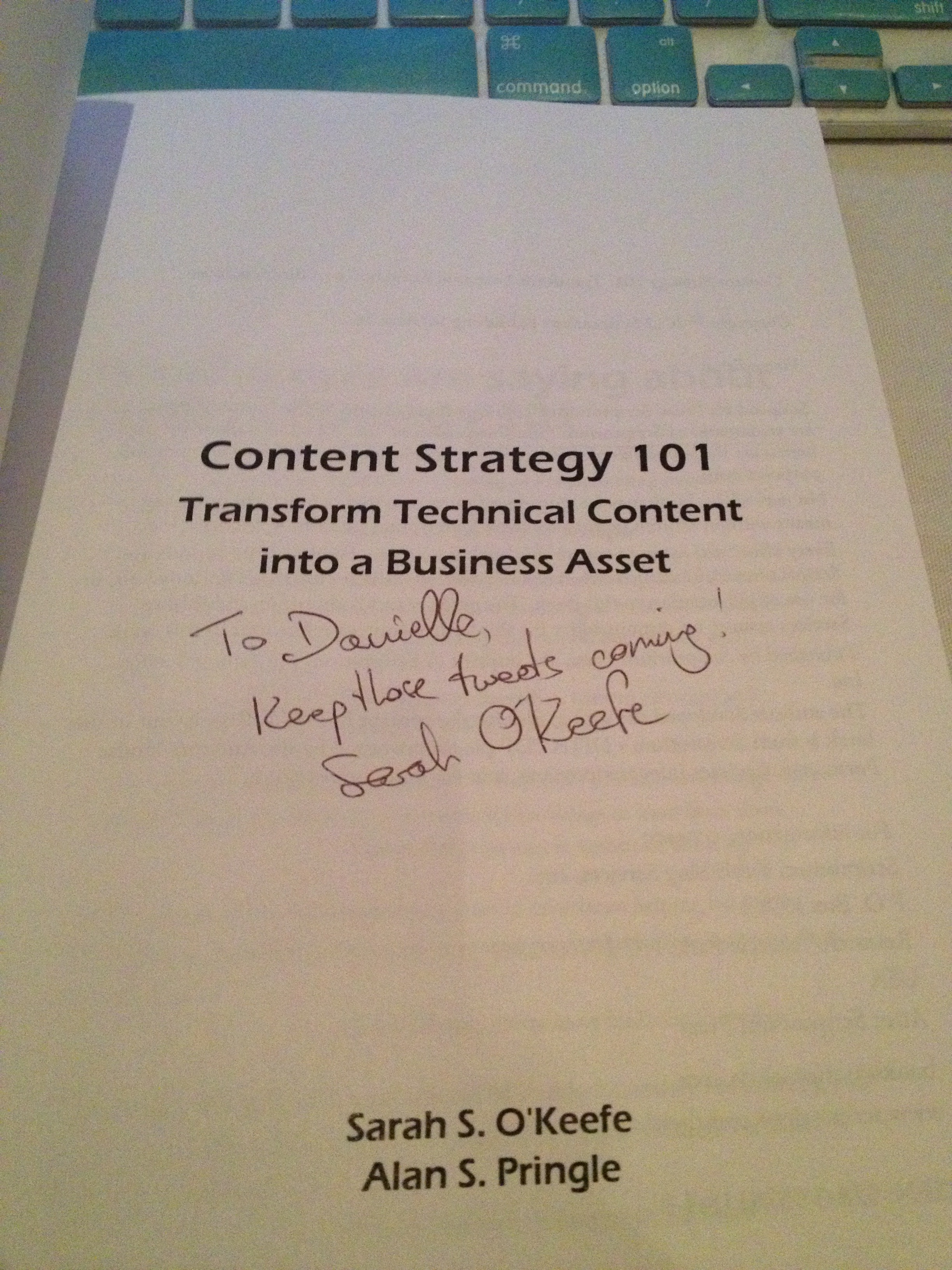
The autograph from my copy of
Sarah O’Keefe’s book,
Content Strategy 101.
Awesome!
Posted in Uncategorized

Adobe Day Presentations: Part III – Joe Welinske and Multi-Screen Help Authoring

Joe Welinske
President of Writers UA

Joe Welinske of Writers UA followed Sarah O’Keefe’s presentation on Adobe Day. I was especially interested in hearing what he had to say, because the topic of his presentation was  about “Multi-screen Help Authoring–How to Deal With the Explosion in Device Sizes.” Anyone who’s read this blog before knows that I’m very much into the mobile revolution, and while I’m usually talking about m-learning more specifically, mobile goes beyond learning, and using mobile in technical communications is connected to m-learning in many ways.

Joe explained that the device population keeps growing! Smartphones and desktops are changing; the sizes between smartphone and tablet devices, whether they be iOS, Windows or Android devices truly vary. The same content needs to be displayed on everything from large monitors to laptops to tablets to GPS to small phones–there are dozens of choices! How do you design a UI (user interface) for all these variations?

Joe explained that different devices have different dimensions, different operating systems, different user interfaces elements…lots of variations to contend with when creating content. He suggested that a “graceful, efficient adjustment is needed,” namely matching the amount of content and the type of content with a device without crafting solutions for each.  He contended that responsive design the key as it allowed for adaptive content. Responsive design would allow flexibility for different environments.

Joe mentioned that Scott Abel has touched upon this during his presentation, but Scott later clarified for me on Twitter, by saying, “That’s one way, although I question whether it is the best way…Lesson: Adapt content first, design second. Wrong content, right design = #fail.”

Joe continued by pointing out that one way to accomplish this objective included using HTML5/CSS3, tagging all objects in source code, create device-type style sheets, and including media queries in source. The end result would be a single-source content file that looks and works well on different devices. To prove his point,  Joe demonstrated how same source content looked on different devices, specifically the iPad versus iPhone in this example. Joe also showed an example of how he divides the devices by “buckets” when creating his style sheets into categories such as 10″ tablets, desktops, phones, etc. He recommended using a “parent” style sheet, then fine tuning with a device style sheet for each device type. This would help create a graceful adaptation using HTML/CSS and query to allow your content to flow automatically and intelligently. From that point going forward, a technical communicator can consider making mobile the starting point and expanding from there. Joe’s last point was that a small percentage of people from traditional technical communications are involved in mobile projects but the user experience and design skills are actually similar.

I agree with Joe that designing for mobile really does use many of the same skills as traditional design methods, but it does take a little extra time to lay out the thought process and structure needed to make the content be delivered from a single-source to multiple types of mobile devices. It’s a little tricky, but with some careful thought, it’s not really as complicated as it could be. By using single-sourcing and customizing style sheets, multiple output of content can easily be attained.  I strongly agree as well that this is the mentality that people need to adopt, whether involved in technical communications or e-learning/m-learning now.  I think this opened the eyes of many attendees in the room. Mobile really is an important consideration now in content output!

Next: Adobe Day Presentations – Part IV: Val Swisher asks, “Are You Global Ready?”